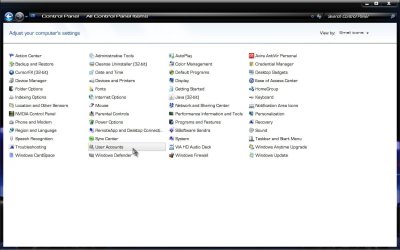
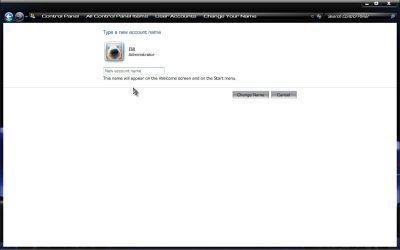
This is a minor nuisance but still it wasn't an issue in XP or even Vista.
My Windows 7 Pro still shows the name as USER if looking in the folder "C:\". For example, there are 2 user accounts, both Administrators. When Windows 7 boots, you have a choice to log into SAM or JOY. However, everytime you want to install a new app, USER shows up as the name. And Sam doesn't show up as a USER but the following: C:\USER and C:\JOY in C Drive.
How do I change USER to SAM even though the profile in the GUI show shows SAM already?
My Windows 7 Pro still shows the name as USER if looking in the folder "C:\". For example, there are 2 user accounts, both Administrators. When Windows 7 boots, you have a choice to log into SAM or JOY. However, everytime you want to install a new app, USER shows up as the name. And Sam doesn't show up as a USER but the following: C:\USER and C:\JOY in C Drive.
How do I change USER to SAM even though the profile in the GUI show shows SAM already?
My Computer
At a glance
Windows 7, Windows 10 ProIntel Core i7 930G.SKILL F3-12800CL9T-6GBNQ 6GB DDR3 3X2GB DDR...ATI Radeon HD 5700
- Computer type
- PC/Desktop
- Computer Manufacturer/Model Number
- Asus P6X58D-E, Lenovo
- OS
- Windows 7, Windows 10 Pro
- CPU
- Intel Core i7 930
- Motherboard
- Asus X58 P6X58D-E
- Memory
- G.SKILL F3-12800CL9T-6GBNQ 6GB DDR3 3X2GB DDR3-1600 CL 9-9-9
- Graphics Card(s)
- ATI Radeon HD 5700
- Hard Drives
- Seagate Barracuda 1TB x2 SATA3 6GB/S 7200RPM 64MB
WD 1TB SATA3
- PSU
- Coolermaster Silent Pro 700W Modular Power Supply