
Hi There. Newbie here. I just completed installing Win7 Home Prem to my computer. I had to backup my old files because it was a " clean install ", going from a 32bit Vista to 64 bit Win7. Everything works fine except this problem that I can't figure out nor find any solutions for.
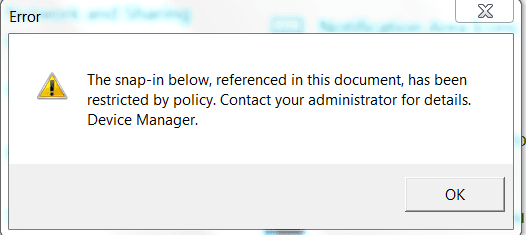
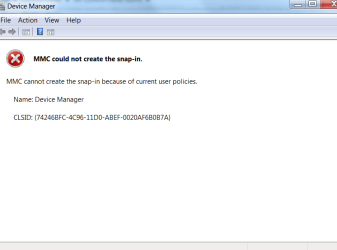
When I try to go into certain folders in control panel such as Device Manager, I get some sort of Snap In error, restricted by policy, access denied. I am the administrator of this computer. When I go into the MMC . exe screen, the left pane window is completely empty.
I really don't know how to fix this. Could someone please please treat me like a 3 year old and explain step by step how to resolve this issue? The screen shots are attached.
Thank you so much!!
When I try to go into certain folders in control panel such as Device Manager, I get some sort of Snap In error, restricted by policy, access denied. I am the administrator of this computer. When I go into the MMC . exe screen, the left pane window is completely empty.
I really don't know how to fix this. Could someone please please treat me like a 3 year old and explain step by step how to resolve this issue? The screen shots are attached.
Thank you so much!!
Attachments

My Computer
At a glance
Windows 7 Home Premiuem 64 bit
- OS
- Windows 7 Home Premiuem 64 bit


