Windows 7 Forums


Windows 7: Can`t find iso file in Windows 7

18 Jul 2010   #21

Windows 7 x64 (SP1)


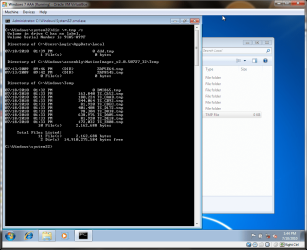
To make sure nothing would interfere or taint the test I created a virtual machine not five minutes ago to test it out. I added one ".tmp" file to a location that would experience a junction loop C:\Users\Logic\AppData\Local. There was no loop. Whice brings me to the conclusion as before.


Screenshot posted as proof of test.
Attached Thumbnails
Can`t find iso file in Windows 7-capture.png  
My System SpecsSystem Spec

18 Jul 2010   #22

Windows 7
 
 
Can`t find iso file in Windows 7

Logicearth---
Quote:
Well its because you had the application save it to the root of the C: drive.
So in reality it is not in C:\Users\[username]\AppData\Local\VirtualStore

What you should have done is told the application to save it to your documents or desktop.
Thanks for your interest but it`s too technical for me, i`ll follow your comments above.
My System SpecsSystem Spec
19 Jul 2010   #23

Windows 7 Pro X64
Space Coast of Florida


logicearth, I see your results but I honestly don't remember changing any permissions. Can you tell me what yours are set to for C:\Documents and Settings? Maybe that will give me a clue.
My System SpecsSystem Spec
.


02 Aug 2010   #24

Windows 7


Quote   Quote: Originally Posted by DrWho View Post
I love saving everything to my desktop.... of course it's a folder (somewhere) but it's also right there in your face. Anything you save to "Desktop" will never get lost.
Till I learned that trick, many years ago now, I was always loosing things.

Then you can put it somewhere else, later, if you like.
I've had my browser set to save to "Desktop" like....Forever!
That way, I never loose anything.

Same thing when I use ImgBurn to make an ISO of a CD or DVD.....I always tell it to save the ISO to my desktop. It just makes life so much easier.

To keep my C drive from getting overloaded with misc. STUFF that I download, I've made an "Extra Stuff" folder on my D drive with a shortcut to it on my desktop.
When I'm done with something I've downloaded, like an install file or an ISO, I just drag and drop it on the 'Extra Stuff' icon on the desktop and VOILA, it's OFF of my C drive and in storage.
With just a little planning, keeping your C drive free of junk (files that you no longer need on your C drive) isn't all that hard.

Cheers!
To whom it may concern-I found the "iso" files. Hope it helps others. Windows 7>>Solution as follows>>> FOUND those hidden .iso files.>> go to computer/local disc C and then click on "compatibility files" at top on toolbar, in there are the HIDDEN .ISO files...Enjoy like i am. Cheers
My System SpecsSystem Spec
Reply

 Can`t find iso file in Windows 7 problems?


Thread Tools


Similar help and support threads for: Can`t find iso file in Windows 7
Thread Forum
How do you delete a file Windows can't find? General Discussion
Solved I can't find the .ost file in Outlook 2007 on Windows 7 General Discussion
How to find Windows 7's application's EXE file General Discussion
Cant find iphone back up file in windows 7? Hardware & Devices
Downloaded Windows 7 but cant find an ISO file? Installation & Setup


All times are GMT -5. The time now is 04:04 AM.


Seven Forums Android App Seven Forums IOS App Follow us on Facebook

Windows 7 Forums is an independent web site and has not been authorized,
sponsored, or otherwise approved by Microsoft Corporation.
"Windows 7" and related materials are trademarks of Microsoft Corp.
© Designer Media Ltd
  

1 2 3 4 5 6 7 8 9 10 11 12 13 14 15 16 17 18 19 20 21 22 23 24 25 26 27 28 29 30 31 32