| Windows 7: No 1366x768 resolution for my TV? |
13 Aug 2010
|
#1 | | Windows 7 Professional 32-bit Service Pack 1 |
No 1366x768 resolution for my TV? Recently I was using the VGA output on my graphics card to connect to my TV. I was able to set it to 1366x768 (custom) and it looked fine on TV. Then I discovered that my PC had HDMI out. So I decided to use that.
This is when I ran into some problems. There is no option for 1366x768, and this time, I get a message: "Test failed. Custom resolution 1366x768 at 60Hz (32-bit) is not supported by your display." Well, sure it is! That's the actual resolution of my display!
The max size I have been able to set it to so far is 1280x720. But, for some reason, the TV cuts off the sides and I can't see the whole picture.
Also, I can't get the display connected to the mainboard to work, but this may be because I have a graphics card attached.
Is there any way to get this to work?
P.S. It's less than a year old. Panasonic TC-L32X1
Last edited by smurof7neves; 13 Aug 2010 at 12:35 PM..
Reason: type of TV
| My System Specs |
| OS Windows 7 Professional 32-bit Service Pack 1 CPU AMD Phenom II X4 925 Motherboard MSI NF750-G55 Memory 4.0GB Dual-Channel DDR3 @ 533MHz Graphics Card NVIDIA GeForce 210 Sound Card Realtek High Definition Audio Monitor(s) Displays HP w1907 19" Monitor Screen Resolution 1440x900 Keyboard Microsoft Wireless Keyboard 2000 Mouse Microsoft Wireless Optical Mouse 2000 PSU Cooler Master RS-500-PCAR-A3 Case Cooler Master Elite 310 Cooling 3 120mm case fans Hard Drives 320GB Hitachi HDP725032GLA360
500GB Western Digital WD5000AADS-00S9B0 Internet Speed 60 Mbps down, 6 Mbps up |
13 Aug 2010
|
#2 | | Windows 7 Home Premium (64-bit) *** Windows XP SP3 (32-bit), OSX 10.6 |
Hi smurof7neves (clever name btw  )
Could you please elaborate on your System Specs? That will enable us to better assist you.
Cheers,
Walker
Windows Outreach Team | My System Specs | | System Manufacturer/Model Number HP Pavilion dm3 (netbook) *** 27" iMac (Dual-Boot) OS Windows 7 Home Premium (64-bit) *** Windows XP SP3 (32-bit), OSX 10.6 CPU AMD Athlon Neo X2 1.6GHz *** Intel Core i7 Quad Core 2.8GHz Memory 4.00 GB *** 4.00 GB Graphics Card ATI Radeon HD 3200, 384MB *** ATI Radeon HD 4850, 1GB Sound Card ATI High Definition Audio *** ATI High Definition Audio Monitor(s) Displays LG Flatron W2053TX Screen Resolution 1600 x 900 (monitor), 1266 x 768 (laptop) *** 2560 x 1440 Mouse Logitech Cordless Optical Mouse for Notebooks Hard Drives 300 GB SATA (internal), 500 GB HP SimpleSave (external) *** 1 TB SATA (internal), 160 GB LaCie (external) Internet Speed Broadband |
13 Aug 2010
|
#3 | | Windows 7 Professional 32-bit Service Pack 1 |
thanks, Walker. BTW, I tried to get "smurofneves" but somebody already took it.
I have filled in the specs to help you and the rest of the community assist me. | My System Specs | | OS Windows 7 Professional 32-bit Service Pack 1 CPU AMD Phenom II X4 925 Motherboard MSI NF750-G55 Memory 4.0GB Dual-Channel DDR3 @ 533MHz Graphics Card NVIDIA GeForce 210 Sound Card Realtek High Definition Audio Monitor(s) Displays HP w1907 19" Monitor Screen Resolution 1440x900 Keyboard Microsoft Wireless Keyboard 2000 Mouse Microsoft Wireless Optical Mouse 2000 PSU Cooler Master RS-500-PCAR-A3 Case Cooler Master Elite 310 Cooling 3 120mm case fans Hard Drives 320GB Hitachi HDP725032GLA360
500GB Western Digital WD5000AADS-00S9B0 Internet Speed 60 Mbps down, 6 Mbps up |
22 Aug 2010
|
#4 | | Windows 7 Professional 32-bit Service Pack 1 |
Not sure if anyone has a solution to this problem I'm having, but if anyone can help me, please respond | My System Specs | | OS Windows 7 Professional 32-bit Service Pack 1 CPU AMD Phenom II X4 925 Motherboard MSI NF750-G55 Memory 4.0GB Dual-Channel DDR3 @ 533MHz Graphics Card NVIDIA GeForce 210 Sound Card Realtek High Definition Audio Monitor(s) Displays HP w1907 19" Monitor Screen Resolution 1440x900 Keyboard Microsoft Wireless Keyboard 2000 Mouse Microsoft Wireless Optical Mouse 2000 PSU Cooler Master RS-500-PCAR-A3 Case Cooler Master Elite 310 Cooling 3 120mm case fans Hard Drives 320GB Hitachi HDP725032GLA360
500GB Western Digital WD5000AADS-00S9B0 Internet Speed 60 Mbps down, 6 Mbps up |
22 Aug 2010
|
#5 | | Windows 8 Pro x64 Victoria, Australia |
Hi smurof7neves,
What brand and model television do you have?
If you're using VGA, you can try to force the resolution. Try lower the refresh rate, adjust the flush methods, and interlaced modes.
Many LCD panels often advertise 1366x768 resolution, but won't run it over VGA. This is a limitation of the panel.
If you have DVI or HDMI, consider switching to those.
1280x720 (720P) is what your screen is designed to run (as it is marketed as a multimedia screen). You may be stuck with that resolution. If you can find an option to enable 1:1 pixel mapping, you should be okay to go.
Though, from what you have said, it is possible 1:1 pixel mapping is already enabled and it's just putting in the black borders to compensate for it's native resolution of 768P.
Let me know how you go.
Last edited by LuzTeTT; 22 Aug 2010 at 11:08 PM..
| My System Specs | | Computer type PC/Desktop OS Windows 8 Pro x64 CPU i7 3820 @ 4.44GHz Motherboard ASUS Rampage IV Extreme RoG BF3 Memory F3-12800CL9D-8GBXL (32GB) Graphics Card GTX 480 SLI Sound Card Auzentech X-Fi HomeTheater HD Monitor(s) Displays Sony 32V5500 Screen Resolution 1920 x 1080 Keyboard Cyborg V.7 Mouse Razer Lachesis 3.5G 5600dpi PSU OCZ ZX 1250W Case HAF X Cooling H80 Hard Drives LSI MR9260-4i (RAID10):
Toshiba DT01ACA300 x 4
iaStorA:
OCZ Vertex Enterprise 120GB
ST3500320AS 500GB
Intel 520 Series 120GB Internet Speed 23296kbps ds / 812kbps us ADSL2+ Browser Mozilla/5.0 (Windows NT 6.2; Win64; x64; rv:23.0) Gecko/2013 Other Info AverMedia C127 Game Broadcaster HD |
22 Aug 2010
|
#6 | | Windows 7 Professional 32-bit Service Pack 1 |

Quote: Originally Posted by LuzTeTT Hi smurof7neves,
What brand model television do you have?
If you're using VGA, you can try to force the resolution. Try lower the refresh rate, adjusted the flush methods, and interlaced modes.
Many LCD panels often advertise 1366x768 resolution, but won't run it over VGA. This is a limitation of the panel.
If you have DVI or HDMI, consider switching to those.
1280x720 (720P) is what your screen is designed to run (as it is marketed as a multimedia screen). You may be stuck with that resolution. If you can find an option to enable 1:1 pixel mapping, you should be okay to go.
Though, from what you have said, it is possible 1:1 pixel mapping is already enabled and it's just putting in the black borders to compensate for it's native resolution of 768P.
Let me know how you go. I have used VGA and that works fine, but I wanted to use HDMI. HDMI is where I'm having the issue. Is there any way to run 1366x768 over HDMI? | My System Specs | | OS Windows 7 Professional 32-bit Service Pack 1 CPU AMD Phenom II X4 925 Motherboard MSI NF750-G55 Memory 4.0GB Dual-Channel DDR3 @ 533MHz Graphics Card NVIDIA GeForce 210 Sound Card Realtek High Definition Audio Monitor(s) Displays HP w1907 19" Monitor Screen Resolution 1440x900 Keyboard Microsoft Wireless Keyboard 2000 Mouse Microsoft Wireless Optical Mouse 2000 PSU Cooler Master RS-500-PCAR-A3 Case Cooler Master Elite 310 Cooling 3 120mm case fans Hard Drives 320GB Hitachi HDP725032GLA360
500GB Western Digital WD5000AADS-00S9B0 Internet Speed 60 Mbps down, 6 Mbps up |
22 Aug 2010
|
#7 | | Windows 8 Pro x64 Victoria, Australia |

Quote: Originally Posted by smurof7neves 
Quote: Originally Posted by LuzTeTT Hi smurof7neves,
What brand model television do you have?
If you're using VGA, you can try to force the resolution. Try lower the refresh rate, adjusted the flush methods, and interlaced modes.
Many LCD panels often advertise 1366x768 resolution, but won't run it over VGA. This is a limitation of the panel.
If you have DVI or HDMI, consider switching to those.
1280x720 (720P) is what your screen is designed to run (as it is marketed as a multimedia screen). You may be stuck with that resolution. If you can find an option to enable 1:1 pixel mapping, you should be okay to go.
Though, from what you have said, it is possible 1:1 pixel mapping is already enabled and it's just putting in the black borders to compensate for it's native resolution of 768P.
Let me know how you go. I have used VGA and that works fine, but I wanted to use HDMI. HDMI is where I'm having the issue. Is there any way to run 1366x768 over HDMI? What brand/model LCD television do you have?
HDMI is a different story. It relies on the EDID, and most often the EDID will report the native resolution and the driver software will try it's best to match or at least keep in ratio of the native resolution.
What does it say your native resolution is in the NVIDIA control panel? | My System Specs | | Computer type PC/Desktop OS Windows 8 Pro x64 CPU i7 3820 @ 4.44GHz Motherboard ASUS Rampage IV Extreme RoG BF3 Memory F3-12800CL9D-8GBXL (32GB) Graphics Card GTX 480 SLI Sound Card Auzentech X-Fi HomeTheater HD Monitor(s) Displays Sony 32V5500 Screen Resolution 1920 x 1080 Keyboard Cyborg V.7 Mouse Razer Lachesis 3.5G 5600dpi PSU OCZ ZX 1250W Case HAF X Cooling H80 Hard Drives LSI MR9260-4i (RAID10):
Toshiba DT01ACA300 x 4
iaStorA:
OCZ Vertex Enterprise 120GB
ST3500320AS 500GB
Intel 520 Series 120GB Internet Speed 23296kbps ds / 812kbps us ADSL2+ Browser Mozilla/5.0 (Windows NT 6.2; Win64; x64; rv:23.0) Gecko/2013 Other Info AverMedia C127 Game Broadcaster HD |
22 Aug 2010
|
#8 | | Windows 7 Professional 32-bit Service Pack 1 |

Quote: Originally Posted by LuzTeTT 
Quote: Originally Posted by smurof7neves 
Quote: Originally Posted by LuzTeTT Hi smurof7neves,
What brand model television do you have?
If you're using VGA, you can try to force the resolution. Try lower the refresh rate, adjusted the flush methods, and interlaced modes.
Many LCD panels often advertise 1366x768 resolution, but won't run it over VGA. This is a limitation of the panel.
If you have DVI or HDMI, consider switching to those.
1280x720 (720P) is what your screen is designed to run (as it is marketed as a multimedia screen). You may be stuck with that resolution. If you can find an option to enable 1:1 pixel mapping, you should be okay to go.
Though, from what you have said, it is possible 1:1 pixel mapping is already enabled and it's just putting in the black borders to compensate for it's native resolution of 768P.
Let me know how you go. I have used VGA and that works fine, but I wanted to use HDMI. HDMI is where I'm having the issue. Is there any way to run 1366x768 over HDMI? What brand/model LCD television do you have?
HDMI is a different story. It relies on the EDID, and most often the EDID will report the native resolution and the driver software will try it's best to match or at least keep in ratio of the native resolution.
What does it say your native resolution is in the NVIDIA control panel? I think it's 1280x720 | My System Specs | | OS Windows 7 Professional 32-bit Service Pack 1 CPU AMD Phenom II X4 925 Motherboard MSI NF750-G55 Memory 4.0GB Dual-Channel DDR3 @ 533MHz Graphics Card NVIDIA GeForce 210 Sound Card Realtek High Definition Audio Monitor(s) Displays HP w1907 19" Monitor Screen Resolution 1440x900 Keyboard Microsoft Wireless Keyboard 2000 Mouse Microsoft Wireless Optical Mouse 2000 PSU Cooler Master RS-500-PCAR-A3 Case Cooler Master Elite 310 Cooling 3 120mm case fans Hard Drives 320GB Hitachi HDP725032GLA360
500GB Western Digital WD5000AADS-00S9B0 Internet Speed 60 Mbps down, 6 Mbps up |
22 Aug 2010
|
#9 | | Windows 8 Pro x64 Victoria, Australia |

Quote: Originally Posted by smurof7neves 
Quote: Originally Posted by LuzTeTT 
Quote: Originally Posted by smurof7neves
I have used VGA and that works fine, but I wanted to use HDMI. HDMI is where I'm having the issue. Is there any way to run 1366x768 over HDMI? What brand/model LCD television do you have?
HDMI is a different story. It relies on the EDID, and most often the EDID will report the native resolution and the driver software will try it's best to match or at least keep in ratio of the native resolution.
What does it say your native resolution is in the NVIDIA control panel? I think it's 1280x720 Then I'm afraid the only option is to use VGA for 1366x768. You shouldn't really notice a difference in quality at that resolution unless your panel has a bad controller or is lacking in quality for that input. If so, try adjusting phase and clock.
As far as your computer is concerned, your monitor can't support 1366x768, and it probably can't (over that input).
A 22"-32" 720P (or technically 768P) monitor will only (usually) ever report 720P over multimedia-based interfaces (i.e, HDMI). Even if it supports 1080P. This isn't a software issue, it is fault of the EDID (thus, the manufacturer of the screen), and often the only way to get around this is to buy a new monitor. That's why I was asking what make and model screen you have.
I have even seen a 50" 1080P Sony Bravia report it's native resolution as 1366x768, and not be able to accept 1920x1080 over the HDMI interface with a PC. This is just the way multimedia standards are designed. Several different types of signals go down a HDMI cable, and PCs just don't act as a multimedia device or gaming console.
If you had DVI, you would be able to try that, as it is designed to handle digital PC signals. Though it is very unlikely for a HDTV to have both DVI and HDMI. Summary: Your screen may in fact have a native resolution of 1366x768, but it won't accept that resolution over HDMI(RGB), and probably not even YPbPr.
However... let's not conclude that just yet. What cable are you using to do this? A standard male-male HDMI cable? Or a DVI-HDMI adaptor? | My System Specs | | Computer type PC/Desktop OS Windows 8 Pro x64 CPU i7 3820 @ 4.44GHz Motherboard ASUS Rampage IV Extreme RoG BF3 Memory F3-12800CL9D-8GBXL (32GB) Graphics Card GTX 480 SLI Sound Card Auzentech X-Fi HomeTheater HD Monitor(s) Displays Sony 32V5500 Screen Resolution 1920 x 1080 Keyboard Cyborg V.7 Mouse Razer Lachesis 3.5G 5600dpi PSU OCZ ZX 1250W Case HAF X Cooling H80 Hard Drives LSI MR9260-4i (RAID10):
Toshiba DT01ACA300 x 4
iaStorA:
OCZ Vertex Enterprise 120GB
ST3500320AS 500GB
Intel 520 Series 120GB Internet Speed 23296kbps ds / 812kbps us ADSL2+ Browser Mozilla/5.0 (Windows NT 6.2; Win64; x64; rv:23.0) Gecko/2013 Other Info AverMedia C127 Game Broadcaster HD |
23 Aug 2010
|
#10 | | Windows 7 x64 Home Premium |
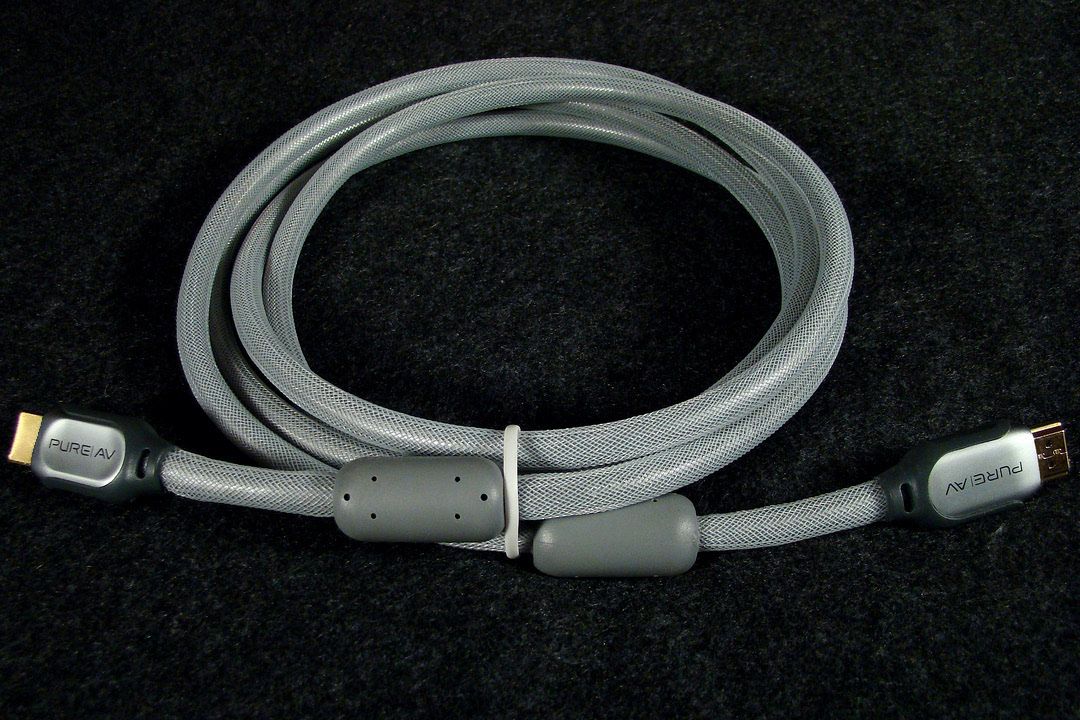
I had been running my 1366X768 resolution Bravia through VGA from my laptop and several weeks before I bought my HP HPE 270f desktop which has an ATI Radeon 5770 video card with HDMI I bought a Belkin Pure AV HDMI cable and looked forward to using it with my new desktop, but I ran into the exact same problem smurof7neves did because the standard for HDMI output is either 1280x720 or 1920x1080 and the 1280x720 through HDMI was very much overscanned and the boundaries of the picture were way outside of the boundaries of the screen.
The Radeon 5770 video card has an overscan/underscan option (4% underscan got the HDMI picture back down to 1366x768) as well as another feature that allows you to drag the desktop to the correct size, but both of these digital compensation methods produced such awful distortions in both pictures and text that I went back to VGA where the resolution is perfect right down to the pixel and the Bravia once again looks very close to how the Mac Pro and Apple Cinema 30 display in the main computer room looks.
~Maxx~ | My System Specs | | System Manufacturer/Model Number HP HPE 270f OS Windows 7 x64 Home Premium CPU Intel Core i7 930 @ 2.8 Ghz Socket 1366 LGA Motherboard Pegatron Truckee v1.04E41 Memory 8 GB 1366 Mhz DDR3 (PC3-10700) RAM Graphics Card ATI Radeon 5770 1 GB DDR5 RAM Sound Card Realtech High Definition Monitor(s) Displays 32" Sony Bravia Screen Resolution 1366 X 768 Keyboard Logitech Illuminated Mouse Logitech MX Revolution Hard Drives Intel 25nm 120 GB Series 320 SSD HD Tune- 265 MBps Read/ 130 MBps Write
LaCie 1TB + 1TB RAID 0 eSATA Drive HD Tune- 160 MBps Read/ 90 MBps Write Internet Speed 36.4 Mbps Maximum on a 37 Mbps Motorola SB501 Modem No 1366x768 resolution for my TV? problems? All times are GMT -5. The time now is 12:17 PM. | |