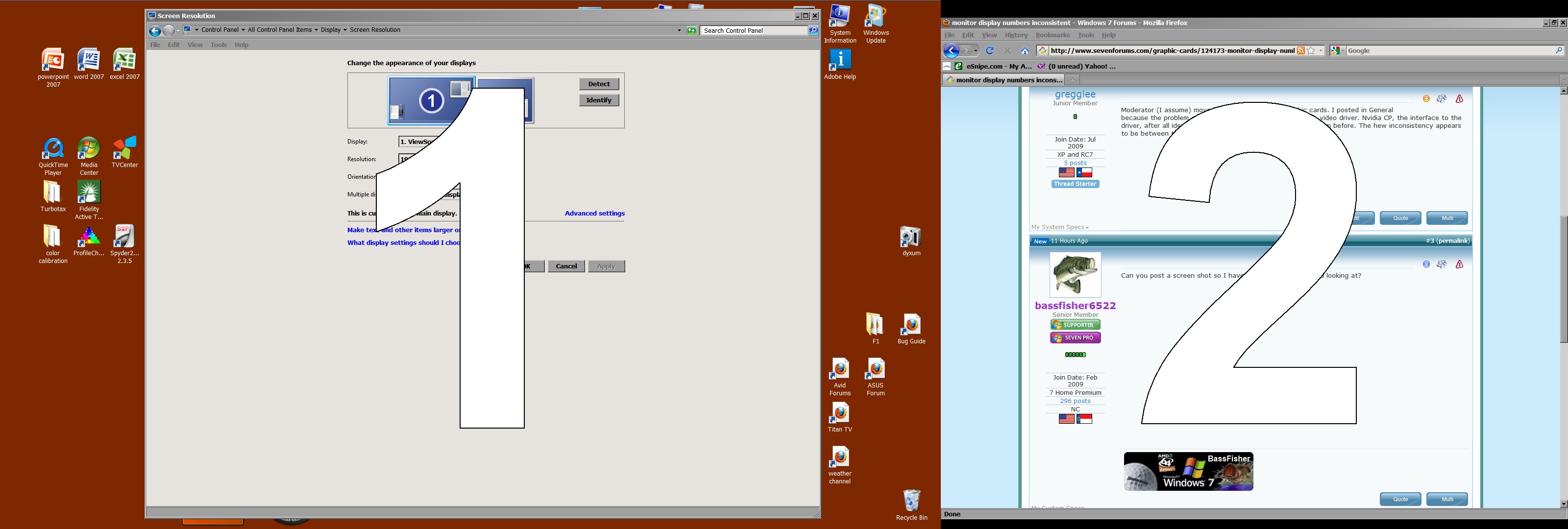
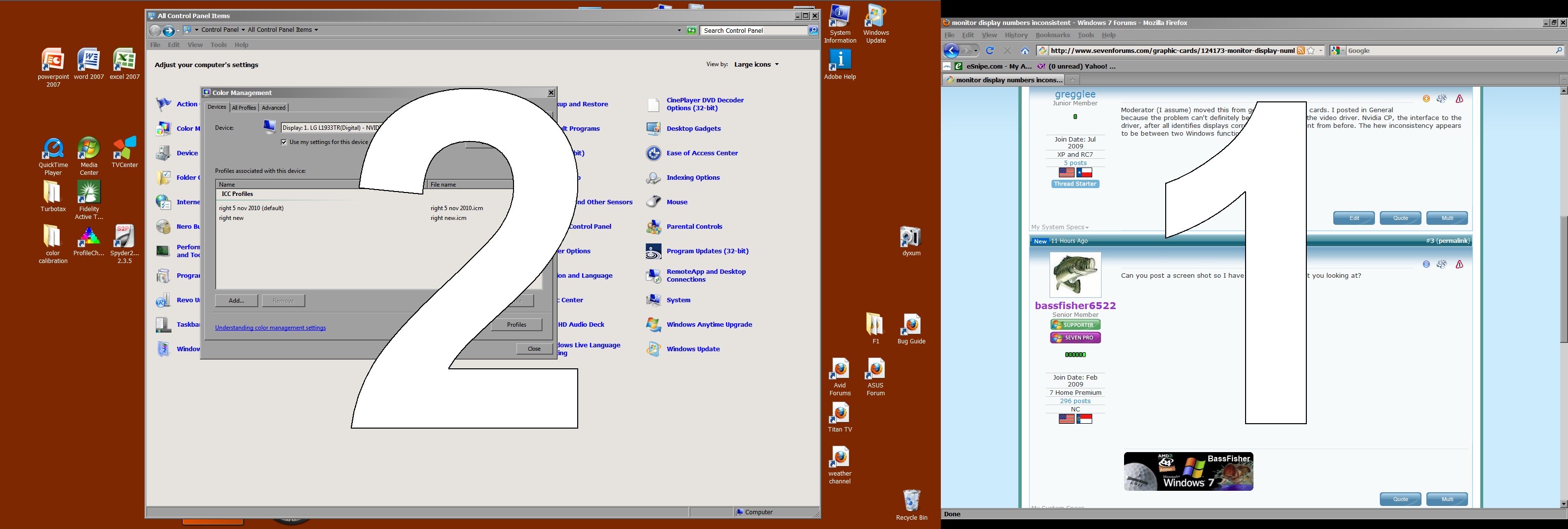
In Windows CP Display Settings (and in Nvidia CP) my left/main display is 1 and right is 2. In Windows CP Color Management the left is 2 and the right is 1. I would ignore this except that at least a couple applications now open on opposite displays. One is a monitor color calibration program (which also identifies them reversed) and the other a Raw Image Converter. And I don't trust that the calibration program loads the profiles separately.
This happened after I reinstalled Nvidia video drivers trying to fix random bsod from firefox and IE8 - which seems to have worked.
Are there any easy ways to get windows color calibration back in agreement with windows display settings.
This happened after I reinstalled Nvidia video drivers trying to fix random bsod from firefox and IE8 - which seems to have worked.
Are there any easy ways to get windows color calibration back in agreement with windows display settings.
Last edited:
My Computer
At a glance
Windows 7 Home Premium X64 SP1AMD phenom II X6 1090T @3750mhz2 x 4GB Corsair CMX8GX3M2A1600C9 1600mhzNvidia Quadro FX 1800
- Computer Manufacturer/Model Number
- Built from components
- OS
- Windows 7 Home Premium X64 SP1
- CPU
- AMD phenom II X6 1090T @3750mhz
- Motherboard
- Asus M4A87D EVO nb and ht @2600mhz
- Memory
- 2 x 4GB Corsair CMX8GX3M2A1600C9 1600mhz
- Graphics Card(s)
- Nvidia Quadro FX 1800
- Sound Card
- on board VIA Technologies
- Monitor(s) Displays
- primary Viewsonic VP2365wb IPS, secondary LG L1933TR
- Screen Resolution
- p 1920x1080 s 1280x1024 or 1920x1080 depending on sys
- Hard Drives
- 5 drives totaling 6TB
- PSU
- Corsair 750
- Case
- Ultra Aluminus (modified)
- Cooling
- Coolmaster V6, several 120mm case fans
- Keyboard
- Microsoft Wireless Keyboard 3000 V2
- Mouse
- Microsoft Wireless Mouse 5000
- Internet Speed
- 2 to 3 Mbps. wireless.