FunnyBunny
New member
- Local time
- 5:22 PM
- Messages
- 18
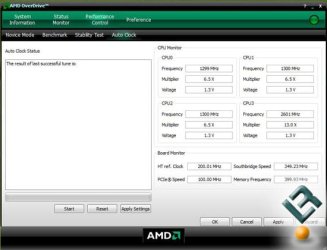
Can someone please tell me why when I go to the auto clock tab in AMD Overdrive it doesn't let me click start? I am running as an administrator. Also, when i try to install AMD Fusion For Gaming, it gives me an error which is think is about 32/64 Bit systems. Help  I know this isnt about me having stability test running or do i have to run a stability test and only then i can auto clock?
I know this isnt about me having stability test running or do i have to run a stability test and only then i can auto clock?My Computer
At a glance
Windows 7 Ultimate 64-Bit (6.1, Build 7100)AMD Turion X2 Dual-Core Mobile RM-72 (2 CPUs)...4 GBATI Radeon HD 3200 Graphics
- Computer Manufacturer/Model Number
- HP Pavilion DV7-1264NR
- OS
- Windows 7 Ultimate 64-Bit (6.1, Build 7100)
- CPU
- AMD Turion X2 Dual-Core Mobile RM-72 (2 CPUs), ~2.1Ghz
- Memory
- 4 GB
- Graphics Card(s)
- ATI Radeon HD 3200 Graphics
- Sound Card
- SRS Premium Sound
- Screen Resolution
- 1440 By 900