| Windows 7: Windows 7 1680x1050 display problem |
28 Jun 2009
|
#1 | | |
Windows 7 1680x1050 display problem I am currently running windows 7 on my newly reformatted computer and i cannot display a 1680x1050 resolution on my 22" samsung. I was able to run this resolution on xp but once switched to 7 my resolution management would not let me configure to this resolution. It does not even let me choose that resolution. The max i can get to is 1600x1200 which does not support my monitor. I downloaded and installed all new drivers for my NVIDIA 8800 GTS graphics card and it still did not let me display. I also searched for all necessary drivers with windows and said that i have latest updates.
Help would be greatly appreciated
Last edited by m12ay; 28 Jun 2009 at 05:09 AM..
Reason: need help
| My System Specs |
| System Manufacturer/Model Number AMD Athlon 64X2 5400+ 2.81ghz OS windows 7 CPU ASUS M2N32 DELUXE Motherboard 2GB Memory NVIDIA GeForce 8800 GTS Sound Card samsung 22" LCD |
28 Jun 2009
|
#2 | | Windows 7 Ultimate Vista Ultimate x64 QLD, Cairns |
How have you connected your monitor, DVI or VGA, if you are using VGA then I would suggest DVI as it will recognize your native resolution properly. | My System Specs | | System Manufacturer/Model Number Home Brew OS Windows 7 Ultimate Vista Ultimate x64 CPU Core 2 Duo E8500 3.16Ghz @ 3.8Ghz Motherboard eVGA 750i FTW Memory 2x2Gigs Patriot PC2-6400 LL Graphics Card Inno3D GeForce GTX260 216 SP Monitor(s) Displays ASUS VW222U 22" 2ms Response time Screen Resolution 1680x1050 Keyboard Logitech G15 Gaming Keyboard Mouse Logitech G9 Gaming Mouse PSU HYTEC 600W & Thermaltake 650W Toughpower Power Exp Case Thermaltake Armor LCS (Liquid Cooling System) Cooling Liquid Cooling System Hard Drives SATA 150GB
SATA II 250GB
USB IDE 750GB Ext. |
28 Jun 2009
|
#3 | | |
I am currently using VGA but i will run out and buy a DVI and test. I will try that and let you know as soon as possible. | My System Specs | | System Manufacturer/Model Number AMD Athlon 64X2 5400+ 2.81ghz OS windows 7 CPU ASUS M2N32 DELUXE Motherboard 2GB Memory NVIDIA GeForce 8800 GTS Sound Card samsung 22" LCD |
28 Jun 2009
|
#4 | | Windows 7 Home Basic 64bit |
Also you might wanna check if you have a proper driver installed for your specific monitor, because the monitor drivers that Windows 7 might have installed automatically may be generic, you need the driver for your specific model/manufacturer cause these drivers contain information on which resolutions and refresh rates are supported by that one specific monitor model. | My System Specs | | System Manufacturer/Model Number custom built OS Windows 7 Home Basic 64bit CPU Intel Core 2 Duo 6420 (2.13 Ghz) Motherboard Asus P5B-E Plus Memory 2x1 GB Kingston KVR DDR2 800Mhz Graphics Card Saphire ATI HD4870 512MB Sound Card Creative Audigy 4 PCI Monitor(s) Displays Samsung SyncMaster T220 Screen Resolution 1680x1050 Keyboard Logitech UltraX Premium Keyboard (usb 2.0) Mouse Logitech MX518 gaming grade optical mouse 1800dpi(usb2.0) PSU Coolermaster Silent Pro 700Watt Case Chieftec midi tower case Cooling stock cpu cooler/fan Hard Drives WD 320GB (Sata2)
Maxtor 250GB (ATA133)
Maxtor 80GB (ATA133) |
28 Jun 2009
|
#5 | | Windows 7 Ultimate Vista Ultimate x64 QLD, Cairns |

Quote: Originally Posted by icoola77 Also you might wanna check if you have a proper driver installed for your specific monitor, because the monitor drivers that Windows 7 might have installed automatically may be generic, you need the driver for your specific model/manufacturer cause these drivers contain information on which resolutions and refresh rates are supported by that one specific monitor model. It might help if you can install a Monitor driver but it shouldn't be necessary and a Digital signal is far clearer then Analogue anyway, I think if your going to spend good money on a LCD display then you would be silly to use an Analogue signal unless DVI wasn't an option. | My System Specs | | System Manufacturer/Model Number Home Brew OS Windows 7 Ultimate Vista Ultimate x64 CPU Core 2 Duo E8500 3.16Ghz @ 3.8Ghz Motherboard eVGA 750i FTW Memory 2x2Gigs Patriot PC2-6400 LL Graphics Card Inno3D GeForce GTX260 216 SP Monitor(s) Displays ASUS VW222U 22" 2ms Response time Screen Resolution 1680x1050 Keyboard Logitech G15 Gaming Keyboard Mouse Logitech G9 Gaming Mouse PSU HYTEC 600W & Thermaltake 650W Toughpower Power Exp Case Thermaltake Armor LCS (Liquid Cooling System) Cooling Liquid Cooling System Hard Drives SATA 150GB
SATA II 250GB
USB IDE 750GB Ext. |
28 Jun 2009
|
#6 | | Windows® 7 Ultimate x64 SP1 Payson/AZ |

Quote: Originally Posted by Mr GRiM It might help if you can install a Monitor driver but it shouldn't be necessary and a Digital signal is far clearer then Analogue anyway, I think if your going to spend good money on a LCD display then you would be silly to use an Analogue signal unless DVI wasn't an option. I agree 100%!
The monitor should have come with a DVI connector!
Mine did...as a matter of a fact it came with both!
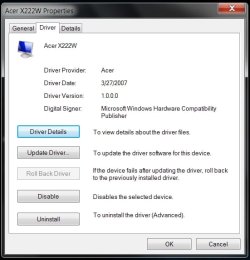
I got the Acer X222W 22" montor, 1680x1050... looks great!
What surprises me even more is that Windows 7 actually installed the correct driver for it! Who wadda thunk! | My System Specs | | System Manufacturer/Model Number ABS Tech Ultimate X9 OS Windows® 7 Ultimate x64 SP1 CPU Intel Core 2 Duo E8400 (E0) @ 4.0GHz Motherboard ASUS P5Q Pro Turbo / 1780 FSB Memory G.SKILL-F2-8500CL5D-4GBPK (2x2Gbs) (5-5-5-15) @ 1067Mhz Graphics Card EVGA GTX 470 SC (845/1690/2000) 160Gbs Sound Card VIA HD Audio / Boston Acoustics Monitor(s) Displays Acer X222W HD 22" LCD 2500:1 / 5ms Screen Resolution 1680x1050 Keyboard Logitech G15 Gaming Keyboard (Old Style Blue!) Mouse Logitech MX518 Gaming Mouse PSU Silent Pro GOLD 80 PLUS 800w /95% efficiency / SLI-Crossfire Case ABS Stealth Black-Custom Cooling CoolerMaster V6GT 6 Heatpipe 200w CPU Cooler Hard Drives Seagate Barracuda SATAII 2 x 320GB
Seagate Barracuda SATAII 1Tb
Intel® Rapid Storage Technology v10.1.0.1008
AHCI-NCQ Enabled Internet Speed 1Mbs-up/ 6Mbs-down |
28 Jun 2009
|
#7 | | Win7, XP, Vista x64, Ubuntu 9.04 Sandy South |
Windows 7 included the driver for my basic Viewsonic Q19wb widescreen 19" LCD...
I would say this is a monitor driver issue, not the video card. | My System Specs | | System Manufacturer/Model Number Custom built desktops and a Compaq CQ60-211DX laptop OS Win7, XP, Vista x64, Ubuntu 9.04 CPU Desktops: E6600, E2140, XP3000+; Laptop: Celeron 585 Motherboard Desktops: GA-EP35-DS3P, GA-P965-DS3, A7N8X Memory Desktops: 4GB, 3GB, 1GB; Laptop: 2GB Graphics Card Desktops: 320MB 8800GTS, 128MB 7300GTS, 128MB 9600XT Sound Card Creative or onboard Monitor(s) Displays 19" widescreen, 17" CRT, 19" CRT, and 15.6" LCD on laptop. Screen Resolution 1440x900, 1280x1024.... 1366x768 PSU varies, 350W to 550W Hard Drives Desktop 1: 320GB Seagate main, 500GB WD backup, 120GB WD testing
Desktop 2: 80GB server
Desktop 3: 160GB main, 250GB backup
Laptop: 160GB Internet Speed 8Mb+ cable |
28 Jun 2009
|
#8 | | |
uh, you don't need to buy anything. It's a driver issue. Just install the latest nvidia drivers and go into the nividia control panel and add the resolution 1680x1050. I have to do it with my monitors native resolution (1440x900) everytime i reinstall windows 7. | My System Specs | | |
28 Jun 2009
|
#9 | | |
I have that same monitor and it came w/ both connectors, but I'm in Korea. My 22' is cloned w/ my 42 1080p and they're are both running at 1080 according to my CP, But the 22 is only capable of 1050. But the above is correct, you have to add the resolution in the vga card menu. I have the ATI. It's always hit or miss for me when I have to do it when I change OS's, but this time it was pretty simple. Got them both running at there native resolution and full screen. | My System Specs | | System Manufacturer/Model Number Dell E520 OS 7600x64 RTM CPU Intel® Q6700, 2.66 GHz stock clock (upgraded) Motherboard Dell Memory 4g (upgraded) Graphics Card Sapphire Radeon Toxic HD 3870 512MB GDDR4 (upgraded) Sound Card HT Omega Claro Plus (upgraded) Monitor(s) Displays 22' , 40" Screen Resolution 1050, 1080p Keyboard dell Mouse dell PSU Zalman 600w (upgraded) Case Dell Cooling stock Dell Hard Drives 1.5tb (upgraded) Internet Speed 100m Fiber optical Other Info Bought the Dell secondhand for cheap and upgraded cpu, vga, ram, soundcard, psu and HDD's. |
29 Jun 2009
|
#10 | | Vista x64 + Windows 7 x64 (Ultimate) Miami, Florida |
Yep. it sounds more like a Monitor driver issue than GPU driver error. | My System Specs | | Computer type PC/Desktop System Manufacturer/Model Number Custom Built OS Vista x64 + Windows 7 x64 (Ultimate) CPU Intel Q9650 Motherboard EVGA 780i FTW Memory 8GBs Corsair Dominator 1066Mhz Graphics Card Asus GTX660 (2GBs) + MSI 9600GT (PhysX) Sound Card Onboard Realtek HD Monitor(s) Displays Acer AL2216W Screen Resolution 1680 x 1050 Keyboard Logitech G15 Mouse Logitech G9 PSU PC Cooling 750w Silencer Case Thermaltake Spedo Advance Cooling CM 8V Hard Drives WD VelociRaptor 300GB
Samsung 750GB 32MB cache
1.5 TB Internet Speed Comcast 20Mbit Antivirus Avast Browser Firefox Windows 7 1680x1050 display problem problems? All times are GMT -5. The time now is 12:41 PM. | |