| Windows 7: Stretched Screen! HELP! |
02 Jun 2011
|
#1 | | |
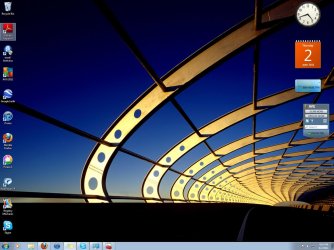
Stretched Screen! HELP! Hey. I have a windows 7 ultimate OS. I just turned on my computer and the entire screen is stretched out! I tried to search on google and stuff but nothing helped. So, I went to Device Manager and under the display adapters it says Intel(R) G33/G31 Express chipset family. I'm guessing thats the video card or something (Sorry I'm not much of a tech girl) Anyways, it's disabled and i was wondering if it would help if i enabled it. If not then what should I do?! Help? | My System Specs |
| |
02 Jun 2011
|
#2 | | Windows 7 Pro 64 SP1 East Bay Area, CA |
Welcome to the forum,
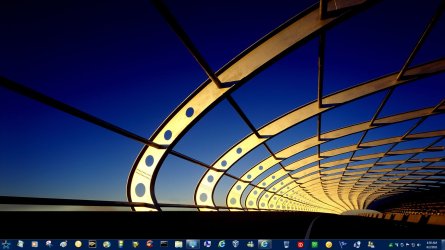
That screenshot you posted doesn't look streched to me, here's the same wall on mine.
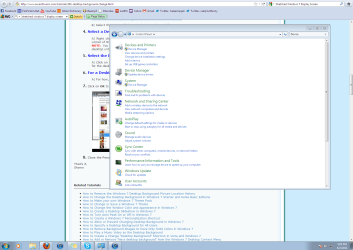
Also you can see if step 7 in this tutorial Desktop Background - Change helps.
What is the make and model of your computer? | My System Specs | | Computer type PC/Desktop System Manufacturer/Model Number Compaq sr5410f case OS Windows 7 Pro 64 SP1 CPU AMD X2 4450E @ 2.3 ghz Motherboard Biostar MCP6P M2+ Memory 4.0 g Graphics Card Nvidia GeForce 9600 GT , 512mb Sound Card onboard Monitor(s) Displays auria eq2367 Screen Resolution 1920 x 1080 Keyboard logitech wave cordless Mouse logitech LX8 cordless laser mouse PSU 250 watts Case Compaq Cooling couple fans Hard Drives 1 tb Hitachi HDT721010SLA scsi, 500 gb external Internet Speed comcast hi speed 19 dn 8 up Antivirus Microsoft Security Essentials Browser IE10 Other Info Laptop specs: HP g7-1365dx /
CPU: AMD A6-3420M APU with Radeon(tm) HD Graphics /
RAM: Crucial 8Gb (2x4Gb) /
SSD: Crucial M4-CT128M4SSD2 ATA Device/ FW 000F /
GFX: AMD Radeon HD 6520G /
OS: Microsoft Windows 7 Professional 64-bit 7601 Multiprocessor Free Service Pack 1 |
02 Jun 2011
|
#3 | | Windows 7 Ultimate 64 bit NC |
Is your problem just on your desktop or on every screen you go to? Check your recommended screen resolution; rick click on open desktop, click screen resolution, under resolution make sure it's set to the recommended setting for that monitor. | My System Specs | | System Manufacturer/Model Number Custom built OS Windows 7 Ultimate 64 bit CPU AMD Phenom II X4 965 Black Edition Motherboard Gigabyte GA-MA790X-DS4 Memory GSkill 4 X 2 GB PC 8500 Graphics Card XFX Radeon HD 6790 D Sound Card On board RealTek HD Monitor(s) Displays Dual monitors:Samsung SyncMaster S20B300 Screen Resolution 1600 X 900 Keyboard Logitech G510 Mouse Razor DeathAdder PSU Ultra X4 750 watt fully modular Case Thermaltake Overseer RX 1 full tower Cooling Core-Contact 92 mm CPU Cooler Hard Drives Seagate Barracuda 1TB (primary)
Seagate Barracuda 2 X 320 GB Internet Speed 50/5 Mbps UL/DL Other Info Optical: Super Muliti DVD burner w/lightscribe, Hauppauge WinTV HVR-1800 |
02 Jun 2011
|
#4 | | |

Quote: Originally Posted by derekimo Welcome to the forum,
That screenshot you posted doesn't look streched to me, here's the same wall on mine.
Also you can see if step 7 in this tutorial Desktop Background - Change helps.
What is the make and model of your computer?
Well, i guess it doesn't look stretched in the screenshot but it really is. It was different before. I have an Acer 20" LCD moniter, if that answers your question. | My System Specs | | |
02 Jun 2011
|
#5 | | |

Quote: Originally Posted by bassfisher6522 Is your problem just on your desktop or on every screen you go to? Check your recommended screen resolution; rick click on open desktop, click screen resolution, under resolution make sure it's set to the recommended setting for that monitor. Its on every window. And yeah I messed with the screen resolution but that didn't help either. | My System Specs | | |
02 Jun 2011
|
#6 | | |
Help? What happens if I enable the Intel(R) G33/ G31 Express Chipset Family? | My System Specs | | |
02 Jun 2011
|
#7 | | W7 Professional x64 Portland, OR |
Do you have the monitor hooked up to your motherboards graphics card (the display adapter port will be vertical | on the tower) or an aftermarket card? (display adapter will be horizontal _ and located in the bank of expansion slots) | My System Specs | | System Manufacturer/Model Number Pugh Technologies OS W7 Professional x64 CPU AMD Athlon II X3 445 Rana 3.10 GHz Motherboard MSI 870A-G54 Memory PNY XLR DDR3 1600 4x2GB Graphics Card NVIDIA GeForce GTS 450 (fermi) 1GB GDDR5 Sound Card Realtek ALC892 onboard Monitor(s) Displays ASUS VE205t, Viewsonic VX2035WM Screen Resolution 1600x900, 1600x1050 Keyboard Logitec 55 Mouse Razer Deathadder PSU Antec EarthWatts EA650 650W Case ThermalTake Armor A90 Mid Tower Cooling 3x 120mm in, 1x 120mm & 200mm out, self built hydro-cooler Hard Drives 977GB Hitachi Hitachi HDS721010CLA332
244GB Western Digital WDC WD2500AAJS-65B4A0
488GB Western Digital WDC WD5000AAJS-00A8B0
488GB Western Digital WDC WD5000AAKS-00UU3A0 Internet Speed 20 Mbps D/L, 9 Mbps U/L |
02 Jun 2011
|
#8 | | |

Quote: Originally Posted by LiquidSnak Do you have the monitor hooked up to your motherboards graphics card (the display adapter port will be vertical | on the tower) or an aftermarket card? (display adapter will be horizontal _ and located in the bank of expansion slots) Hooked up to the motherboard. | My System Specs | | |
02 Jun 2011
|
#9 | | Windows 7 Ultimate x64 SP1 Cheshire, United Kingdom |
Enable it, that's the graphics card, it's using uPnP drivers at the moment, Once enabled, the screen will go blank, then the correct display resolution will show, why was it disabled in the first place? | My System Specs | | Computer type PC/Desktop System Manufacturer/Model Number Custom Build OS Windows 7 Ultimate x64 SP1 CPU Intel Q6600 @ 2.6Ghz Motherboard Evga NF78-CK-132-A 3-Way SLI Memory 4Gb DDR2 Corsair Dominator @ 800Mhz 5-5-5-15 Graphics Card EVGA 560 GTX SC FTW 1GB Sound Card Realtek HD 7.1 Audio, Plantronics GameCom780 7.1 Headset Monitor(s) Displays Dell S2409W 16:9, HDMi, DVI & VGA Screen Resolution 1920 x 1080 Keyboard Logitech generic keyboard Mouse Razor Lachesis Banshee V2 Blue, 4000DPI PSU Xigmatek 750W Quad sli quad core 80% eff Case Antec 900 Gaming Case Cooling Zalman CNPS9700-NT NVIDIA Tritium Hard Drives Samsung 7200rpm 250Gb SATA
Samsung 7200rpm 750Gb SATA
WD 7200rpm 1TB SCSI SATA Internet Speed 120Mb Virgin Media Fibre Optic Other Info Wireless Gaming Receiver for Windows, Wireless Xbox 360 Pad, Wireless Xbox 360 Les Paul Guitar |
02 Jun 2011
|
#10 | | |

Quote: Originally Posted by MrNeeds Enable it, that's the graphics card, it's using uPnP drivers at the moment, Once enabled, the screen will go blank, then the correct display resolution will show, why was it disabled in the first place? I have no idea. There was a virus in the computer and I sent it to the shop to get it fixed. When it came back the screen was stretched and the graphics card was disabled. | My System Specs | | Stretched Screen! HELP! problems? All times are GMT -5. The time now is 07:22 PM. | |