| Windows 7: Use 2nd sli pci-e slot for other type card conflicts with win7? |
04 Aug 2011
|
#1 | | |
Use 2nd sli pci-e slot for other type card conflicts with win7? Trying to use the x8 slot on M2N-SLI for Asus U3S6 (USB 3.0 and SATA 600).
It works fine with a 2 monitor setup under XP, but not under win 7.
My guess/deduction is that Windows 7 tries to determine what monitor(s) are attached to the U3S6. When booting Windows 7, the monitor will show bios, the U3S6 is recognized, but the login screen will fail to appear. If I attach the second monitor, the login screen will appear on that monitor and the first (primary) will stop working, and can't be revivied during the session using either NVidia control panel or windows screen resolution.
I can still use two monitors on Windows 7 by effectively disabling the U3S6 in bios, selecting for SLI config: single graphics card.
Under XP I can use the combination of dual monitor and effective USB3 (HD rates > 100 MB/s). Under Windows 7 I have to choose between dual monitor and USB3 (SATA 600 not yet in use).
Thanks for any ideas / help / comments.
CPU: AMD phenom II X4 945
GPU: NVidia 275 GTX
win 7 64 ultimate | My System Specs |
| System Manufacturer/Model Number self built OS Windows 7 Ultimate x64 CPU AMD phenom II X4 945 Motherboard Asus M2N-SLI Memory 4 GB DDR2 Graphics Card Nvidia GTX 275 Sound Card SB audigy Monitor(s) Displays Samsung 2443BW and Samsung 204B Screen Resolution 1920 x 1200, 1600x1200 Keyboard logitech K340 Mouse logitech performance MX PSU Nexus NX-5000 R3 530W Case tower Cooling air Hard Drives RAID 0: Nvidia stripe 931.52G, Samsung HD103UJ (all on SATA 300) Internet Speed 40 mbit/s |
04 Aug 2011
|
#2 | | Windows 7 Ultimate x64 SP1 Hampton VA |
Not sure what that's about but you should certainly be able to use other cards in those slots and Windows will pick it up if a driver is supplied.
As you see in my system I have a Creative X-FI soundcard plugged into the PCIE slot at the bottom. I have an Intel board. Maybe AMD boards work differently? Don't think so, but....
Anyway you need to read the owner's manual for your motherboard to see what it says about using those slots. | My System Specs | | Computer type PC/Desktop System Manufacturer/Model Number Built by me OS Windows 7 Ultimate x64 SP1 CPU Intel Core i7-950 (3.06GHz) OC to 3.8GHz Motherboard Gigabyte GA-X58A-UD5 rev 1, F6 Bios Memory 12 gig Corsair DDR3 Dominator GT Memory (3X 4GB) Graphics Card AMD Radeon HD6950 2gig (Sapphire) Sound Card X-Fi Titanium Fatality Pro Monitor(s) Displays HP ZR22w 22" LCD Monitor Screen Resolution 1920 x 1080 Keyboard Logitech Wireless Wave Mouse Logitech Performance MX PSU Antec Signature - SG-850 Case Cooler Master HAF X Cooling Noctua NH-C12P SE14 Hard Drives Primary - OCZ Vertex 4 SSD (256GB). Storage - OCZ Vertex 2 SSD (120GB) & 2TB WD Caviar Black. Internet Speed High Speed Cable Other Info Memory Timings - 1600MHz @ 8-8-8-20-1T @ 1.640 volts |
04 Aug 2011
|
#3 | | |

Quote: Originally Posted by sygnus21 Not sure what that's about but you should certainly be able to use other cards in those slots and Windows will pick it up if a driver is supplied.
As you see in my system I have a Creative X-FI soundcard plugged into the PCIE slot at the bottom. I have an Intel board. Maybe AMD boards work differently? Don't think so, but....
Anyway you need to read the owner's manual for your motherboard to see what it says about using those slots. Thanks for the advice.
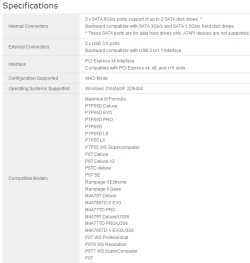
1) the system does recognize the card and has a driver for both Marvel 91xx SATA 6G controller and for USB (see attached devices.png)
2) The mobo manual list "Other PCIe devices (X8, x4, x1)" under non-SLI mode
3) The problem is that I cannot use my second monitor in this configuration (i.e. under Windows 7 64 ultimate SP1; the same setup will work under XP 32bits) 
4) have to admit that my old mobo is not on the U3S6 compatiblity list (see e.g. Asus U3S6 USB3.0 weird quirks - Other-Components - CPU-Components however, it evidently is compatible enough to work...
So, I'm not prepared to give up yet and still believe it is a Windows 7/driver issue. I don't suspect the nvidia driver terribly, since a similar driver will work under xp. But I did post on Nvidia as well, no luck so far. | My System Specs | | System Manufacturer/Model Number self built OS Windows 7 Ultimate x64 CPU AMD phenom II X4 945 Motherboard Asus M2N-SLI Memory 4 GB DDR2 Graphics Card Nvidia GTX 275 Sound Card SB audigy Monitor(s) Displays Samsung 2443BW and Samsung 204B Screen Resolution 1920 x 1200, 1600x1200 Keyboard logitech K340 Mouse logitech performance MX PSU Nexus NX-5000 R3 530W Case tower Cooling air Hard Drives RAID 0: Nvidia stripe 931.52G, Samsung HD103UJ (all on SATA 300) Internet Speed 40 mbit/s |
04 Aug 2011
|
#4 | | Windows 7 Ultimate x64 SP1 Hampton VA |

Quote: Originally Posted by janhec 3) The problem is that I cannot use my second monitor in this configuration (i.e. under Windows 7 64 ultimate SP1; the same setup will work under XP 32bits)  Sorry but I'm still a little confused here. You'll have to provide a little more information on the setup that allowed dual monitor under XP, but not under 7. 
Quote: Originally Posted by janhec So, I'm not prepared to give up yet and still believe it is a Windows 7/driver issue. I don't suspect the nvidia driver terribly, since a similar driver will work under xp. But I did post on Nvidia as well, no luck so far. Windows 7 is not XP. And XP drivers won't work under a Windows 7 OS. | My System Specs | | Computer type PC/Desktop System Manufacturer/Model Number Built by me OS Windows 7 Ultimate x64 SP1 CPU Intel Core i7-950 (3.06GHz) OC to 3.8GHz Motherboard Gigabyte GA-X58A-UD5 rev 1, F6 Bios Memory 12 gig Corsair DDR3 Dominator GT Memory (3X 4GB) Graphics Card AMD Radeon HD6950 2gig (Sapphire) Sound Card X-Fi Titanium Fatality Pro Monitor(s) Displays HP ZR22w 22" LCD Monitor Screen Resolution 1920 x 1080 Keyboard Logitech Wireless Wave Mouse Logitech Performance MX PSU Antec Signature - SG-850 Case Cooler Master HAF X Cooling Noctua NH-C12P SE14 Hard Drives Primary - OCZ Vertex 4 SSD (256GB). Storage - OCZ Vertex 2 SSD (120GB) & 2TB WD Caviar Black. Internet Speed High Speed Cable Other Info Memory Timings - 1600MHz @ 8-8-8-20-1T @ 1.640 volts |
04 Aug 2011
|
#5 | | Windows 7 64 Bit Home Premium SP1 In The Woods |
Very Confusing indeed.
OP says: "Trying to use the x8 slot on M2N-SLI for Asus U3S6 (USB 3.0 and SATA 600)."
The U3S6 is a PCI-e add on card to add 2 USB ports that run at USB 3.0 Speeds. ASUSTeK Computer Inc. - Motherboards- ASUS U3S6
Does he have a monitor plugged into the U3S6 by USB connection?
It sounds like he has a single GTX275 installed. The 275 has 2 DVI connections. GeForce GTX 275
I have to assume that he has 2 monitors plugged into the 2 connections on the Video card. Is this correct?
janhec: you definitely need to acurately describe how you have everything connected in order for anyone to make sense of your issue. | My System Specs | | Computer type PC/Desktop System Manufacturer/Model Number Home Built - Jan 2013 OS Windows 7 64 Bit Home Premium SP1 CPU i7-3820 Motherboard Asus P9X79-PRO - Bios 3305 Memory GSkill F3-14900CL9Q - 16GB Graphics Card EVGA GeForce GTX660 - Driver 310.90 Sound Card On board Realtek ALC898 Monitor(s) Displays Acer S271HL Screen Resolution 1920 x 1080 Keyboard MS KC-0405 Mouse Intellimouse 5-button PSU Corsair CMPSU-850TX-V2 - 850 watt (by Seasonic) Case Corsair Obsidian 550D Cooling Standard 3 120mm case fans, Cooler Master Hyper 212 EVO Hard Drives #1- Samsung 840 Pro Series
#2- Western Digital WD1002FAEX Sata3 Black
#3- Western Digital WD1002FAEX Sata3 Black Internet Speed 25Mbits/Sec (on a good day) Antivirus Avast & Malwarebytes Browser Firefox Other Info Asus DVD - DRW-24B1ST 24X |
04 Aug 2011
|
#6 | | Windows 7 Ultimate x64 SP1 Hampton VA |
Thanks. Glad to know I'm not the only one confused. Hopefully the OP can clear things up. | My System Specs | | Computer type PC/Desktop System Manufacturer/Model Number Built by me OS Windows 7 Ultimate x64 SP1 CPU Intel Core i7-950 (3.06GHz) OC to 3.8GHz Motherboard Gigabyte GA-X58A-UD5 rev 1, F6 Bios Memory 12 gig Corsair DDR3 Dominator GT Memory (3X 4GB) Graphics Card AMD Radeon HD6950 2gig (Sapphire) Sound Card X-Fi Titanium Fatality Pro Monitor(s) Displays HP ZR22w 22" LCD Monitor Screen Resolution 1920 x 1080 Keyboard Logitech Wireless Wave Mouse Logitech Performance MX PSU Antec Signature - SG-850 Case Cooler Master HAF X Cooling Noctua NH-C12P SE14 Hard Drives Primary - OCZ Vertex 4 SSD (256GB). Storage - OCZ Vertex 2 SSD (120GB) & 2TB WD Caviar Black. Internet Speed High Speed Cable Other Info Memory Timings - 1600MHz @ 8-8-8-20-1T @ 1.640 volts |
05 Aug 2011
|
#7 | | Windows 7 64b Ultimate Netherlands |
I'm not so sure,... The OP might just mean that he has a USB to VGA conversion cable, and with the right drivers this could work. Seen it before and mayor brands like Intel have promoted this in the past as a ways to add an external monitor to a LT with only free USB ports.
OP: since we're guessing here because of incomplete info, could you please describe the setup in more detail? Do you use a USB to VGA (or hdmi) conversion cable? If so, what softwaredrivers have you used to push USB to graphics output? | My System Specs | | System Manufacturer/Model Number custom build OS Windows 7 64b Ultimate CPU I7-2600 3.40GHz - testing various OC levels.. Motherboard ASUS Sabretooth Memory 2x 4Gb DDR3/1333 Graphics Card GTX570 - testing OC levels Sound Card motherboard 7.1 DIG. Monitor(s) Displays 2x Ilyama 24" E2409HDS-B1 2ms/DVI Screen Resolution 1920 x 1080 Keyboard Logitech G110 Mouse Logitech G700 PSU Corsair Pro HX850W Cooling Coolermaster Hyper V8 Hard Drives 120 GB Intel Elmcrest SSD
1 TB SATAII 7200RPM/32MB
External 2TB USB3 Internet Speed 25Mb Other Info CPU: 7,7 RAM: 7,7 GTX: 7,9 GTX 3D : 7,9 SSD 7,6
Overall 7,6 ...... now to speed up the SSD... ;)
Also use a Dell XPS M1710 on Vista 32b
Asus LT on Vista 32
3 older machines still doing fine on Linux/ubuntu but not used much anymore... |
05 Aug 2011
|
#8 | | Windows 7 Ultimate X64 SP1 Mt. Crumpit/Whoville |
Please, please fill in your System Specs to help us. It seems you have one GTX275 in the PCIe x8 slot? Try using the x16 slot.
Are you working with two computers? | My System Specs | | Computer type PC/Desktop System Manufacturer/Model Number Home Built Desktop By DataTech OS Windows 7 Ultimate X64 SP1 CPU Intel i5-2550K, Differing ~4.4-4.8GHz No built in GPU Motherboard ASUS P8Z68-V PRO/GEN3 Memory 16GB G.Skill Sniper 2133MHz 4x4GB Graphics Card ASUS ENGTX460 DirectCU/2DI/1GD5 GeForce GTX 460 Sound Card Onboard Realtek 5-1 Monitor(s) Displays Samsung P2570HD Screen Resolution 1920x1080 Keyboard Old, beat-up Dell USB From 10 yrs Ago Mouse Gigabyte m6900 wired PSU Corsair HX650W Case Inwin Dragon Rider Cooling Hyper 212 EVO w/two Noctua fans, push-pull, @1300 RPM Hard Drives Crucial M4 128GB for OS, 750GB Seagate MomentusXT for data, 500GB Seagate Constellation for storage Internet Speed 8-19 Mbs down, 3-4 Mbs up Comcast Cable Antivirus Norton Internet Security Browser IE 9, Opera when needed Other Info 4 case fans, LG BluRay-RE, ASUS DVD-RW, Mr. Fusion power generator with flux capacitor, 1.21 gigawatts. |
07 Aug 2011
|
#9 | | |
Hey guys,
The monitors are both connected to the GTX 275. I hope suggestions like I would connect a monitor to USB 3 are not serious. One is connected through a DVI-VGA adaptor (you know, DVI has both analogue and digital in the spec). This does not matter in my view.
So
Mobo: M2N-SLI
CPU: AMD phenom II X4 945
GPU: Nvidia GTX 275 with two monitors attached
Monitors: Samsung 2443BW and 204B
Memory: 4 GB DDR2
OS: Win 7 64 ultimate SP1
HD's 3 disks on SATA 300, 2 in RAID 0 and a single disk, nothing on SATA 600 of U3S6.
U3S6: USB 3.0 is used for connecting Samsung 2TB hd (has USB 3.0 interface).
Audio: SB audigy
There are no errors shown in device manager.
It looks as if under win 7 the recognition of the main monitor is blocked by the U3S6. Bios etc. is shown on the monitor, but the login screen is not. If the U3S6 is disabled, the monitors function correctly. | My System Specs | | System Manufacturer/Model Number self built OS Windows 7 Ultimate x64 CPU AMD phenom II X4 945 Motherboard Asus M2N-SLI Memory 4 GB DDR2 Graphics Card Nvidia GTX 275 Sound Card SB audigy Monitor(s) Displays Samsung 2443BW and Samsung 204B Screen Resolution 1920 x 1200, 1600x1200 Keyboard logitech K340 Mouse logitech performance MX PSU Nexus NX-5000 R3 530W Case tower Cooling air Hard Drives RAID 0: Nvidia stripe 931.52G, Samsung HD103UJ (all on SATA 300) Internet Speed 40 mbit/s |
07 Aug 2011
|
#10 | | Windows 7 64 Bit Home Premium SP1 In The Woods |
Sounds like an IRQ conflict or something similar.
You could try this: Uninstall the U3S6 from Device Manager, shut down, remove it from the computer. Then reboot and go into Windows. Check that the monitors are working and everything is cool in Device Manager.
Then shut down and install the U3S6 in a different x4 slot if you have one (or a x8 or x16). Restart Windows, install the driver, and test.
The reason for this is that some cards attempt to use certain system resources depending on where in the PCI bus they are installed on some systems. There are of course ways to change the IRQs and resources from the BIOS or even the OS, but this test will tell you if this is the cause or if it is something more to do with the card itself or it's driver. | My System Specs | | Computer type PC/Desktop System Manufacturer/Model Number Home Built - Jan 2013 OS Windows 7 64 Bit Home Premium SP1 CPU i7-3820 Motherboard Asus P9X79-PRO - Bios 3305 Memory GSkill F3-14900CL9Q - 16GB Graphics Card EVGA GeForce GTX660 - Driver 310.90 Sound Card On board Realtek ALC898 Monitor(s) Displays Acer S271HL Screen Resolution 1920 x 1080 Keyboard MS KC-0405 Mouse Intellimouse 5-button PSU Corsair CMPSU-850TX-V2 - 850 watt (by Seasonic) Case Corsair Obsidian 550D Cooling Standard 3 120mm case fans, Cooler Master Hyper 212 EVO Hard Drives #1- Samsung 840 Pro Series
#2- Western Digital WD1002FAEX Sata3 Black
#3- Western Digital WD1002FAEX Sata3 Black Internet Speed 25Mbits/Sec (on a good day) Antivirus Avast & Malwarebytes Browser Firefox Other Info Asus DVD - DRW-24B1ST 24X Use 2nd sli pci-e slot for other type card conflicts with win7? problems? All times are GMT -5. The time now is 01:04 AM. | |