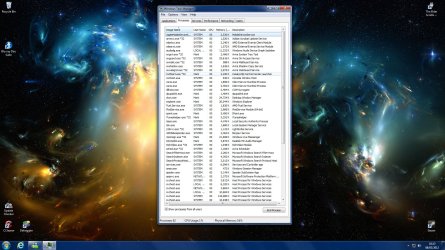
First, the problem: ccc runs, I can change 3D settings via the taskbar icon menu, driver seems to be fine. But when I click on catalyst control center in the right click menu (or anywhere else) all I get is a brief (20 seconds) loading circle thing, and no gui. Looking in task manager, CLI.exe appears, loads about 8k into memory, then sits for ~10 seconds and goes away. No error msgs, no crashes, just…nothing.
I think this may be somehow related to .net, but I’m not sure which version, nor how to fix it. I have .net 3.5.1 enabled in windows features, 4.0 client and full installed, and using a .net verification tool I seem to have 1-4 installed and working.
This makes no sense to me….it just one day stopped opening.
As a side note, I am running a second monitor off of the intel hd 3000 IGP graphics, and when I click on graphics properties from the intel HD graphics taskbar icon, it says “GfxUI has stopped working”, along with the following:
[FONT="]Description:[/FONT]
[FONT="] Stopped working[/FONT]
[FONT="]Problem signature:[/FONT]
[FONT="] Problem Event Name: APPCRASH[/FONT]
[FONT="] Application Name: GfxUI.exe[/FONT]
[FONT="] Application Version: 8.15.10.2622[/FONT]
[FONT="] Application Timestamp: 4f0cab4e[/FONT]
[FONT="] Fault Module Name: KERNELBASE.dll[/FONT]
[FONT="] Fault Module Version: 6.1.7601.17651[/FONT]
[FONT="] Fault Module Timestamp: 4e21213c[/FONT]
[FONT="] Exception Code: e0434f4d[/FONT]
[FONT="] Exception Offset: 000000000000cacd[/FONT]
[FONT="] OS Version: 6.1.7601.2.1.0.768.3[/FONT]
[FONT="] Locale ID: 1033[/FONT]
I have tried sfc /scannow, and it comes back with “found corrupted items, but could not fix them”. Looking at the log, they seem to be mostly windows gadgets and WMP with some other random things thrown in. I have looked in \windows\assembly for the public key corresponding to ati/amd and there are none. Tried unistalling, then running driver sweeper, and it definitely removed the drivers and files, leaving me 800 x 600 till I changed it back. The catalyst version it 12-1.
I’m totally open to any suggestions at this point…really trying to avoid a fresh install.
Thanks in advance everyone!
I think this may be somehow related to .net, but I’m not sure which version, nor how to fix it. I have .net 3.5.1 enabled in windows features, 4.0 client and full installed, and using a .net verification tool I seem to have 1-4 installed and working.
This makes no sense to me….it just one day stopped opening.
As a side note, I am running a second monitor off of the intel hd 3000 IGP graphics, and when I click on graphics properties from the intel HD graphics taskbar icon, it says “GfxUI has stopped working”, along with the following:
[FONT="]Description:[/FONT]
[FONT="] Stopped working[/FONT]
[FONT="]Problem signature:[/FONT]
[FONT="] Problem Event Name: APPCRASH[/FONT]
[FONT="] Application Name: GfxUI.exe[/FONT]
[FONT="] Application Version: 8.15.10.2622[/FONT]
[FONT="] Application Timestamp: 4f0cab4e[/FONT]
[FONT="] Fault Module Name: KERNELBASE.dll[/FONT]
[FONT="] Fault Module Version: 6.1.7601.17651[/FONT]
[FONT="] Fault Module Timestamp: 4e21213c[/FONT]
[FONT="] Exception Code: e0434f4d[/FONT]
[FONT="] Exception Offset: 000000000000cacd[/FONT]
[FONT="] OS Version: 6.1.7601.2.1.0.768.3[/FONT]
[FONT="] Locale ID: 1033[/FONT]
I have tried sfc /scannow, and it comes back with “found corrupted items, but could not fix them”. Looking at the log, they seem to be mostly windows gadgets and WMP with some other random things thrown in. I have looked in \windows\assembly for the public key corresponding to ati/amd and there are none. Tried unistalling, then running driver sweeper, and it definitely removed the drivers and files, leaving me 800 x 600 till I changed it back. The catalyst version it 12-1.
I’m totally open to any suggestions at this point…really trying to avoid a fresh install.
Thanks in advance everyone!
Last edited:
My Computer
At a glance
Windows 7 Home Premium 64 Bit SP1Intel Core i5-2500k @ 4.5 Ghz8GB G'skill Ripjaws X DDR3 1600MSI Cyclone ATI Radeon HD 6850
- Computer Manufacturer/Model Number
- Nuclear systems Ltd.
- OS
- Windows 7 Home Premium 64 Bit SP1
- CPU
- Intel Core i5-2500k @ 4.5 Ghz
- Motherboard
- Asus P8Z68-V Pro
- Memory
- 8GB G'skill Ripjaws X DDR3 1600
- Graphics Card(s)
- MSI Cyclone ATI Radeon HD 6850
- Sound Card
- Integrated
- Monitor(s) Displays
- Asus 24.5" LCD, Dell 17" LCD off IGP
- Screen Resolution
- 1920 x 1200
- Hard Drives
- WD Green 1.5 TB,
2 x Intel 80 GB 320 series SSD's
- PSU
- Antec Hich Current Gamer 750W
- Case
- Cooler Master HAF 932 Advanced
- Cooling
- Zalman CNPS 11X Extreme + 4 120mm side fans
- Keyboard
- Logitech Wireless
- Mouse
- Logitech MX620
- Internet Speed
- T1+