
dablazingdragon
New member
- Local time
- 2:08 PM
- Messages
- 1
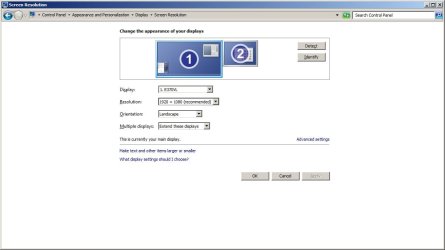
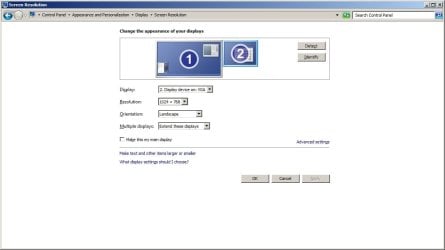
Somehow my computer is detecting that I have two displays. I only have one display and that is my TV. I'm using an HDMI cable that is hooked into my Radeon HD 7950 card. I have went into both Catalyst and the Windows screen resolution tool and they are both detecting multiple displays. I'm not quite understanding how. I've tried disabling the display from the Windows tool, no results. I've tried deleting the display from Device Manager, no results. I would normally just ignore this but my mouse can go off screen and I can accidentally drag programs over onto my second display that doesn't exist. I've also tried just combining the two displays into one but that lowers my screen resolution. Any ideas on how to fix it?
Found a setting in Catalyst in a category I didn't think to look in. Deleted display. Problem solved.
Found a setting in Catalyst in a category I didn't think to look in. Deleted display. Problem solved.
Attachments
My Computer
At a glance
Windows 7 Home Premium x64
- OS
- Windows 7 Home Premium x64

