torrentg
New member
- Local time
- 8:17 AM
- Messages
- 5,747
Alright ladies and gentleman. I've decided to make a tutorial for getting the latest desktop drivers for NVIDIA laptop models to work well
for you. Here's how to proceed. This is for x86. x64 is slightly more difficult due to driver signing enforcement.
You can try to permanently disable this "feature" of Windows 7 x64 by searching Google. Please do not ask me how as I do not use x64 and
don't know. But there is a way. If you can't find it, for x64, you will have to use f8 or similar key to start the machine each time.
1) Download the latest desktop driver for Win7 and the card that is closest to yours from NVIDIA's website.
2) Extract the installer to C:\NVIDIA - Close installer after extraction. It is not needed now any longer.
3) Find NV_DISP.inf and open it in notepad.
4) Look at the models of cards listed. Choose to edit one that is closest to yours.
5) Open device manager. Right click on standard vga or your video card and choose properties. Details tab. Change drop down to hardware ids. The second line down is of interest here.
6) In the .inf, scroll to the bottom [Strings] section. Again, look for most similar desktop model. Change the beginning part to match what you found in last step 5. For example:
NVIDIA_DEV.0421.01 = "NVIDIA GeForce 8500 GT"
and you have 8400M GT, change it to
NVIDIA_DEV.0426.01 = "NVIDIA GeForce 8400M GT"
7) Now look up higher in the .inf and search for the number you edited. In this case, "0421" will lead you to this line:
%NVIDIA_DEV.0421.01% = Section010, PCI\VEN_10DE&DEV_0421
8) In this line, edit like this and add your particular string from step 5:
%NVIDIA_DEV.0426.01% = Section010, PCI\VEN_10DE&DEV_0426&SUBSYS_9016104D
Note the changes made between step 7 and this in red. Do similar for your particular hardware string.
9) Save the .inf (ctrl+s)
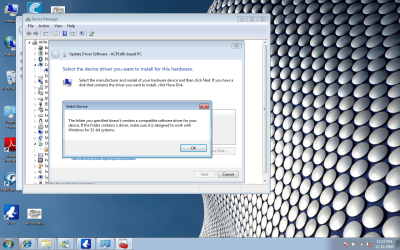
10) Right click on standard vga in device manager. Click update driver software. Browse my computer. Let me pick from a list. Have disk. Browse. Find the .inf you just edited and double click on it. Hit ok so it installs.
11) Reboot and rerun the .exe from step 1 until completion, to install the NVIDIA control panel.
If any talented members would like to make this tutorial appear more "professional" with screenshots, please feel free to do so.
for you. Here's how to proceed. This is for x86. x64 is slightly more difficult due to driver signing enforcement.
You can try to permanently disable this "feature" of Windows 7 x64 by searching Google. Please do not ask me how as I do not use x64 and
don't know. But there is a way. If you can't find it, for x64, you will have to use f8 or similar key to start the machine each time.
1) Download the latest desktop driver for Win7 and the card that is closest to yours from NVIDIA's website.
2) Extract the installer to C:\NVIDIA - Close installer after extraction. It is not needed now any longer.
3) Find NV_DISP.inf and open it in notepad.
4) Look at the models of cards listed. Choose to edit one that is closest to yours.
5) Open device manager. Right click on standard vga or your video card and choose properties. Details tab. Change drop down to hardware ids. The second line down is of interest here.
6) In the .inf, scroll to the bottom [Strings] section. Again, look for most similar desktop model. Change the beginning part to match what you found in last step 5. For example:
NVIDIA_DEV.0421.01 = "NVIDIA GeForce 8500 GT"
and you have 8400M GT, change it to
NVIDIA_DEV.0426.01 = "NVIDIA GeForce 8400M GT"
7) Now look up higher in the .inf and search for the number you edited. In this case, "0421" will lead you to this line:
%NVIDIA_DEV.0421.01% = Section010, PCI\VEN_10DE&DEV_0421
8) In this line, edit like this and add your particular string from step 5:
%NVIDIA_DEV.0426.01% = Section010, PCI\VEN_10DE&DEV_0426&SUBSYS_9016104D
Note the changes made between step 7 and this in red. Do similar for your particular hardware string.
9) Save the .inf (ctrl+s)
10) Right click on standard vga in device manager. Click update driver software. Browse my computer. Let me pick from a list. Have disk. Browse. Find the .inf you just edited and double click on it. Hit ok so it installs.
11) Reboot and rerun the .exe from step 1 until completion, to install the NVIDIA control panel.
If any talented members would like to make this tutorial appear more "professional" with screenshots, please feel free to do so.
Last edited:
My Computer
At a glance
7600.20510 x86P4 550 3.4 GHz HT running at 3.5 GHzOCZ 2 GB(2x1GB) DDR400mHz running @ 414 mHzHIS Radeon HD 3850 IceQ 3 Turbo HDMI Dual DL-...
- Computer Manufacturer/Model Number
- self built
- OS
- 7600.20510 x86
- CPU
- P4 550 3.4 GHz HT running at 3.5 GHz
- Motherboard
- MSI PM8M3-V (MS-7211 v1.x) Micro-ATX mainboard
- Memory
- OCZ 2 GB(2x1GB) DDR400mHz running @ 414 mHz
- Graphics Card(s)
- HIS Radeon HD 3850 IceQ 3 Turbo HDMI Dual DL-DVI AGP
- Sound Card
- MOTU Traveler firewire studio interface 192 kHz 24 bit
- Monitor(s) Displays
- 22" widescreen Acer X223W LCD, 17" Compaq P75 CRT
- Screen Resolution
- 1680x1050 and 1280x1024
- Hard Drives
- SATA I x2 WD, 400 GB and 120 GB, SATA 2 WD Caviar Black 1 TB
- PSU
- 350W generic
- Case
- Cybertronpc, it glows blue
- Cooling
- stock cpu fan, Ice-Q 3 gpu and system, many case fans
- Keyboard
- Logitch Classical Keyboard 200
- Mouse
- Logitech Mediaplay cordless
- Internet Speed
- 1792/448 kbits/sec
- Other Info
- SATA II PCI fake RAID adapter, 1 GB Readyboost, original ATI Remote Wonder (even works with WMC perfectly), Logitech Rumblepad 2 game controller x2