| | Welcome to Windows 7 Forums. Our forum is dedicated to helping you find solutions with any problems, errors or issues you are experiencing with Windows 7. The Windows 7 forum also covers news and updates and has an extensive Windows 7 tutorial section that covers a wide range of tips and tricks. | Windows 7 - GTX260 Video Artifacting/BSODs
|
02-03-2010
|
#1 | | |
GTX260 Video Artifacting/BSODs Forgive me now, but this may be a long post because I am at my wit's end with this problem that has been occurring ever since my build (Oct09).
Im running:
AMD Athlon II x4 630 Propus 2.8Ghz Socket AM3 95W
BFG GTX260 "BFGEGTX260MC896OCDE"
Gigabyte MA790GPT-UD3H Mobo with AM3 socket
2x2GB G.Skill F3-10666CL8D-4GBHK
Rosewill Green Series RG630-2 630W PSU
Win 7 Ultimate 64bit on 1600x900 Resolution Rest of system specs are in my sig
Note: I usually use EVGA precision to crank my video card fan up to about 80%
It started with video artifacting and this problem still occurs, as well as random BSODs.
A link to a youtube video of an example of the video artifacting in Call of Duty Modern Warfare 2 YouTube - CoDMW2 Bugs.wmv
So, I'll be gaming it up, game will freeze, sometimes telling me the video driver has crashed and recovered, then if I Ctrl+Alt+Del to desktop then back into the game, it will work fine.... sometimes for a couple minutes but mostly for only a few seconds before I have to go back to desktop and back again. Most of the time after doing that over and over, the artifacting will get worse than whats in the my youtube video posted above, and look like its snowing on my screen. If i then restart my pc, it will work just fine, usually for a good amount of time, but eventually will do it again. Also this happens no matter what game I play. I also experience hangs and slight video corruption while playing full screen videos whether it be .avi files from my hard drive or streaming flash videos online.
Now for the BSODs which seem random(I can't find any pattern in them anyway).
I've gotten:
Cache Manager
Memory Management - quite a few times
PFN_List_Corrupt - a few times
And quite a few more which didn't point to any reason. I am attaching a rar file with only 1 minidump in it, because thats all that was in my folder
WHAT I'VE TRIED:
-Basically every nVidia drivers for Windows 7 with no avail
-Updated my BIOS to version F2 which gigabyte's website says is the correct one for my CPU
-Updated the Chipset drivers
-Checked temps while gaming and they stay below 60 degrees Celsius
-Called BFG tech and tried everything they said, but to no avail
-Tried using the other PCI-e 8x slot on my board, no difference
-I've ran memtest86 on the RAM with no errors
-I've also ran a memtest on the VRAM with no errors
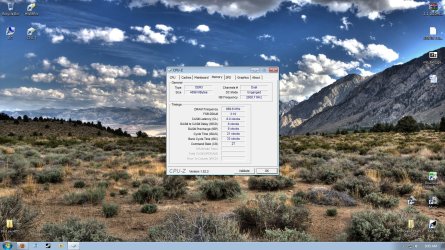
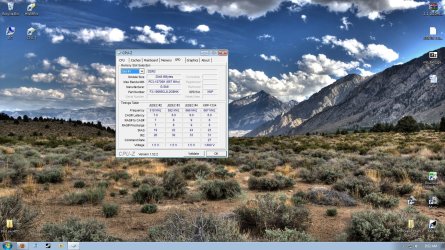
According the G.Skill's website, the ram timings should be 8-8-8-21 but my mobo defaulted to 9-9-9-24 so i changed it to what G.Skill suggests.
Could anyone help me PLEASE or at least point me in the right direction. Any help would be greatly appreciated.
Edit: I have posted about this before, but had no luck in fixing the issue http://www.sevenforums.com/graphic-cards/40200-problems-my-new-gtx260.html
Last edited by Shook; 03-24-2010 at 11:35 PM..
| My System Specs | | System Manufacturer/Model Number ME OS Windows 7 Ultimate x64 CPU AMD Phenom II X6 1090T Black Edition 3.2Ghz Motherboard ASUS M4A88T-V EVO/USB3 Memory 4GB G.Skill DDR3 Graphics Card ASUS EAH6870DirectCU Radeon HD 6870 Sound Card On Board Monitor(s) Displays ASUS 24" 1080p using DVI Screen Resolution 1920x1080 Keyboard Logitech found in dumpster Mouse Logitech MX518 PSU SeaSonic M12II 520W Bronze Case Antec 300 Cooling AIR Hard Drives 2 WD Caviar Blue 500GB Internet Speed AT&T DSL |
02-03-2010
|
#2 | | Windows 7 Ultimate x86-64 |
Take out the card and try the integrated 3300 chipset. I have that board - have you tried the beta F4B BIOS or are at F3? Stick with F3 and try the integrated graphics. I would also run Prime 95 for a couple of hours to test the CPU and run chkdsk too.
Does your case have enough cooling? That PSU is also a bad choice in terms of quality, but try the above steps first. | My System Specs | | System Manufacturer/Model Number Sony Vaio Z46GDU OS Windows 7 Ultimate x86-64 CPU P9700@2.8GHz 1066MHz FSB Motherboard Sony branded Memory 6GB DDR3 1066MHz Graphics Card 9300M GS 256MB Dedicated (Speed) + Intel4500MHD (Stamina) Sound Card Realtek HD Audio Monitor(s) Displays 13.1' WXGA Screen Resolution 1600x900 Hard Drives 320GB 7200RPM w/ 16MB cache Internet Speed 1MB/s |
02-03-2010
|
#3 | | Windows 7 ultimate 64 bit / XP Home sp3 |
I also have a gtx 260 I don't know when you purchased it but I do know that their were a lot of chips that were released that were defective. In my case EVGA had pulled all the 260's off Newegg and replaced them with what they quoted as saying quality tested cards. My point being after all your testing an RMA maybe your only choice. Fabe | My System Specs | | System Manufacturer/Model Number Self Built OS Windows 7 ultimate 64 bit / XP Home sp3 CPU intel Core 2 Duo E8400 3.0ghz Motherboard Asus P5ND bios 1401 Memory 8 gigs 1066 OCZ Fata1ty Graphics Card EVGA GTX 260 Superclocked Sound Card Creative Soundblaster Audigy 2zs Monitor(s) Displays HP 23in TFT 2MS Asus 24in 2MS Screen Resolution 1920x1080p @60Hz x2 Keyboard Logitech Bluetooth Wireless MX5000 Mouse Logitech Bluetooth Wireless MX1000 PSU OCZ 700W GameXtreme Case NZXT Apollo Cooling Corsair H50 CPU/120mm x3 /60mm x2 /Corsair Dominator Ram Hard Drives WD Caviar 500 Black/ WD Caviar 200 Blue Internet Speed Download 19.83 Upload 0.97 Other Info Logitech Z2300 Speakers/ Bose Noise Cancelling Headphones/Avermedia PCI-e Hybrid TV Bravo/Epson NX415 all in one/ 4 Port Powered USB Hub/ LG 10x Bluray Burner /TSST Corp DVDRW External/Saitek P2600 Rumble Pad |
02-03-2010
|
#4 | | |

Quote: Originally Posted by Frostmourne Take out the card and try the integrated 3300 chipset. I have that board - have you tried the beta F4B BIOS or are at F3? Stick with F3 and try the integrated graphics. I would also run Prime 95 for a couple of hours to test the CPU and run chkdsk too.
Does your case have enough cooling? That PSU is also a bad choice in terms of quality, but try the above steps first. Thanks for replying. I havnt tried running the integrated gfx card... I don't want to run it either, but i guess i could test it. Also ill try and go up to the next BIOS but beta BIOS just scares me. I know the PSU isnt top of the line or anything but the guys at BFG Tech said should be more than enough power for my card. Also I'm running 7 tri-cool fans and nothing gets hot. | My System Specs | | System Manufacturer/Model Number ME OS Windows 7 Ultimate x64 CPU AMD Phenom II X6 1090T Black Edition 3.2Ghz Motherboard ASUS M4A88T-V EVO/USB3 Memory 4GB G.Skill DDR3 Graphics Card ASUS EAH6870DirectCU Radeon HD 6870 Sound Card On Board Monitor(s) Displays ASUS 24" 1080p using DVI Screen Resolution 1920x1080 Keyboard Logitech found in dumpster Mouse Logitech MX518 PSU SeaSonic M12II 520W Bronze Case Antec 300 Cooling AIR Hard Drives 2 WD Caviar Blue 500GB Internet Speed AT&T DSL |
02-03-2010
|
#5 | | |

Quote: Originally Posted by thefabe I also have a gtx 260 I don't know when you purchased it but I do know that their were a lot of chips that were released that were defective. In my case EVGA had pulled all the 260's off Newegg and replaced them with what they quoted as saying quality tested cards. My point being after all your testing an RMA maybe your only choice. Fabe Yea I'm thinking it might come down to that Fabe, just dont want to go through the whole RMA process and that not fix anything and im out the cash for shipping.
Any ideas on the BSODs anyone? | My System Specs | | System Manufacturer/Model Number ME OS Windows 7 Ultimate x64 CPU AMD Phenom II X6 1090T Black Edition 3.2Ghz Motherboard ASUS M4A88T-V EVO/USB3 Memory 4GB G.Skill DDR3 Graphics Card ASUS EAH6870DirectCU Radeon HD 6870 Sound Card On Board Monitor(s) Displays ASUS 24" 1080p using DVI Screen Resolution 1920x1080 Keyboard Logitech found in dumpster Mouse Logitech MX518 PSU SeaSonic M12II 520W Bronze Case Antec 300 Cooling AIR Hard Drives 2 WD Caviar Blue 500GB Internet Speed AT&T DSL |
02-03-2010
|
#6 | | Windows 7 Ultimate x86-64 |

Quote: Originally Posted by Shook 
Quote: Originally Posted by thefabe I also have a gtx 260 I don't know when you purchased it but I do know that their were a lot of chips that were released that were defective. In my case EVGA had pulled all the 260's off Newegg and replaced them with what they quoted as saying quality tested cards. My point being after all your testing an RMA maybe your only choice. Fabe Yea I'm thinking it might come down to that Fabe, just dont want to go through the whole RMA process and that not fix anything and im out the cash for shipping.
Any ideas on the BSODs anyone? As above, uninstall Nvidia drivers, run Driver Sweeper in safe mode, reboot into safe mode, PC off, card out, PC on, BIOS up, integrated graphics set to UMA+Framebuffer, reboot.
Install latest drivers. No BSOD, its the card. Leave the F3 BIOS for now. | My System Specs | | System Manufacturer/Model Number Sony Vaio Z46GDU OS Windows 7 Ultimate x86-64 CPU P9700@2.8GHz 1066MHz FSB Motherboard Sony branded Memory 6GB DDR3 1066MHz Graphics Card 9300M GS 256MB Dedicated (Speed) + Intel4500MHD (Stamina) Sound Card Realtek HD Audio Monitor(s) Displays 13.1' WXGA Screen Resolution 1600x900 Hard Drives 320GB 7200RPM w/ 16MB cache Internet Speed 1MB/s |
02-03-2010
|
#7 | | |

Quote: Originally Posted by Frostmourne As above, uninstall Nvidia drivers, run Driver Sweeper in safe mode, reboot into safe mode, PC off, card out, PC on, BIOS up, integrated graphics set to UMA+Framebuffer, reboot.
Install latest drivers. No BSOD, its the card. Leave the F3 BIOS for now. Yea i'll try that tomorrow on my day off. I'm running the F2 BIOS, because thats what gigabyte is telling me to run for the AMD 630 X4. Should i update to the F3? | My System Specs | | System Manufacturer/Model Number ME OS Windows 7 Ultimate x64 CPU AMD Phenom II X6 1090T Black Edition 3.2Ghz Motherboard ASUS M4A88T-V EVO/USB3 Memory 4GB G.Skill DDR3 Graphics Card ASUS EAH6870DirectCU Radeon HD 6870 Sound Card On Board Monitor(s) Displays ASUS 24" 1080p using DVI Screen Resolution 1920x1080 Keyboard Logitech found in dumpster Mouse Logitech MX518 PSU SeaSonic M12II 520W Bronze Case Antec 300 Cooling AIR Hard Drives 2 WD Caviar Blue 500GB Internet Speed AT&T DSL |
02-03-2010
|
#8 | | |
heat my friend, artifacting 9 times out of 10 is caused by heat. | My System Specs | | System Manufacturer/Model Number Custom Built By Me OS Windows 7 Ultimate x64 CPU Core 2 Extreme QX9770 @ 4.3ghz Motherboard EVGA 780i A2 Memory 4GB DDR2 1000 Graphics Card EVGA 8800GT SSC SLI Sound Card Creative Xifi Xtreme Gamer Monitor(s) Displays Westinghouse L2210NW Screen Resolution 1680x1050 Keyboard Razor Reclusa Mouse Logitech Optical PSU Enermax Galaxy kilowatt Modular Case Custom Lian Li Extended ATX Cooling Ultra 120 Lapped with twin 120mm fans Hard Drives 2 x 150gb WD Raptors Raid 0 For OS/
750gb Hitachi for Storage Internet Speed Verizon Fios 30mb down / 20mb up |
02-03-2010
|
#9 | | Windows 7 Ultimate x86-64 |

Quote: Originally Posted by Shook 
Quote: Originally Posted by Frostmourne As above, uninstall Nvidia drivers, run Driver Sweeper in safe mode, reboot into safe mode, PC off, card out, PC on, BIOS up, integrated graphics set to UMA+Framebuffer, reboot.
Install latest drivers. No BSOD, its the card. Leave the F3 BIOS for now. Yea i'll try that tomorrow on my day off. I'm running the F2 BIOS, because thats what gigabyte is telling me to run for the AMD 630 X4. Should i update to the F3? Yes, get the F3 BIOS and try out the integrated GPU option. | My System Specs | | System Manufacturer/Model Number Sony Vaio Z46GDU OS Windows 7 Ultimate x86-64 CPU P9700@2.8GHz 1066MHz FSB Motherboard Sony branded Memory 6GB DDR3 1066MHz Graphics Card 9300M GS 256MB Dedicated (Speed) + Intel4500MHD (Stamina) Sound Card Realtek HD Audio Monitor(s) Displays 13.1' WXGA Screen Resolution 1600x900 Hard Drives 320GB 7200RPM w/ 16MB cache Internet Speed 1MB/s |
02-04-2010
|
#10 | | |
Okay, tomorrow I'll update to F3 bios and try it without my vid card. Tonight though I have gotten 3 blue screens and counting....
BAD_POOL_LIST
System_Service_Exception
PFN_List_Corrupt
For some odd reason the dump files are not showing up in Windows/minidump so i can't post them | My System Specs | | System Manufacturer/Model Number ME OS Windows 7 Ultimate x64 CPU AMD Phenom II X6 1090T Black Edition 3.2Ghz Motherboard ASUS M4A88T-V EVO/USB3 Memory 4GB G.Skill DDR3 Graphics Card ASUS EAH6870DirectCU Radeon HD 6870 Sound Card On Board Monitor(s) Displays ASUS 24" 1080p using DVI Screen Resolution 1920x1080 Keyboard Logitech found in dumpster Mouse Logitech MX518 PSU SeaSonic M12II 520W Bronze Case Antec 300 Cooling AIR Hard Drives 2 WD Caviar Blue 500GB Internet Speed AT&T DSL | GTX260 Video Artifacting/BSODs | All times are GMT -5. The time now is 03:21 AM. |  |