Windows 7 Forums Search
Welcome to Windows 7 Forums. Our forum is dedicated to helping you find solutions with any problems, errors or issues you are experiencing with Windows 7. The Windows 7 forum also covers news and updates and has an extensive Windows 7 tutorial section that covers a wide range of tips and tricks.


Windows 7 - Intel 845g and Windows 7

 
02-13-2010   #11


Xp Pro SP3 x64, Win7 x86 (Ult 7600), Win7 x64 Ult 7600, TechNet RTM on AMD x64 (2.8Ghz)


Quote   Quote: Originally Posted by JackRick View Post
Ok I decided to get a graphics card. Do you think replacing it my old card with a GeForce 7300 GS will work?

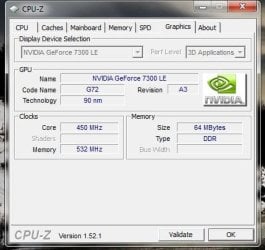
I have a gForce 7300 that works ok for me

Attached Thumbnails
Intel 845g and Windows 7-gforce_7300_gpu.jpg  
My System SpecsSystem Spec
02-20-2010   #12


Windows 7.64 Ult.


I have found a solution for this problem. I have a Dell Dimension (with a few upgrades, CPU, RAM) Got the xp graphics driver to run and it is working very well in Windows 7.32 for me. You should try this before going to buy a card. The built in 845 g will probably clock out better then the expansion card because of the PCI limitation. If you are still having this problem let me know and i can walk you through the driver install.

No Areo but video plays very well. note: Don't expect to play games with one of these machines today. But it make a great rig for some basic web stuff, word processing.
My System SpecsSystem Spec
02-24-2010   #13


@rpgmoods: can you please explain what I have to do?

thanks
My System SpecsSystem Spec
.


02-25-2010   #14


Windows 7.64 Ult.


I used the win2k_xp14103 file. You should be able to get it here. http://downloadcenter.intel.com/Detail_Desc.aspx?agr=Y&ProdId=865&DwnldID=9034〈=eng
If the link does not work just punch "Intel 845 driver" into google. This was the latest xp driver that Intel had.

Download the file and unzip. Extract the file to desktop. Right click on it and select Properties. Go to the compatibility tab and select to run in"XP Service Pack 2" compatibility mode, then check the run as Admin box at the bottom and click ok. Now right click the icon again and select Run as Admin(just to make sure) and let the driver install. You should be good to go after the Reboot. note... make sure to use XP SP2 and NOT SP3.

This worked for me on a Windows 7 32 bit install. Hope it helps you too.
My System SpecsSystem Spec
Reply

 Intel 845g and Windows 7 problems?


Thread Tools


Similar Threads for: Intel 845g and Windows 7
Thread Forum
Intel Integrated 845g Chipset Drivers Drivers
Intel Corporation driver update for Intel(R) Management Engine Interfa Windows Updates & Activation
Intel Announces Third-Generation SSD: Intel® Solid-State Drive 320 Ser News
Bizzare Problem with intel DP55WB and Intel integrator Assistant Crashes and Debugging
Intel® Desktop Board DX58SO & Intel® Chipset Device Sof Drivers


All times are GMT -5. The time now is 07:54 AM.


Windows 7 Forums is an independent web site and has not been authorized,
sponsored, or otherwise approved by Microsoft Corporation.
"Windows 7" and related materials are trademarks of Microsoft Corp.
© Designer Media Ltd
  

1 2 3 4 5 6 7 8 9 10 11 12 13 14 15 16 17 18 19 20 21 22 23 24 25 26 27 28 29 30