

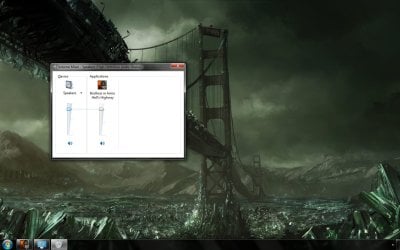
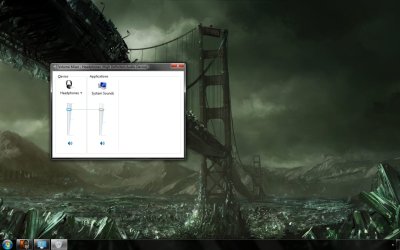
When I play a game or listen to music, etc I usually use headphones. Now I notice that even though the headphone jack is plugged in my laptop's speakers don't switch off. I attached two screenshots; they show that the game's sound is somehow linked to the speaker's volume and in the other that the headphone's volume is also linked to the system's volume. This means when I turn the volume down for the speakers then the headphones are also automatically turned down.
How do I fix this?
Thanks.
How do I fix this?
Thanks.
My Computer
At a glance
Windows 7 x64 ProfessionalIntel Core i7-870 Lynnfield 2.93 GHzKingston Hyper X 1333MHz DDR3 4x4GbNvidia GTS 250
- Computer type
- PC/Desktop
- Computer Manufacturer/Model Number
- Own build
- OS
- Windows 7 x64 Professional
- CPU
- Intel Core i7-870 Lynnfield 2.93 GHz
- Motherboard
- Intel Whitesburg P55 LGA1156
- Memory
- Kingston Hyper X 1333MHz DDR3 4x4Gb
- Graphics Card(s)
- Nvidia GTS 250
- Monitor(s) Displays
- AOC Q3279VWF 31.5"
- Screen Resolution
- 2560x1440
- Hard Drives
- Western Digital 1000GB Hard Drive (SATA 3.0Gb/s, 7200rpm, 32MB Cache)
Verbatim 500GB (External)
- PSU
- 650W
- Case
- Coolermaster HAF 912
- Cooling
- Stock
- Keyboard
- Logitech
- Mouse
- Logitech
- Antivirus
- Avira
- Browser
- Firefox
- Other Info
- LG OptDrive 24x SATA DVDRW Lightscribe


