Windows 7 Forums


Windows 7: Abnormal CPU running at 90-100%

17 Nov 2010  
issh

Windows 7 Home Premium 64bit
25 posts
 
 
Abnormal CPU running at 90-100%

It has happened every now and then for the past week or so. I have ran a full virus scan, nothing came up and also i did not install any applications since it started doing it.
I do not know what's wrong with it.


Last edited by issh; 17 Nov 2010 at 03:11 AM.. Reason: info
My System SpecsSystem Spec

17 Nov 2010  
Ciara

Windows 7 Professional 64-bit SP1
5,138 posts


Hi issh

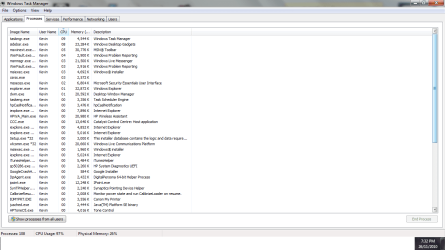
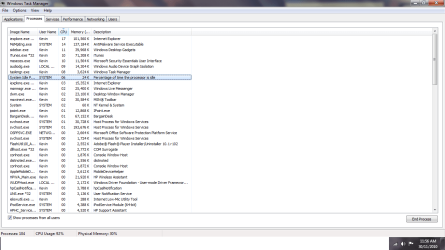
If you right click on your task bar and in the pop-up window click Task Manager the Task Manager window will open (you may have to scroll down) you should see what process is CPU hungry under the process tab, this will help you identify the problem.

My System SpecsSystem Spec
17 Nov 2010  
issh

Windows 7 Home Premium 64bit
25 posts


thanks!
yep, i will report back to you when it happens again and we'll deal with it from there
Out of Curiosity, what should normal levels be and what would high levels that cause a high CPU usage be?

Last edited by issh; 17 Nov 2010 at 03:32 AM.. Reason: info
My System SpecsSystem Spec
.


17 Nov 2010  
Solarstarshines

Windows 7 Home Premium 64bit sp1
4,525 posts
Laguna Hills Southern California


it depends on the applications running in the background normal pc usage for me is while writing this thread was like 2% not much and i have alot of proceses in the background
My System SpecsSystem Spec
17 Nov 2010  
issh

Windows 7 Home Premium 64bit
25 posts


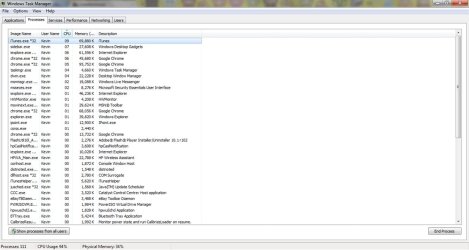
just happened again with iTunes @ 10
as seen down the bottom, the CPU usage is at 94%
Attached Thumbnails
Abnormal CPU running at 90-100%-wtm.jpg  
My System SpecsSystem Spec
17 Nov 2010  
Ciara

Windows 7 Professional 64-bit SP1
5,138 posts


Look again at your Task Manager Your CPU is 94% but its none of the processes in the window you posted (your looking at Memory) if it happens again scroll down and keep looking in CPU
My System SpecsSystem Spec
17 Nov 2010  
issh

Windows 7 Home Premium 64bit
25 posts


so what am i supposed to do?
because i put the CPU usage from descending order and it therefore the program using the most CPU is shown on top
My System SpecsSystem Spec
17 Nov 2010  
Ciara

Windows 7 Professional 64-bit SP1
5,138 posts


Yes, This maybe a problem with itunes its self (I had a similar thing on my XP Laptop with Pop Peeper it would hang and my CPU would run 100%) so this may help - uninstall itunes then reinstall it, I cant promise it will work but it may
My System SpecsSystem Spec
17 Nov 2010  
issh

Windows 7 Home Premium 64bit
25 posts


Yep ill try that now, and if it fails i'll report back
THANK YOU FOR YOUR HELP!!!
My System SpecsSystem Spec
17 Nov 2010  
Ciara

Windows 7 Professional 64-bit SP1
5,138 posts


Hope it works issh
My System SpecsSystem Spec
Reply

 Abnormal CPU running at 90-100% problems?


Thread Tools


Similar help and support threads for: Abnormal CPU running at 90-100%
Thread Forum
abnormal i7 temps!!!!!!!!!!!!!!!! Hardware & Devices
memory usage looks abnormal System Security
See Full map -- Abnormal map Network & Sharing
Abnormal memory usage in win 7 64 bit!! Performance & Maintenance
abnormal boot up time Performance & Maintenance


All times are GMT -5. The time now is 05:11 PM.


Windows 7 Forums is an independent web site and has not been authorized,
sponsored, or otherwise approved by Microsoft Corporation.
"Windows 7" and related materials are trademarks of Microsoft Corp.
© Designer Media Ltd