Windows 7 Forums


Windows 7: RAM Troubles

22 Dec 2010  
Teekz

Windows 7 Ultimate (x64) Service Pack 1
159 posts
Doncaster, UK.
 
 
RAM Troubles

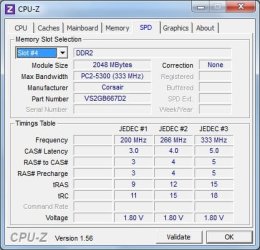
I have here an Acer Aspire T180-UB7Z, and it has a stick of RAM that isn't listed on the RAM manufacturer's website as being compatible with the motherboard. I don't know if this is because they haven't tested this particular stick with this motherboard, or if it is incompatible.

Basically, no memory tests (Memtest86, Memtest86+, Windows Memory Diagnostic) report any errors or problems, but I suspect this ram may be the cause of many random errors, and BSODs etc.


Having the ram installed makes the system run a lot better, so I really don't want to remove it unless absolutely necessary.

Any advice as to what steps I need to take next? I only have this machine for another 12 hours or so, and pretty much need a solution by then, such as whether the ram is the culprit of these errors, and if the ram needs to be removed.

Thanks a lot, in advance.
Tom.
My System SpecsSystem Spec

22 Dec 2010  
richc46

Windows 7 Home Premium SP1, clean install, upgrade disc
15,045 posts
CT


If you act quickly I will try to examine the bsod report and see if it can be from memory.
http://www.sevenforums.com/crashes-d...tructions.html
My System SpecsSystem Spec
22 Dec 2010  
ken9122

Win7 x64 Ultimate SP1
570 posts
So California


Did you add an additional stick to the one that came with the system? Is it the same as the other?
Mis-matched memory can cause trouble.

Ken
My System SpecsSystem Spec
.


22 Dec 2010  
Teekz

Windows 7 Ultimate (x64) Service Pack 1
159 posts
Doncaster, UK.


Quote   Quote: Originally Posted by ken9122 View Post
Did you add an additional stick to the one that came with the system? Is it the same as the other?
Mis-matched memory can cause trouble.
Ken
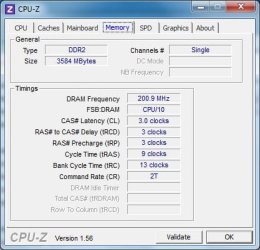
The system is running in single-channel mode, so I imagine it won't make a difference.

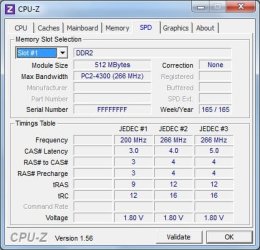
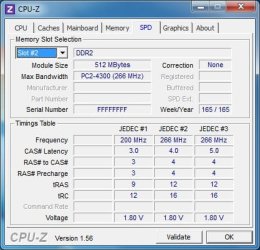
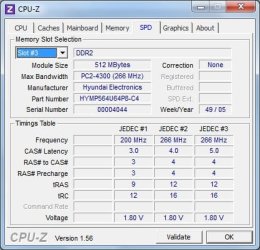
In the system, there are 3 sticks of 512mb, and the 2gb stick which was added most recently (this is the one I believe to be causing the problems.

Quote   Quote: Originally Posted by richc46 View Post
If you act quickly I will try to examine the bsod report and see if it can be from memory.
I did this and attached the results, but the few BSODs that have occurred have all been different stop errors, and an automatic cleaning software deleted most of the error reports about an hour ago, I believe. There is only one minidump in the Windows\Minidump folder.
Attached Files
File Type: zip Acer Aspire T180-UB7Z.zip (658.8 KB, 3 views)
My System SpecsSystem Spec
22 Dec 2010  
richc46

Windows 7 Home Premium SP1, clean install, upgrade disc
15,045 posts
CT


This is what I know. One report is rarely definitive, but this shows memory.
When there are many reports in a short period of time, it is usually hardware. In this situation memory is considered hardware.

Did you run the memory test for 8 passes?
My System SpecsSystem Spec
22 Dec 2010  
sygnus21

Windows 7 Ultimate x64 SP1
6,495 posts
Hampton VA


Quote   Quote: Originally Posted by Teekz View Post
In the system, there are 3 sticks of 512mb, and the 2gb stick which was added most recently (this is the one I believe to be causing the problems.
Did you check your motherboard's manual on the proper configuration of this RAM setup? Most motherboards have a certain configuration they like the RAM run in when using different densities (2gig stick + 3 512 sticks).

And it really isn't a good idea to mix RAM like this, and it will cause problems.
My System SpecsSystem Spec
22 Dec 2010  
Teekz

Windows 7 Ultimate (x64) Service Pack 1
159 posts
Doncaster, UK.


Quote   Quote: Originally Posted by richc46 View Post
Did you run the memory test for 8 passes?
Not at once, but I've definitely run a lot more than 8 passes, using various different tests.

Quote   Quote: Originally Posted by sygnus21 View Post
Did you check your motherboard's manual on the proper configuration of this RAM setup? Most motherboards have a certain configuration they like the RAM run in when using different densities (2gig stick + 3 512 sticks).
I don't have a manual for the motherboard, but I'm looking for one online as we speak. I think I found one here (Foxconn Support - Download), but it won't let me download it. The icon that appears just says loading, and doesn't change.

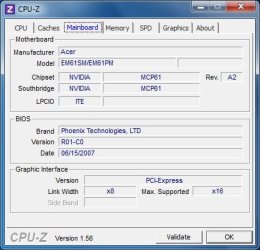
I've attached a screenshot of CPU-Z on the mainboard tab, if that helps.
Attached Thumbnails
RAM Troubles-mainboard.jpg  
My System SpecsSystem Spec
22 Dec 2010  
richc46

Windows 7 Home Premium SP1, clean install, upgrade disc
15,045 posts
CT


Everything point to ram problem
My System SpecsSystem Spec
22 Dec 2010  
Teekz

Windows 7 Ultimate (x64) Service Pack 1
159 posts
Doncaster, UK.


I changed browser, and managed to download the manual. Am I looking for anything specific?

Quote   Quote: Originally Posted by richc46 View Post
Everything point to ram problem
That's bad news. The system obviously runs better with it in (apart from the errors :P). Is there any action that can be taken to make it work as it should, or is it doomed to be removed?
My System SpecsSystem Spec
22 Dec 2010  
richc46

Windows 7 Home Premium SP1, clean install, upgrade disc
15,045 posts
CT


I think that you should return it and get identical ram.
If you plan to test it first
SDRAM, DDR2 and DDR RAM memory upgrades from Crucial.com
My System SpecsSystem Spec
Reply

 RAM Troubles problems?


Thread Tools


Similar help and support threads for: RAM Troubles
Thread Forum
Win 7 CAC troubles General Discussion
VPN troubles Network & Sharing
Log on troubles General Discussion
Mic troubles? help? Sound & Audio
So W7 troubles... Installation & Setup


All times are GMT -5. The time now is 12:52 PM.


Windows 7 Forums is an independent web site and has not been authorized,
sponsored, or otherwise approved by Microsoft Corporation.
"Windows 7" and related materials are trademarks of Microsoft Corp.
© Designer Media Ltd