| Windows 7: Trying to install new ram, conflict with video card |
19 Jan 2011
|
| | Windows 7 Professional x64 10 posts |
Trying to install new ram, conflict with video card I purchased a new stick of ram to put into my computer (motherboard is ASRock AM2NF4G-SATA2) as I only had 2gb in before (bought another 1gb...there are 4 slots). I plugged it in, it read it just fine (said 3gb), but there seems to be some issue with the video card, it would no longer recognize my video card, and I couldn`t select the proper resolution, I tried reinstalling drivers for it, but it said it was the wrong hardware (video card is PNY GeForce 210 PCIe 2.0). I shut my computer down and removed one of the sticks, and I turned it back on and it was fine. What is this issue here? | My System Specs |
| OS Windows 7 Professional x64 CPU AMD Athlon II X3 450 (3.20 GHz) Motherboard ASUS M4A785T-M Memory PDP Systems 8GB (4x2GB) DDR3 Monitor(s) Displays HP w2207h Hard Drives WD WD5000AA5S-22YGA0 ATA (500GB)
WD Ext HDD 1021 USB (1.5TB) |
19 Jan 2011
|
| | Windows 7 Ultimate 64 bit 2,265 posts NC |
Sounds like your dimm slots need to have matched pairs of RAM installed in each slot. In my case with my old 32 bit system I had 4 slots as well. I had two 1 GB and 2 512 GB sticks installed to achieve my 3 GB total. Check with your mobo maker and see what there recommendations are for installing RAM. | My System Specs | | System Manufacturer/Model Number Custom built OS Windows 7 Ultimate 64 bit CPU AMD Phenom II X4 965 Black Edition Motherboard Gigabyte GA-MA790X-DS4 Memory GSkill 4 X 2 GB PC 8500 Graphics Card XFX Radeon HD 6790 D Sound Card On board RealTek HD Monitor(s) Displays Dual monitors:Samsung SyncMaster S20B300 Screen Resolution 1600 X 900 Keyboard Logitech G510 Mouse Razor DeathAdder PSU Ultra X4 750 watt fully modular Case Thermaltake Overseer RX 1 full tower Cooling Core-Contact 92 mm CPU Cooler Hard Drives Seagate Barracuda 1TB (primary)
Seagate Barracuda 2 X 320 GB Internet Speed 50/5 Mbps UL/DL Other Info Optical: Super Muliti DVD burner w/lightscribe, Hauppauge WinTV HVR-1800 |
19 Jan 2011
|
| | Main - Windows 7 Pro SP1 64-Bit; 2nd - Windows Server 2008 R2 3,098 posts Westlake, Ohio |
I think bassfisher6522 has probably nailed it. Tell us the brand and model of your motherboard and RAM and we can probably tell you for sure. | My System Specs | | System Manufacturer/Model Number Self OS Main - Windows 7 Pro SP1 64-Bit; 2nd - Windows Server 2008 R2 CPU Main - Core i7 2600K; 2nd - Core i7 920 Motherboard Main - Asus P8Z68-V Pro/Gen3; 2nd - Gigabyte GA-EX58-UDR3 Memory Main - 16GB Corsair Vengeance; 2nd - 12GB Corsair Vengeance Graphics Card Main - XFX Radeon 6870 1GB; 2nd - XFX Radeon 4870 1GB Sound Card Both: Onboard Realtek Azalia Monitor(s) Displays Main - Hann 25" + I-INC 25" + Acer 23"; 2nd - Upgrading Soon Screen Resolution Main - 1920x1080 (All Three Monitors); 2nd - Upgrading Soon Keyboard Main - Razer Reclusa; 2nd - Old MS Keyboard Mouse Main - Logitech MX Revolution; 2nd - Old MS Mouse PSU Main - OCZ 600W Modular; 2nd - OCZ 600W Case Main - Thermaltake Element G; 2nd - NZXT something or other Cooling Main - Corsair H80; 2nd - Prolimatech Megahalems Hard Drives Main - (1) Crucial M4 128GB (Boot)
Main - (1) Seagate 2TB 64MB Cache (Data)
Main - (1) Seagate 2TB 64MB Cache (Data Backup)
2nd - (1) Intel X25-M SSD 80GB (Boot)
2nd - (3) Seagate 1TB 32MB Cache (Data Backup)
2nd - (1) Seagate 320GB (Because) Internet Speed 20Mbps Time-Warner Cable |
19 Jan 2011
|
| | Win7 Enterprise, Win7 x86 (Ult 7600), Win7 x64 Ult 7600, TechNet RTM on AMD x64 (2.8Ghz) 8,576 posts SomeWhere in the HOT Arizona Desert ! |
Use Software Information for Windows to see your MB Mfg & Memory MFG SIW | System Information for Windows by Gabriel Topala | My System Specs | | Computer type PC/Desktop System Manufacturer/Model Number Built them myself, Science Experiments ! OS Win7 Enterprise, Win7 x86 (Ult 7600), Win7 x64 Ult 7600, TechNet RTM on AMD x64 (2.8Ghz) CPU AMD fx8350 4ghz, AMD-32 2400mhz, AMD-64 3200mhz, AMDx64 2.8G Motherboard SIS 755, ECS-K8M890M-M (Ult 7600), GigaByte & others Memory 2gb, 4gb on the Ult 7600, 4gb on Technet RTM, 32gb on FX8350 Graphics Card Draw my own Graphics, several nVidia cards Sound Card on motherboard Monitor(s) Displays 19" flat scr, 28" I-Inc widescr,22" Emprex Widescr, 23" Acer Screen Resolution 1280 x 1024, 1440 x 900, 1920 x 1080 Keyboard Compaq & Dell recycled from GoodWill Mouse Made in China Optical Wired Mouse PSU 430w, 550w, 600w, 700, 800, etc Case All Generic Full Towers Cooling Open Air & a few fans, some w/ colored LEDs Hard Drives 6 pata Ide HD's & 2 Sata HD's
added 80gb external on Ult 7600 computer,
numerous extra 1tb, 2TB, 3Tb SATA HD's
A collection of ext HD Docks w/ HDs Internet Speed Fast Cable InterNet Antivirus AVG Free on 24 different Desktops, NO Problems! Browser IE 8 is preferred, but use FireFox sometimes Other Info Linksys Routers, switches, & Hubs
Too Many USB Flash Drives to count, Biggest is 64GB !
Eight computers in my home network.
Sixteen computers at my business network.
Linked via TeamViewer !
Lots of old used spare computer parts everywhere! |
20 Jan 2011
|
| | Windows 7 Professional x64 10 posts |
Here is a screenshot of the ram:
I have another of the Kingston RAM (same as the one in there), but I pulled it and it's working fine, not sure if it matters or not.
Here is the motherboard: | My System Specs | | OS Windows 7 Professional x64 CPU AMD Athlon II X3 450 (3.20 GHz) Motherboard ASUS M4A785T-M Memory PDP Systems 8GB (4x2GB) DDR3 Monitor(s) Displays HP w2207h Hard Drives WD WD5000AA5S-22YGA0 ATA (500GB)
WD Ext HDD 1021 USB (1.5TB) |
20 Jan 2011
|
| | Windows 7 ultimate 64 bit / XP Home sp3 4,649 posts Gulf Coast Texas |
That's your problem is your trying to run different speeds and timing Ram. Mixing and mismatching Ram will only cause you problems.
Your much better off buying matched pairs that are tested to run together.
You should also check with your Mb manufacturer site and download the manual and look up the QVL (Qualified Vendors List) for Ram that has been tested to run at their rated speeds without any problems on your board.
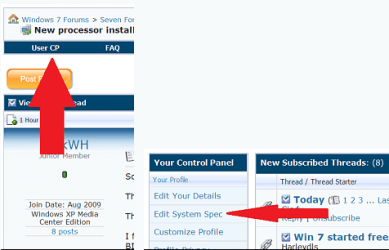
Please also take the time to fill in in your entire system specs here
This way we can look in the lower left hand corner and know what your hardware is.
Thanks. Fabe | My System Specs | | System Manufacturer/Model Number Self Built OS Windows 7 ultimate 64 bit / XP Home sp3 CPU intel Core 2 Duo E8400 3.0ghz Motherboard Asus P5ND bios 1401 Memory 8 gigs 1066 OCZ Fata1ty Graphics Card EVGA GTX 580 Call of Duty Black Ops Edition Sound Card Creative Soundblaster Audigy 2zs Monitor(s) Displays Asus 24in LCD's 2MS X2 Screen Resolution 1920x1080p @60Hz Keyboard Logitech Bluetooth Wireless MX5000 Mouse Logitech Bluetooth Wireless MX1000 PSU OCZ 700W GameXtreme Case NZXT Apollo Cooling Corsair H50 CPU/120mm x3 /60mm x2 /Corsair Dominator Ram Hard Drives WD Caviar 500 Black/ WD Caviar 200 Blue Internet Speed Download 19.83 Upload 0.97 Other Info Logitech Z2300 Speakers/ Bose Noise Cancelling Headphones/Avermedia PCI-e Hybrid TV Bravo/Epson NX415 all in one/ 4 Port Powered USB Hub/ LG 10x Bluray Burner /TSST Corp DVDRW External |
20 Jan 2011
|
| | Main - Windows 7 Pro SP1 64-Bit; 2nd - Windows Server 2008 R2 3,098 posts Westlake, Ohio |

Quote: Originally Posted by thefabe That's your problem is your trying to run different speeds and timing Ram. Mixing and mismatching Ram will only cause you problems... Fortunately, RAM is dirt cheap these days. If you can't get another stick exactly like the one you just added, I would replace them both. Even though it looks like your board has four slots I would not try to leave the old stick in there - you'll just end up with the same problem.
I'd check with the motherboard manufacturer to be sure about compatibility, but something like this looks like it would do the trick. (Assuming SIW is accurate.) Newegg.com - Kingston 2GB (2 x 1GB) 240-Pin DDR2 SDRAM DDR2 400 (PC2 3200) Dual Channel Kit Desktop Memory Model KVR400D2N3K2/2G | My System Specs | | System Manufacturer/Model Number Self OS Main - Windows 7 Pro SP1 64-Bit; 2nd - Windows Server 2008 R2 CPU Main - Core i7 2600K; 2nd - Core i7 920 Motherboard Main - Asus P8Z68-V Pro/Gen3; 2nd - Gigabyte GA-EX58-UDR3 Memory Main - 16GB Corsair Vengeance; 2nd - 12GB Corsair Vengeance Graphics Card Main - XFX Radeon 6870 1GB; 2nd - XFX Radeon 4870 1GB Sound Card Both: Onboard Realtek Azalia Monitor(s) Displays Main - Hann 25" + I-INC 25" + Acer 23"; 2nd - Upgrading Soon Screen Resolution Main - 1920x1080 (All Three Monitors); 2nd - Upgrading Soon Keyboard Main - Razer Reclusa; 2nd - Old MS Keyboard Mouse Main - Logitech MX Revolution; 2nd - Old MS Mouse PSU Main - OCZ 600W Modular; 2nd - OCZ 600W Case Main - Thermaltake Element G; 2nd - NZXT something or other Cooling Main - Corsair H80; 2nd - Prolimatech Megahalems Hard Drives Main - (1) Crucial M4 128GB (Boot)
Main - (1) Seagate 2TB 64MB Cache (Data)
Main - (1) Seagate 2TB 64MB Cache (Data Backup)
2nd - (1) Intel X25-M SSD 80GB (Boot)
2nd - (3) Seagate 1TB 32MB Cache (Data Backup)
2nd - (1) Seagate 320GB (Because) Internet Speed 20Mbps Time-Warner Cable |
20 Jan 2011
|
| | Windows 7 Professional x64 10 posts |

Quote: Originally Posted by profdlp 
Quote: Originally Posted by thefabe That's your problem is your trying to run different speeds and timing Ram. Mixing and mismatching Ram will only cause you problems... Fortunately, RAM is dirt cheap these days. If you can't get another stick exactly like the one you just added, I would replace them both. Even though it looks like your board has four slots I would not try to leave the old stick in there - you'll just end up with the same problem.
I'd check with the motherboard manufacturer to be sure about compatibility, but something like this looks like it would do the trick. (Assuming SIW is accurate.) Newegg.com - Kingston 2GB (2 x 1GB) 240-Pin DDR2 SDRAM DDR2 400 (PC2 3200) Dual Channel Kit Desktop Memory Model KVR400D2N3K2/2G Well I already had 2 of the Kingstons (the one in the screen shot) and just purchased one of the PNY. When I put any combination of 2 sticks in, it works fine, when all 3 are in, that's when I get my problem. | My System Specs | | OS Windows 7 Professional x64 CPU AMD Athlon II X3 450 (3.20 GHz) Motherboard ASUS M4A785T-M Memory PDP Systems 8GB (4x2GB) DDR3 Monitor(s) Displays HP w2207h Hard Drives WD WD5000AA5S-22YGA0 ATA (500GB)
WD Ext HDD 1021 USB (1.5TB) |
20 Jan 2011
|
| | Main - Windows 7 Pro SP1 64-Bit; 2nd - Windows Server 2008 R2 3,098 posts Westlake, Ohio |
It's a dual-channel board, so that third stick doesn't have a partner for the other channel. That's why thefabe was referring to "matched pairs". | My System Specs | | System Manufacturer/Model Number Self OS Main - Windows 7 Pro SP1 64-Bit; 2nd - Windows Server 2008 R2 CPU Main - Core i7 2600K; 2nd - Core i7 920 Motherboard Main - Asus P8Z68-V Pro/Gen3; 2nd - Gigabyte GA-EX58-UDR3 Memory Main - 16GB Corsair Vengeance; 2nd - 12GB Corsair Vengeance Graphics Card Main - XFX Radeon 6870 1GB; 2nd - XFX Radeon 4870 1GB Sound Card Both: Onboard Realtek Azalia Monitor(s) Displays Main - Hann 25" + I-INC 25" + Acer 23"; 2nd - Upgrading Soon Screen Resolution Main - 1920x1080 (All Three Monitors); 2nd - Upgrading Soon Keyboard Main - Razer Reclusa; 2nd - Old MS Keyboard Mouse Main - Logitech MX Revolution; 2nd - Old MS Mouse PSU Main - OCZ 600W Modular; 2nd - OCZ 600W Case Main - Thermaltake Element G; 2nd - NZXT something or other Cooling Main - Corsair H80; 2nd - Prolimatech Megahalems Hard Drives Main - (1) Crucial M4 128GB (Boot)
Main - (1) Seagate 2TB 64MB Cache (Data)
Main - (1) Seagate 2TB 64MB Cache (Data Backup)
2nd - (1) Intel X25-M SSD 80GB (Boot)
2nd - (3) Seagate 1TB 32MB Cache (Data Backup)
2nd - (1) Seagate 320GB (Because) Internet Speed 20Mbps Time-Warner Cable |
20 Jan 2011
|
| | Windows 7 ultimate 64 bit / XP Home sp3 4,649 posts Gulf Coast Texas |
You can usually get away with 2 sticks that are mismatched speed wise anyways Windows will just default t the slower ram.
But like stated with the cost of Ram being where it's at and if you want trouble free and the best performance buying a matched pair is your best bet
.
You can re-coop some of the cost on ebay if you do that kind of thing.
Fabe | My System Specs | | System Manufacturer/Model Number Self Built OS Windows 7 ultimate 64 bit / XP Home sp3 CPU intel Core 2 Duo E8400 3.0ghz Motherboard Asus P5ND bios 1401 Memory 8 gigs 1066 OCZ Fata1ty Graphics Card EVGA GTX 580 Call of Duty Black Ops Edition Sound Card Creative Soundblaster Audigy 2zs Monitor(s) Displays Asus 24in LCD's 2MS X2 Screen Resolution 1920x1080p @60Hz Keyboard Logitech Bluetooth Wireless MX5000 Mouse Logitech Bluetooth Wireless MX1000 PSU OCZ 700W GameXtreme Case NZXT Apollo Cooling Corsair H50 CPU/120mm x3 /60mm x2 /Corsair Dominator Ram Hard Drives WD Caviar 500 Black/ WD Caviar 200 Blue Internet Speed Download 19.83 Upload 0.97 Other Info Logitech Z2300 Speakers/ Bose Noise Cancelling Headphones/Avermedia PCI-e Hybrid TV Bravo/Epson NX415 all in one/ 4 Port Powered USB Hub/ LG 10x Bluray Burner /TSST Corp DVDRW External Trying to install new ram, conflict with video card problems? All times are GMT -5. The time now is 04:25 PM. | |