| Windows 7: Keyboard-now you see it, now you don't-ASUS P8P67 |
11 Jun 2011
|
#1 | | Windows 7 Home Premium 64bit |
Keyboard-now you see it, now you don't-ASUS P8P67 I've concluded there is some issue linking the PS/2 port and the BIOS..........and it needs sorting, please!
I've just put together the following: i5-2500K, Asus P8P67, 4 gb Corsair XMS RAM, Gigabyte ATI 6950 - all costing quite a bit of money and yet the whole sherbang is being let down by a keyboard issue.
The keyboard (a MS Natural Multimedia 1.0) plugged into the PS/2 port works (and has always worked) to allow access to BIOS. But once Windows 7 (Home Premium 64bit) is loaded, the device manager sees no keyboard.
So, this is what is happening. If I reboot and go back into BIOS (I have the latest ASUS BIOS for this board) and change the USB 2.0 setting, say from ENABLE to AUTO, save changes and exit, let Windows load, behold................the keyboard is there in DM and shows as a Standard PS/2 Keyboard (I have had the Intellitype drivers loaded but the DM doesn't seem to recognise the Keyboard by its MS official title, it just stayed as a Standard PS/2 Keyboard). That is how I'm typing this message now.
Now, if I shut down the computer and restart, the keyboard (after Windows is loaded) will cease to exist again until...................yes, you've guessed it, I shut down, go into BIOS, change the USB 2.0 setting (it doesn't seem to matter what to) and hey presto! A recognised and working keyboard!!!
This is a problem thousands are having and we must be talking about a component that costs pennies to add to the MB and probably to fix so come on MS and/or ASUS.... sort it please.
After some further checking, it would appear that a change to ANY setting in BIOS will cause the KB to reappear in DM; it's not specific to a change to USB settings. | My System Specs |
| OS Windows 7 Home Premium 64bit CPU Intel i5-2500K Motherboard Asus P8P67 LE Memory Corsair 4GB (2x2GB) DDR3 1600MHz/PC3-12800 XMS3 i5 Memory Ki Graphics Card Gigabyte HD 6950 2GB GDDR5 Dual DVI HDMI Dual DP Out PCI-E Sound Card On Board Realtek Monitor(s) Displays LG Flatron W2242S Analogue PSU bequiet PurePower 530W Case Antec 300 Hard Drives Samsung HD103SJ Spinpoint F3 1TB Hard Drive SATAII 7200rpm 32MB Cache |
11 Jun 2011
|
#2 | | Windows 7 Ultimate x64 SP1 |
Hi Pkiver and welcome to SF! 
Your keyboard has a PS/2 connection, ie no connection whatsoever with changes of parameters USB in the BIOS. My guess: you have installed Intellytype Pro 8, which is support for USB keyboards, here's the problem. You must install version 7.1, which supports PS/2. 
Hope that helps! | My System Specs | | System Manufacturer/Model Number WALLONN7 / LIN BLACK SERIES II OS Windows 7 Ultimate x64 SP1 CPU AMD PHENOM II X6 1090T 3.2GHz Motherboard GIGABYTE GA-890FXA-UD7 Memory 8GB G.SKILL RIPJAWS - F3-10666CL7D Graphics Card SAPPHIRE ATI RADEON HD 5870 VAPOR X OC Sound Card REALTEK DOLBY HOME THEATER Monitor(s) Displays LED LG W2486L Screen Resolution 1080p Keyboard MICROSOFT DIGITAL MEDIA KEYBOARD 3000 - USB Mouse MICROSOFT BASIC OPTICAL MOUSE 2.0 - USB PSU ZALMAN ZM1000-HP 1000W Case THERMALTAKE XASER VI VG4000SWA Cooling 140MM x3 / 120MM x1 AIR COOLING - THERMALTAKE Hard Drives SEAGATE 1TB -ST31000528AS - AHCI MODE - AS SATA Internet Speed 600KBPS Other Info MICROSOFT XBOX 360 CONTROLLER |
11 Jun 2011
|
#3 | | Windows 7 Home Premium 64bit |
Hi Wallon 7
As I mentioned in the last bit of my post, I have found that (now) there's no link with USB per se....but if I make any alteration in BIOS, be it 'disable' 1394 or 'change' USB to 'auto', on the next boot into Windows, the KB appears in DM.
I have 7.1 and when they were loaded, Windows still saw the keyboard (after me going through the BIOS again) as a Standard PS2 Keyboard.
In (my) simple estimation, the KB is being seen through the boot but Windows isn't seeing it BUT it will when some other parameter, reset in BIOS, forces Windows to make an adjustment to facilitate that change and in doing so it then sees the KB. However, without that 'kick' once the system is running, it is being overlooked by Windows from a cold start.
Why? | My System Specs | | OS Windows 7 Home Premium 64bit CPU Intel i5-2500K Motherboard Asus P8P67 LE Memory Corsair 4GB (2x2GB) DDR3 1600MHz/PC3-12800 XMS3 i5 Memory Ki Graphics Card Gigabyte HD 6950 2GB GDDR5 Dual DVI HDMI Dual DP Out PCI-E Sound Card On Board Realtek Monitor(s) Displays LG Flatron W2242S Analogue PSU bequiet PurePower 530W Case Antec 300 Hard Drives Samsung HD103SJ Spinpoint F3 1TB Hard Drive SATAII 7200rpm 32MB Cache |
11 Jun 2011
|
#4 | | ME/XP/Vista/Win7 uk Hampshire |
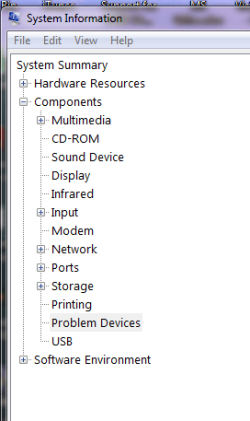
Take look in System Information for Problem Device's. | My System Specs | | |
11 Jun 2011
|
#5 | | Windows 7 Ultimate x64 SP1 |
| My System Specs | | System Manufacturer/Model Number WALLONN7 / LIN BLACK SERIES II OS Windows 7 Ultimate x64 SP1 CPU AMD PHENOM II X6 1090T 3.2GHz Motherboard GIGABYTE GA-890FXA-UD7 Memory 8GB G.SKILL RIPJAWS - F3-10666CL7D Graphics Card SAPPHIRE ATI RADEON HD 5870 VAPOR X OC Sound Card REALTEK DOLBY HOME THEATER Monitor(s) Displays LED LG W2486L Screen Resolution 1080p Keyboard MICROSOFT DIGITAL MEDIA KEYBOARD 3000 - USB Mouse MICROSOFT BASIC OPTICAL MOUSE 2.0 - USB PSU ZALMAN ZM1000-HP 1000W Case THERMALTAKE XASER VI VG4000SWA Cooling 140MM x3 / 120MM x1 AIR COOLING - THERMALTAKE Hard Drives SEAGATE 1TB -ST31000528AS - AHCI MODE - AS SATA Internet Speed 600KBPS Other Info MICROSOFT XBOX 360 CONTROLLER |
11 Jun 2011
|
#6 | | Windows 7 Ultimate X64 SP1 Mt. Crumpit/Whoville |
Check to see if your BIOS settings allows a PS/2 adjustment, enable/disable, etc. As per Wallon's link, try the PS/2>USB adapter too. | My System Specs | | Computer type PC/Desktop System Manufacturer/Model Number Home Built Desktop By DataTech OS Windows 7 Ultimate X64 SP1 CPU Intel i5-2550K, Differing ~4.4-4.8GHz No built in GPU Motherboard ASUS P8Z68-V PRO/GEN3 Memory 16GB G.Skill Sniper 2133MHz 4x4GB Graphics Card ASUS ENGTX460 DirectCU/2DI/1GD5 GeForce GTX 460 Sound Card Onboard Realtek 5-1 Monitor(s) Displays Samsung P2570HD Screen Resolution 1920x1080 Keyboard Old, beat-up Dell USB From 10 yrs Ago Mouse Gigabyte m6900 wired PSU Corsair HX650W Case Inwin Dragon Rider Cooling Hyper 212 EVO w/two Noctua fans, push-pull, @1300 RPM Hard Drives Crucial M4 128GB for OS, 750GB Seagate MomentusXT for data, 500GB Seagate Constellation for storage Internet Speed 8-19 Mbs down, 3-4 Mbs up Comcast Cable Antivirus Norton Internet Security Browser IE 9, Opera when needed Other Info 4 case fans, LG BluRay-RE, ASUS DVD-RW, Mr. Fusion power generator with flux capacitor, 1.21 gigawatts. |
11 Jun 2011
|
#7 | | 7 Ultimate x64 California |

Quote: Originally Posted by Pkiver ... I've just put together the following: i5-2500K, Asus P8P67, 4 gb Corsair XMS RAM, Gigabyte ATI 6950 - all costing quite a bit of money and yet the whole sherbang is being let down by a keyboard issue.
The keyboard (a MS Natural Multimedia 1.0) plugged into the PS/2 port works (and has always worked) to allow access to BIOS. But once Windows 7 (Home Premium 64bit) is loaded, the device manager sees no keyboard. Doesn't your keyboard have USB? You can access the bios no problem. | My System Specs | | OS 7 Ultimate x64 CPU i5-2500k Motherboard Asus P8P67 Pro Memory 8GB G.Skill Ripjaws X F3-12800CL7D-8GBXH 1866MHz 8-9-8-24 Graphics Card EVGA GTX 570 SC Sound Card X-Fi Titanium Fatality Monitor(s) Displays Samsung S27A550H 27" LED Screen Resolution 1920x1080 Keyboard MS Natural Elite 4000 Ergonomic Mouse Logitech G500 PSU PC Power & Cooling Silencer 760 Case Lian Li Lancool K62 Cooling Thermalright Venomous X Black/Scythe S-Flex/Shin-Etsu X23 Hard Drives OCZ Vertex 3 120GB.
1TB Samsung F3.
2TB Samsung F4. Internet Speed 6MB/768 Other Info Logitech Z-5500 505 watts.
D-Link DGL-4500.
Tripp-Lite Smart Pro 1500. |
31 Jul 2011
|
#8 | | |

Quote: Originally Posted by Fumz 
Quote: Originally Posted by Pkiver ... I've just put together the following: i5-2500K, Asus P8P67, 4 gb Corsair XMS RAM, Gigabyte ATI 6950 - all costing quite a bit of money and yet the whole sherbang is being let down by a keyboard issue.
The keyboard (a MS Natural Multimedia 1.0) plugged into the PS/2 port works (and has always worked) to allow access to BIOS. But once Windows 7 (Home Premium 64bit) is loaded, the device manager sees no keyboard. Doesn't your keyboard have USB? You can access the bios no problem. No, his keyboard does not have USB.
I've tried all suggestions so far and I'm in the same boat. Windows 7 64 bit ultimate needs to be in a warm boot mode to use a ps/2 keyboard. | My System Specs | | OS Windows 7 Ultimate x64 |
31 Jul 2011
|
#9 | | Windows 7 Home Premium 64bit |
I should really have 'closed out' this thread from my perspective. No matter what, the PS2 failed to work and I bought a USB keyboard, plugged it in and it works perfectly.
I sent an email to ASUS suggesting that they might like to highlight the fact to potential purchasers that this particular keyboard doesn't seem to be compatable with their board - complete indifference was the response; just buy a USB keyboard. | My System Specs | | OS Windows 7 Home Premium 64bit CPU Intel i5-2500K Motherboard Asus P8P67 LE Memory Corsair 4GB (2x2GB) DDR3 1600MHz/PC3-12800 XMS3 i5 Memory Ki Graphics Card Gigabyte HD 6950 2GB GDDR5 Dual DVI HDMI Dual DP Out PCI-E Sound Card On Board Realtek Monitor(s) Displays LG Flatron W2242S Analogue PSU bequiet PurePower 530W Case Antec 300 Hard Drives Samsung HD103SJ Spinpoint F3 1TB Hard Drive SATAII 7200rpm 32MB Cache |
31 Jul 2011
|
#10 | | Windows 7 Ultimate X64 SP1 Mt. Crumpit/Whoville |
I've heard ASUS support...isn't. Much like all makers, except for GSkill memory, I've got really good feedback from them regarding OCing. | My System Specs | | Computer type PC/Desktop System Manufacturer/Model Number Home Built Desktop By DataTech OS Windows 7 Ultimate X64 SP1 CPU Intel i5-2550K, Differing ~4.4-4.8GHz No built in GPU Motherboard ASUS P8Z68-V PRO/GEN3 Memory 16GB G.Skill Sniper 2133MHz 4x4GB Graphics Card ASUS ENGTX460 DirectCU/2DI/1GD5 GeForce GTX 460 Sound Card Onboard Realtek 5-1 Monitor(s) Displays Samsung P2570HD Screen Resolution 1920x1080 Keyboard Old, beat-up Dell USB From 10 yrs Ago Mouse Gigabyte m6900 wired PSU Corsair HX650W Case Inwin Dragon Rider Cooling Hyper 212 EVO w/two Noctua fans, push-pull, @1300 RPM Hard Drives Crucial M4 128GB for OS, 750GB Seagate MomentusXT for data, 500GB Seagate Constellation for storage Internet Speed 8-19 Mbs down, 3-4 Mbs up Comcast Cable Antivirus Norton Internet Security Browser IE 9, Opera when needed Other Info 4 case fans, LG BluRay-RE, ASUS DVD-RW, Mr. Fusion power generator with flux capacitor, 1.21 gigawatts. Keyboard-now you see it, now you don't-ASUS P8P67 problems? All times are GMT -5. The time now is 04:25 AM. | |