A few threads on this but nothing seems to cover my problem. Briefly:
1. I'm using a so far trouble free home build, quad core, 8GB DDR2, desktop running W7 Pro 64 whos main function is editing photgraphic images. I have 4 WD internal HDDs (2x 150 GB, 1x25GB and 1x 1TB) and an external USB3 (via a card) linked 1TB WD External drive.
2. The System drive carries only the OS and Appl. software. All other files are on the 250GB drive which is running out of space. The remaining drives are used for back up, Photoshop scratch disk and archiving.
3. I have consequently bought and tried to install a 2.0TB WD Caviar Black (WD2002FAEX) to replace the 250GB.
4. On boot up, the system successfully installs the driver.
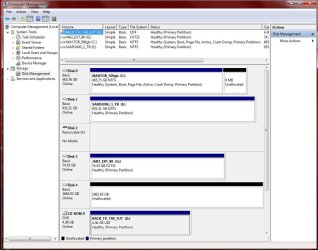
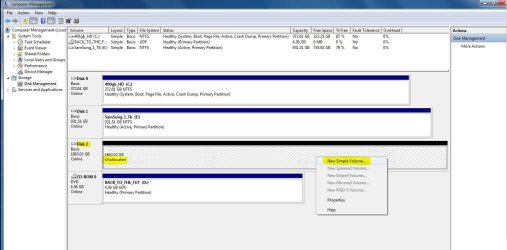
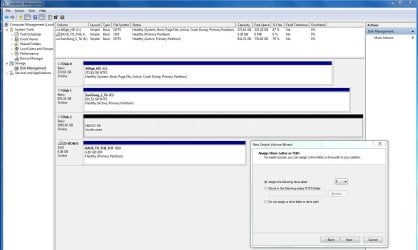
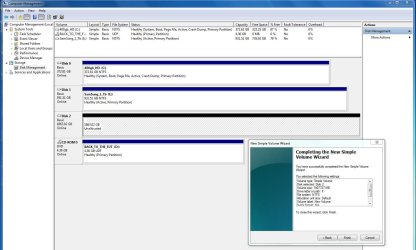
5. The drive is recognised in the BIOS set up, in "Disk Management" and the Device Manager confirms that it is functioning properly, ready for use and that I have the latest driver.
6. Despite all this the usual "needs to be initialised message" doesn't appear and right clicking the partition area for the disk in Disk Management doesn't offer an option to start the initialisation process (not for this drive or any drive for that matter).
7. I have tried de-installing and re-installing after a re-boot with the same result. I have also tried connecting the drive to another SATA port but to no effect.
8. If I reconnect the old drive, the system performs normally and so I don't think that there is a motherboard or connection problem.
I have reached the point of believing that it is the drive that is at fault but before I make the journey back to the supplier, I wondered whether I was missing something. Can anyone help please?
1. I'm using a so far trouble free home build, quad core, 8GB DDR2, desktop running W7 Pro 64 whos main function is editing photgraphic images. I have 4 WD internal HDDs (2x 150 GB, 1x25GB and 1x 1TB) and an external USB3 (via a card) linked 1TB WD External drive.
2. The System drive carries only the OS and Appl. software. All other files are on the 250GB drive which is running out of space. The remaining drives are used for back up, Photoshop scratch disk and archiving.
3. I have consequently bought and tried to install a 2.0TB WD Caviar Black (WD2002FAEX) to replace the 250GB.
4. On boot up, the system successfully installs the driver.
5. The drive is recognised in the BIOS set up, in "Disk Management" and the Device Manager confirms that it is functioning properly, ready for use and that I have the latest driver.
6. Despite all this the usual "needs to be initialised message" doesn't appear and right clicking the partition area for the disk in Disk Management doesn't offer an option to start the initialisation process (not for this drive or any drive for that matter).
7. I have tried de-installing and re-installing after a re-boot with the same result. I have also tried connecting the drive to another SATA port but to no effect.
8. If I reconnect the old drive, the system performs normally and so I don't think that there is a motherboard or connection problem.
I have reached the point of believing that it is the drive that is at fault but before I make the journey back to the supplier, I wondered whether I was missing something. Can anyone help please?
My Computer
- Computer Manufacturer/Model Number
- Home Build
- OS
- Windows 7 Pro
- CPU
- Intel Core 2 Quad 3.0Ghz
- Motherboard
- ASUS
- Memory
- 8GB
- Graphics Card(s)
- ATI Radeon HD 4600 Series
- Sound Card
- On Board
- Monitor(s) Displays
- ASUS Pro Art 24"
- Hard Drives
- 2 off WD 150 GB
1 off WD 250 GB
1 off WD 1 TB
- PSU
- 600 Watt
- Case
- Tsunami Dream (Manufacturer ??)
- Cooling
- CPU plus 2 off Case fans(front and Back)