OK
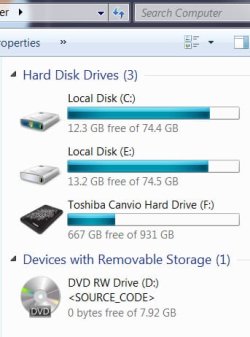
I own 2 Intel 80gb SSD hardrives they are saying they are full but I backed up all my files to another drive. so theres no way it should think theres only 10 gb available. please help what all system info do you need to understand my problem?
Samsung 850 Pro 256GB (OS), Samsung 2x 128GB 840 Pro SSD in RAID0, 3x WD Blue 6Gb/s 1TB RAID0, WD 2TB Black external USB 3.0, 2TB WD20EARS Green external USB 3.0, 2x 500GB Seagate and 1 750 GB external USB, 1x 350GB external USB3
Windows 7 Ultimate 64 bit Service Pack 1
8gb ram
Intel Core i5-2400 CPU @ 3.10 GHz
Geforce 275
MSi motherbord
Virtual memory set to automatic 8173 mb
no system restore its not turned on
no hibernate
Program files folder is 1.9 gb
Program files (x86) is 20.7 gb
All there is as far as I know in C is the os I dont understand why these SSD's think they are so full how do I check to see if there are hidden files in the directory?
When you say you backed up your files I presume you made a copy ie Windows backup. While this is good as it will allow you to restore you PC in case something goes wrong, it is not going to remove data from your drives. What you can do is cut and paste your personal files to another drive so they are still accessible, Ie from your E:\ drive. (films music pictures etc.) You need to be careful not to move system files as they may no longer work
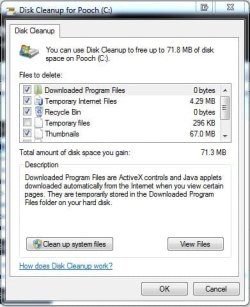
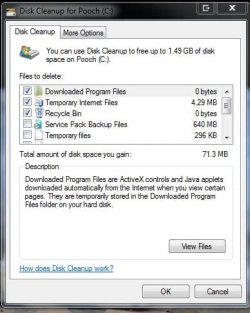
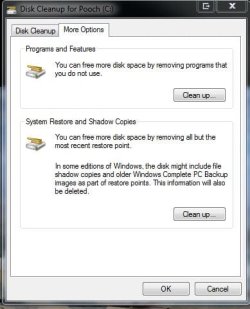
To clean up your C:\ drive, right click on the drive and select Properties and disc cleanup
Last edited:
My Computer
Computer Manufacturer/Model Number
Something I threw together
OS
Windows 7 Ultimate x64
CPU
Intel Core i7-2600K
Motherboard
Asus P8P67
Memory
16 GB G Skill F3-10666 CL9D-4GBRL
Graphics Card(s)
ATI Radeon HD 6870
Sound Card
ATI Radeon HDMI / Realtek ALC892
Monitor(s) Displays
2 x 22" standard monitors / LG32LC56v TV to watch films
Screen Resolution
1920 x1080
Hard Drives
2 x OCZ Vertex2 111.79GB
3 x Samsung103SJ
1 x Samsung103UJ
1 x WD3200BEVT
1 x Hitachi5K320-160
PSU
Thermaltake Toughpower Cable Management 750W
Case
Antec 300
Cooling
Noctua NH-U12P SE2 and 5 120mm Case fans
Keyboard
Microsoft Comfort Curve Keyboard 2000
Mouse
Hama M3110 / Logitech M305
Internet Speed
16000
Other Info
I have also used Fedora, Suse, Ubuntu Linux
And all other Windows from 95 to date except ME
Apart from checking with the excellent program that fseal posted, you must also check your shadowstorage because that would not show up in the WinDirStat charts.
Open an elevated Command Prompt and type or paste
vssadmin list shadowstorage
Then hit Enter. Look for the C and E numbers. Allocated is what is currently used. Maximum is what will be ultimately used.
If those numbers are anything bigger than 5 to 10GBs, we'll have to reduce the shadowstorage. Post back and we will tell you how.
My Computer
Computer Manufacturer/Model Number
HP, Dell, Gateway, Toshiba - 4 laptops and 2 desktops
Wow that program is awesome I love it. and the elevated command prompt of shadowstorage showed 1% shadowstorage but thanks for both. i can see that my zbrush 4 projects and tools are whats clogging everything up I think that made it prety clear to me. THANKS