| Windows 7: PC will not idle |
08 Aug 2011
|
| | Windows 7 32 posts Rio de Janeiro, Brazil |
PC will not idle Hello lads,
I'm sorry if I'm not posting this in the right place, but I don't know where else this would fit.
Since I upgraded my PC, I realized that it won't detect idleness. I set my monitor to turn off after 1 minute, but that doesn't happen. The same applies to anything I set to turn off, or show away after X minutes.
Does anyone have a suggestion for me?
It's Win 7 Ultimate, 64-bit.
Thank you. | My System Specs |
| OS Windows 7 CPU Phenom 2 X4 965 BE Motherboard MSI 880GMA E35 Memory Kingston 4GB DDR3 1333mhz Graphics Card Radeon HD 4250 Monitor(s) Displays 15" LCD Screen Resolution 1024x768 Cooling 3 80mmx80mm Hard Drives Seagate Barracuda 1TB Internet Speed 6mbps |
08 Aug 2011
|
| | Windows 7 Enterprise x64 no SP 945 posts |
Do you have antivirus software? Do you use any streaming or other special apps? | My System Specs | | System Manufacturer/Model Number Custom Built PC OS Windows 7 Enterprise x64 no SP CPU Intel(R) Core(TM) i5-2500K CPU @ 3.30GHz 36°C Motherboard Gigabyte Technology Co., Ltd. Z68X-UD3-B3 (Socket 1155) 40°C Memory 4GB Hyperx 1600MHz stock XMP Graphics Card Asus GTS 450 stock or 900-1800, 1804 memory Sound Card Realtek High Definition Audio Monitor(s) Displays Samsung SyncMaster SA350 (SMS24A350H) Screen Resolution 1920x1080 pixels, 32 bits, 60 Hz Keyboard Trust Isla Wired Keyboard Mouse Gigabyte ECO600 (with extended usb wireless adapter) PSU 500W Coolink Case Cooler Master Elite 335 Cooling Cooler Master Hyper 212 Plus single fan Hard Drives 64GB Silicon Power E20 SSD (Intel SRT cache);
488GB Western Digital WDC WD5002AALX-00J37A0 38°C (cached);
733GB SAMSUNG SAMSUNG HD753LJ 27°C; Internet Speed down: 27 Mbps, up: 12 Mbps Other Info Optical Drive: TSSTcorp CDDVDW SH-S223F
Printer: HP Photosmart C5280 All-in-one
Genius G-Pen F610 (PenPad)
Genius 2.0 speakers, JBL speakers, Technics RPF880 Headphones
soft: Gdata, Zemana Antilogger, Nero, MSI Afterburner, Core Temp, CPUZ, Auslogics Disk Defrag |
08 Aug 2011
|
| | Windows 7 32 posts Rio de Janeiro, Brazil |
I do use Avast free antivirus.
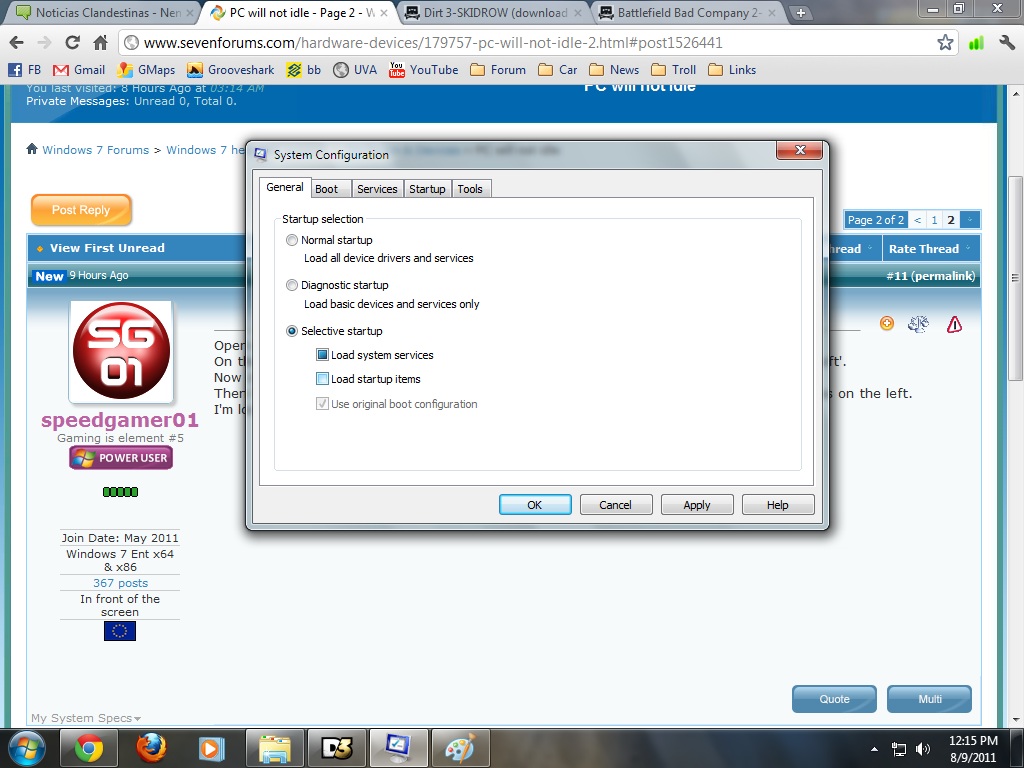
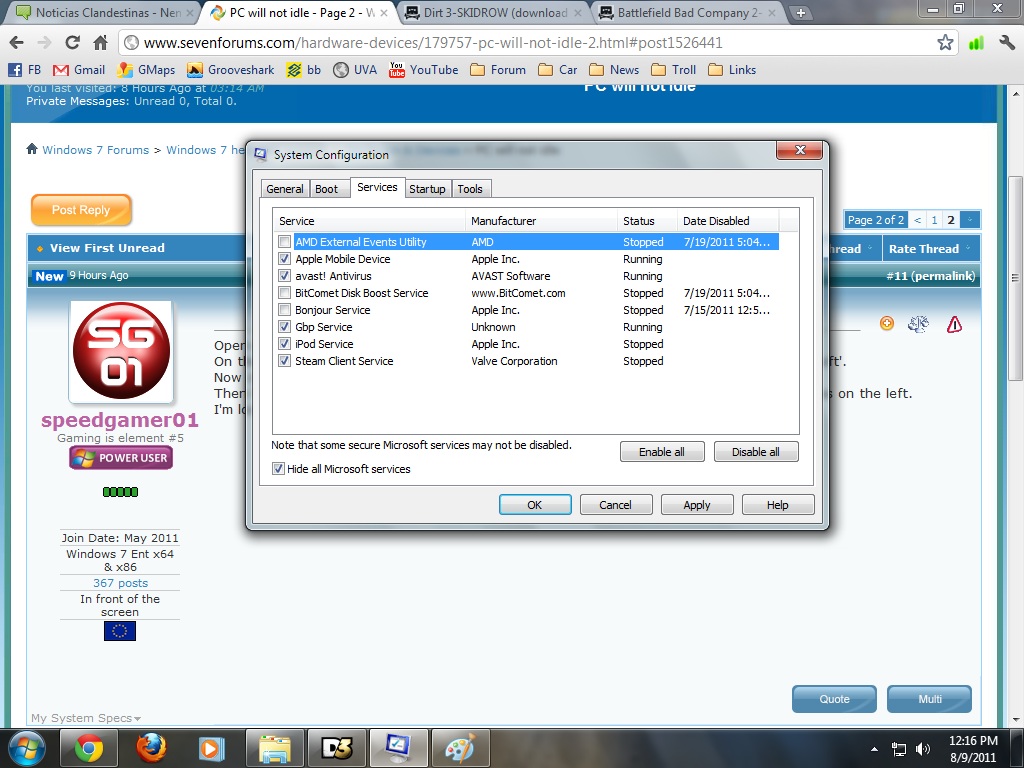
No mate, actually I set my Win to start raw, only running the Avast. | My System Specs | | OS Windows 7 CPU Phenom 2 X4 965 BE Motherboard MSI 880GMA E35 Memory Kingston 4GB DDR3 1333mhz Graphics Card Radeon HD 4250 Monitor(s) Displays 15" LCD Screen Resolution 1024x768 Cooling 3 80mmx80mm Hard Drives Seagate Barracuda 1TB Internet Speed 6mbps |
08 Aug 2011
|
| | Windows 7 Enterprise x64 no SP 945 posts |
Please post a screenshot of your task manager opened at the processes tab, and check 'show processes from all users' and put it to fullscreen please. Screenshot with Paint Screenshots and Files - Upload and Post in Seven Forums | My System Specs | | System Manufacturer/Model Number Custom Built PC OS Windows 7 Enterprise x64 no SP CPU Intel(R) Core(TM) i5-2500K CPU @ 3.30GHz 36°C Motherboard Gigabyte Technology Co., Ltd. Z68X-UD3-B3 (Socket 1155) 40°C Memory 4GB Hyperx 1600MHz stock XMP Graphics Card Asus GTS 450 stock or 900-1800, 1804 memory Sound Card Realtek High Definition Audio Monitor(s) Displays Samsung SyncMaster SA350 (SMS24A350H) Screen Resolution 1920x1080 pixels, 32 bits, 60 Hz Keyboard Trust Isla Wired Keyboard Mouse Gigabyte ECO600 (with extended usb wireless adapter) PSU 500W Coolink Case Cooler Master Elite 335 Cooling Cooler Master Hyper 212 Plus single fan Hard Drives 64GB Silicon Power E20 SSD (Intel SRT cache);
488GB Western Digital WDC WD5002AALX-00J37A0 38°C (cached);
733GB SAMSUNG SAMSUNG HD753LJ 27°C; Internet Speed down: 27 Mbps, up: 12 Mbps Other Info Optical Drive: TSSTcorp CDDVDW SH-S223F
Printer: HP Photosmart C5280 All-in-one
Genius G-Pen F610 (PenPad)
Genius 2.0 speakers, JBL speakers, Technics RPF880 Headphones
soft: Gdata, Zemana Antilogger, Nero, MSI Afterburner, Core Temp, CPUZ, Auslogics Disk Defrag |
08 Aug 2011
|
| | Windows 7 32 posts Rio de Janeiro, Brazil |
Here you are.
I had to divide in 2 screens, because my crappy resolution won't allow all the processes to fit in only one shot. | My System Specs | | OS Windows 7 CPU Phenom 2 X4 965 BE Motherboard MSI 880GMA E35 Memory Kingston 4GB DDR3 1333mhz Graphics Card Radeon HD 4250 Monitor(s) Displays 15" LCD Screen Resolution 1024x768 Cooling 3 80mmx80mm Hard Drives Seagate Barracuda 1TB Internet Speed 6mbps |
08 Aug 2011
|
| | Windows 7 Enterprise x64 no SP 945 posts |
U are running Crysis, but nothings seems to be to much active alongside with it...
So, what is the problem then? | My System Specs | | System Manufacturer/Model Number Custom Built PC OS Windows 7 Enterprise x64 no SP CPU Intel(R) Core(TM) i5-2500K CPU @ 3.30GHz 36°C Motherboard Gigabyte Technology Co., Ltd. Z68X-UD3-B3 (Socket 1155) 40°C Memory 4GB Hyperx 1600MHz stock XMP Graphics Card Asus GTS 450 stock or 900-1800, 1804 memory Sound Card Realtek High Definition Audio Monitor(s) Displays Samsung SyncMaster SA350 (SMS24A350H) Screen Resolution 1920x1080 pixels, 32 bits, 60 Hz Keyboard Trust Isla Wired Keyboard Mouse Gigabyte ECO600 (with extended usb wireless adapter) PSU 500W Coolink Case Cooler Master Elite 335 Cooling Cooler Master Hyper 212 Plus single fan Hard Drives 64GB Silicon Power E20 SSD (Intel SRT cache);
488GB Western Digital WDC WD5002AALX-00J37A0 38°C (cached);
733GB SAMSUNG SAMSUNG HD753LJ 27°C; Internet Speed down: 27 Mbps, up: 12 Mbps Other Info Optical Drive: TSSTcorp CDDVDW SH-S223F
Printer: HP Photosmart C5280 All-in-one
Genius G-Pen F610 (PenPad)
Genius 2.0 speakers, JBL speakers, Technics RPF880 Headphones
soft: Gdata, Zemana Antilogger, Nero, MSI Afterburner, Core Temp, CPUZ, Auslogics Disk Defrag |
08 Aug 2011
|
| | Windows 7 32 posts Rio de Janeiro, Brazil |
I don't know man, otherwise I wouldn't have come here to ask.
And when I want it to turn off minutor/sleep, I close everything running, but still it won't go...
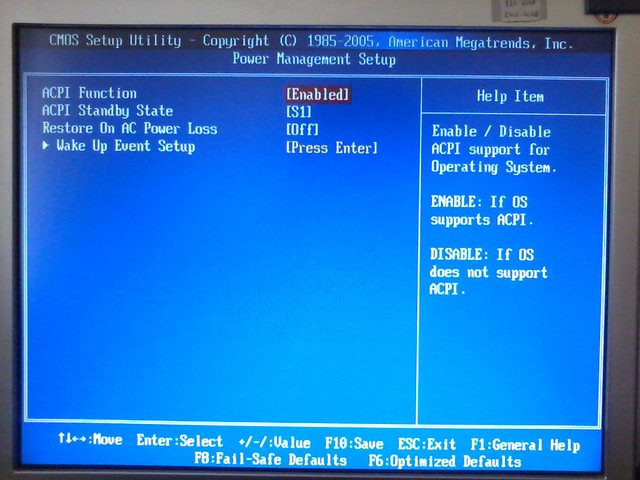
Maybe it's a BIOS setting? | My System Specs | | OS Windows 7 CPU Phenom 2 X4 965 BE Motherboard MSI 880GMA E35 Memory Kingston 4GB DDR3 1333mhz Graphics Card Radeon HD 4250 Monitor(s) Displays 15" LCD Screen Resolution 1024x768 Cooling 3 80mmx80mm Hard Drives Seagate Barracuda 1TB Internet Speed 6mbps |
08 Aug 2011
|
| | Windows 7 Enterprise x64 no SP 945 posts |
Please follow this tut and restart. SFC /SCANNOW Command - System File Checker
You can also reset the bios to 'optimized settings'. Does your computer count time correctly? | My System Specs | | System Manufacturer/Model Number Custom Built PC OS Windows 7 Enterprise x64 no SP CPU Intel(R) Core(TM) i5-2500K CPU @ 3.30GHz 36°C Motherboard Gigabyte Technology Co., Ltd. Z68X-UD3-B3 (Socket 1155) 40°C Memory 4GB Hyperx 1600MHz stock XMP Graphics Card Asus GTS 450 stock or 900-1800, 1804 memory Sound Card Realtek High Definition Audio Monitor(s) Displays Samsung SyncMaster SA350 (SMS24A350H) Screen Resolution 1920x1080 pixels, 32 bits, 60 Hz Keyboard Trust Isla Wired Keyboard Mouse Gigabyte ECO600 (with extended usb wireless adapter) PSU 500W Coolink Case Cooler Master Elite 335 Cooling Cooler Master Hyper 212 Plus single fan Hard Drives 64GB Silicon Power E20 SSD (Intel SRT cache);
488GB Western Digital WDC WD5002AALX-00J37A0 38°C (cached);
733GB SAMSUNG SAMSUNG HD753LJ 27°C; Internet Speed down: 27 Mbps, up: 12 Mbps Other Info Optical Drive: TSSTcorp CDDVDW SH-S223F
Printer: HP Photosmart C5280 All-in-one
Genius G-Pen F610 (PenPad)
Genius 2.0 speakers, JBL speakers, Technics RPF880 Headphones
soft: Gdata, Zemana Antilogger, Nero, MSI Afterburner, Core Temp, CPUZ, Auslogics Disk Defrag |
09 Aug 2011
|
| | Windows 7 32 posts Rio de Janeiro, Brazil |
Done the sfc /verifyonly, found nothing wrong.
Yes, the BIOS settings are set to optimized, and yes the time counts correctly.
Still no luck. | My System Specs | | OS Windows 7 CPU Phenom 2 X4 965 BE Motherboard MSI 880GMA E35 Memory Kingston 4GB DDR3 1333mhz Graphics Card Radeon HD 4250 Monitor(s) Displays 15" LCD Screen Resolution 1024x768 Cooling 3 80mmx80mm Hard Drives Seagate Barracuda 1TB Internet Speed 6mbps |
09 Aug 2011
|
| | Win 7 Pro 64-bit 6,693 posts South Central Texas |
You might want to play around with the Power Plan settings. But before you make any changes, I'd suggest writing down or taking a screen shot of your current settings so you can remember what they are if things don't work out. I'd also suggest creating a new System Restore point or (preferably) a new system image if you have the capability. Power Plan Settings - Change System Restore Point - Create System Restore | My System Specs | | Computer type Laptop System Manufacturer/Model Number Sony Vaio VPCEB47GM Laptop OS Win 7 Pro 64-bit CPU Intel i5 2.4 Ghz Memory 8GB DDR3 Graphics Card Intel HD 3000 Sound Card IDT High Definition Monitor(s) Displays 15.6 WGXA Anti-Glare LED Screen Resolution 1280x800 Hard Drives 640Gb 7200rpm Antivirus MSE Browser Opera (primary) with IE9 backup PC will not idle problems? All times are GMT -5. The time now is 02:06 PM. | |