Hey,
I am pulling my hair out trying to sort out this issue and despite several hours of forum trawling and tinkering I am no closer to a solution.
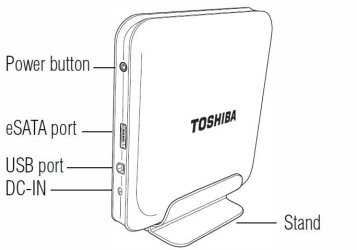
I have a Toshiba laptop running Windows 7 and for a long time it has run without any problems and my external Toshiba 500gb HDD connected without a problem. A few weeks ago I plugged in the HDD and it never appeared in 'my computer'. The HDD works fine on other systems (both Win7 and Vista and even another laptop identical to mine) but not on this laptop.
Details:
- when plugged in the drive light goes on and the disk starts up, it has a double USB lead but it makes no difference if one or both are plugged in
- in the device manager the there is a 'USB mass storage device' with a yellow error triangle next to it which is a Code 52 regarding a faulty digital signiture
- in disk managment the HDD is visible and 'healthy' but has not disk letter attached
I have tried:
- reformatting the HDD - no change
- updating the USB drivers - no change
- allocating the HDD a new letter in the disk management - the change path option is unavailable (in fact the only option is help)
- removing digital signing authorisation in advanced boot options - I could not find where to change this
Any ideas and thanks in advance.
I am pulling my hair out trying to sort out this issue and despite several hours of forum trawling and tinkering I am no closer to a solution.
I have a Toshiba laptop running Windows 7 and for a long time it has run without any problems and my external Toshiba 500gb HDD connected without a problem. A few weeks ago I plugged in the HDD and it never appeared in 'my computer'. The HDD works fine on other systems (both Win7 and Vista and even another laptop identical to mine) but not on this laptop.
Details:
- when plugged in the drive light goes on and the disk starts up, it has a double USB lead but it makes no difference if one or both are plugged in
- in the device manager the there is a 'USB mass storage device' with a yellow error triangle next to it which is a Code 52 regarding a faulty digital signiture
- in disk managment the HDD is visible and 'healthy' but has not disk letter attached
I have tried:
- reformatting the HDD - no change
- updating the USB drivers - no change
- allocating the HDD a new letter in the disk management - the change path option is unavailable (in fact the only option is help)
- removing digital signing authorisation in advanced boot options - I could not find where to change this
Any ideas and thanks in advance.
My Computer
At a glance
Windows 7 Professional 32bit
- OS
- Windows 7 Professional 32bit