Hi guys,
I have a new PC with a SSD and 2 other drives. Using a P8P67 LE motherboard by ASUS.
I have had two black screens in a period of a month that pretty much say, "Reboot and Select proper Boot device."
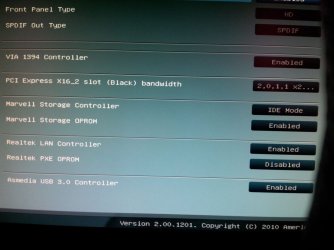
I noticed when I went into BIOS, that my SSD was kicked out of the boot priority and replaced with one of my WD HDD.
So I put it back.
I restarted my computer a few times to see if it kept the settings and when Windows loaded I got:
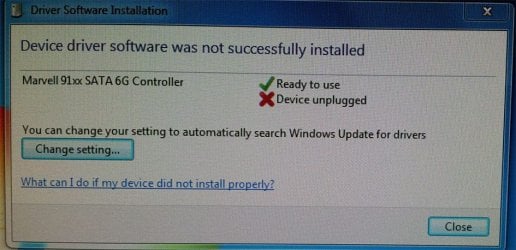
"Driver Software Installation - Device driver software was not successfully installed:
Marvell 91xx SATA 6G Controller - Device unplugged."
I restarted again and that didn't appear (actually, I have restarted many times and I have only seen that once). I opened Device Manager and it's fine.
The computer has been running great, I always boot into Windows and the black screen has never happened while I have been using the computer, only when I wake up and move the mouse to find it.
I have attached images. Is it possible that the connection to the SSD is loose? Not sure, any help will be appreciated.
I have a new PC with a SSD and 2 other drives. Using a P8P67 LE motherboard by ASUS.
I have had two black screens in a period of a month that pretty much say, "Reboot and Select proper Boot device."
I noticed when I went into BIOS, that my SSD was kicked out of the boot priority and replaced with one of my WD HDD.
So I put it back.
I restarted my computer a few times to see if it kept the settings and when Windows loaded I got:
"Driver Software Installation - Device driver software was not successfully installed:
Marvell 91xx SATA 6G Controller - Device unplugged."
I restarted again and that didn't appear (actually, I have restarted many times and I have only seen that once). I opened Device Manager and it's fine.
The computer has been running great, I always boot into Windows and the black screen has never happened while I have been using the computer, only when I wake up and move the mouse to find it.
I have attached images. Is it possible that the connection to the SSD is loose? Not sure, any help will be appreciated.
Attachments

My Computer
At a glance
Windows 7 Home Premium 64bitIntel Core i7-2600 CPU @ 3.40 GHz16GBAMD RADEON HD 6900 Series 2GB
- Computer Manufacturer/Model Number
- Custom
- OS
- Windows 7 Home Premium 64bit
- CPU
- Intel Core i7-2600 CPU @ 3.40 GHz
- Motherboard
- ASUS P8P67 LE
- Memory
- 16GB
- Graphics Card(s)
- AMD RADEON HD 6900 Series 2GB
- Sound Card
- Onboard
- Monitor(s) Displays
- Samsung 24" SyncMaster BX2450
- Screen Resolution
- 1920 x 1080
- Hard Drives
- Corsair Force Series 3 240GB SSD
WD Caviar Green EARS 2TB
WD Caviar Green EARS 2TB
- PSU
- Corsair HX850W
- Case
- Thermaltake Armor MX Plus
- Cooling
- Case Cooling
- Keyboard
- Logitech Wireless Keyboard MK710
- Mouse
- Logitech Marathon Mouse M705
- Internet Speed
- 8.0 Mb/s