You are using an out of date browser. It may not display this or other websites correctly.
You should upgrade or use an
alternative browser.
Error USB Remove Safely Icon doesn't show the devices, just 3 dots
When I click in the Notification area icon to remove USB, the devices don't appear.
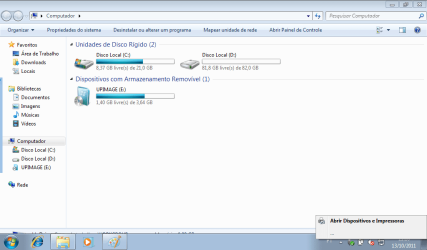
And, if I can't use the rundll32 shell32.dll,Control_RunDLL hotplug.dll
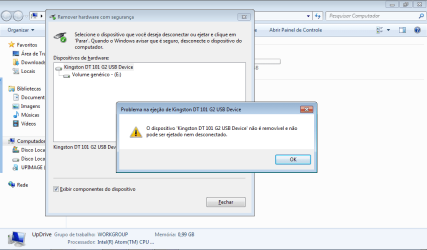
Many Thanks
Windows 7 Professional x86
- OS
- Windows 7 Professional x86
New member
Thread Starter
Windows 7 Professional x86
- OS
- Windows 7 Professional x86
Windows 7 Ultimate x64Intel Core i7-2600K16 GB G Skill F3-10666 CL9D-4GBRLATI Radeon HD 6870 - Computer Manufacturer/Model Number
- Something I threw together
- OS
- Windows 7 Ultimate x64
- CPU
- Intel Core i7-2600K
- Motherboard
- Asus P8P67
- Memory
- 16 GB G Skill F3-10666 CL9D-4GBRL
- Graphics Card(s)
- ATI Radeon HD 6870
- Sound Card
- ATI Radeon HDMI / Realtek ALC892
- Monitor(s) Displays
- 2 x 22" standard monitors / LG32LC56v TV to watch films
- Screen Resolution
- 1920 x1080
- Hard Drives
- 2 x OCZ Vertex2 111.79GB
3 x Samsung103SJ
1 x Samsung103UJ
1 x WD3200BEVT
1 x Hitachi5K320-160
- PSU
- Thermaltake Toughpower Cable Management 750W
- Case
- Antec 300
- Cooling
- Noctua NH-U12P SE2 and 5 120mm Case fans
- Keyboard
- Microsoft Comfort Curve Keyboard 2000
- Mouse
- Hama M3110 / Logitech M305
- Internet Speed
- 16000
- Other Info
- I have also used Fedora, Suse, Ubuntu Linux
And all other Windows from 95 to date except ME

