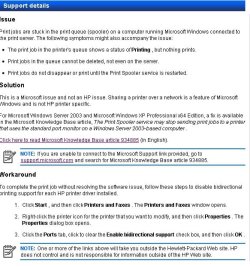
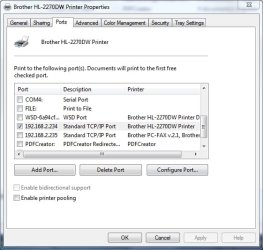
no it's not your computer's fault by any means. it's got to do with your router and all the assigned Ip addresses it's giving out. your computer is probably using the one the printer is set to use or was using the last time you turned it off.
which your router gave to the computer. so now the printer is basically invisible to your computer.
you basically need to get your connection reset without using the same IP.
what I do I posted above to reset mine. but now with my router having the option to let me set a ip for every device I don't have to worry about this any more.
first if you have not already done so, download and install the newest software suite (the full feature suite) from hp for your printer.
http://h10025.www1.hp.com/ewfrf/wc/...en&cc=us&dlc=en&sw_lang=&product=4075472#N166
they fixed a lot of these bugs with mine. (make sure you are using the correct bit version your computer is 32bit or 64 bit.)
windows will show you this in the control panel under the system properties. control panel - system and security- system. it will say system type 32 bit or 64 bit.
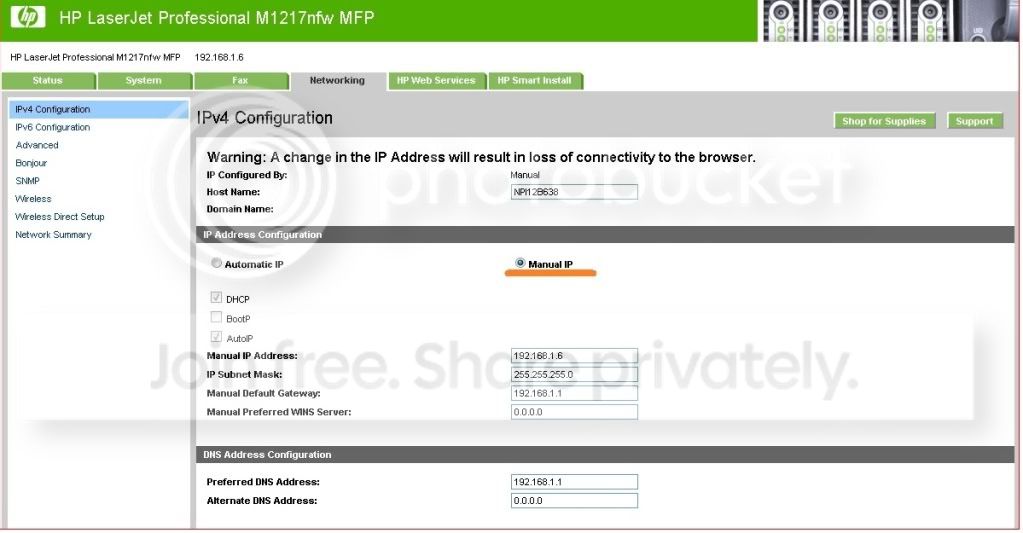
next, look at your printer's manual it should show you how to set it's ip address to a static address. (this means it never changes).
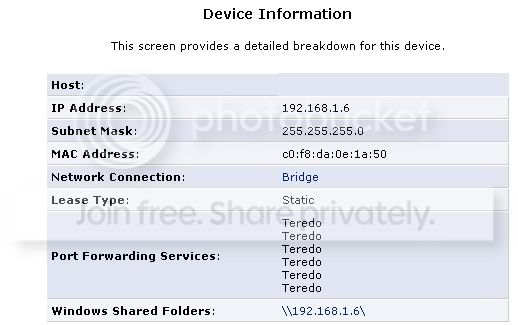
then go into your router's properties via it's control panel. should have come with a cd to access this. look at it's attached devies. if it shows your printer go to the settings (mine is labled "Lan IP setup")
and it lets me set that address to static so it never gives it to anything else other than the printer.
this should resolve your issue.
you might want to go ahead and uninstall the printer then let the hp install re install it. it should now be able to see the printer during install.
what router do you have? maybe someone will have the same one and can walk you through this.
the last time the printer couldn't be seen on install was with XP and the disk that came with the printer. I installed it on a vista computer and windows 7 both worked the first time without issue.
but I was still getting the occasional issue you are having where nothing would print due to the printer not being seen on the network. and every time one of the other computers had the IP address the printer uses. it's supposed to work without needing to set static addresses but it seemed to create a bigger problem because the HP solution center could never see the printer. so it was basically "offline" no matter what. even if I could see it in the network and windows said it's "online" it still wouldn't print until the HP solution center could see it.