Windows 7 Forums Search
Welcome to Windows 7 Forums. Our forum is dedicated to helping you find solutions with any problems, errors or issues you are experiencing with Windows 7. The Windows 7 forum also covers news and updates and has an extensive Windows 7 tutorial section that covers a wide range of tips and tricks.


Windows 7 - Rather messy thermal paste issue =/

 
12-25-2011   #1


Windows 7 Professional 64bit & Windows 8 Developer Preview


Rather messy thermal paste issue =/

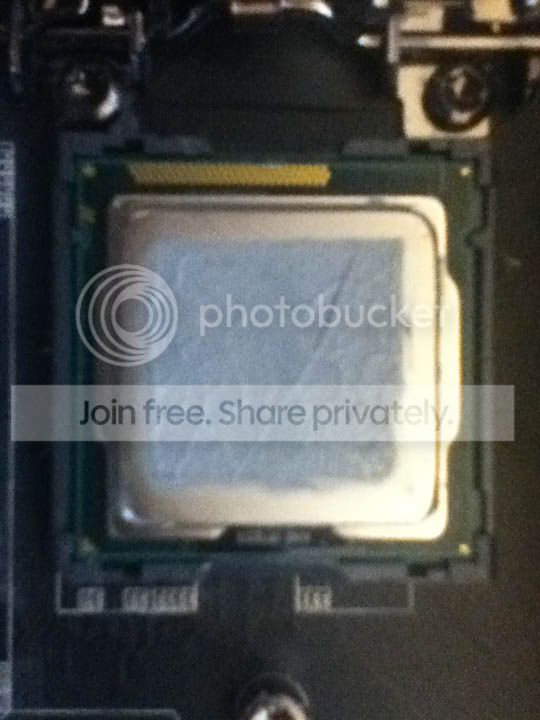
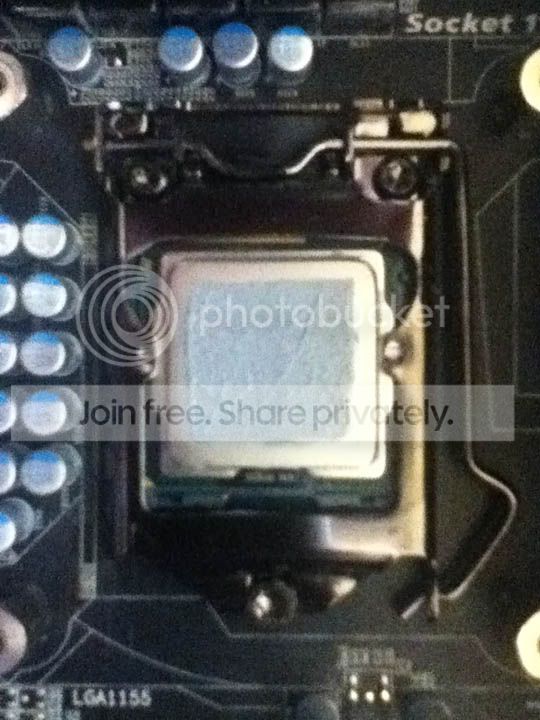
So upon getting my brand new CPU cooler with many other computer goodies this Christmas morning, it was not long before I hurried off to install my new Cooler master Hyper 212 Plus (not flash by any means, but decent). A complete novice to CPU coolers, I was cautious about installation, aware of what was potentially at stake here, and held off. After some encouragement from a family member I decided to go ahead, but my lack of knowledge proved problematic. You know how about a pea sized dollop of thermal paste is good? Well...lets say I may have put something a little closer to 4 peas (hurr), and there was a lot of excess, which has kind of spurted out covering most of the CPU, with a some on the PCB part (as opposed to the slightly smaller metal square), with some even managing to get onto the bracket.

Now I'll be honest I don't want to repeat the experience, but if this is going to cause serious irreversible problems, please let me know?

However what I really wanted to ask, was when it comes to deal to this mess, say I change cooler again as my set-up is really designed for something more like a Corsair Hydro Series cooler, as the large vengeance ram obstructs larger coolers (such as the Hyper 212 plus, by about 1cm), but this is a long-term-temporary stand in (temporary, but will be there a while). Anyway...when I come to change coolers, or perhaps earlier than that, a clean up will be required for sure. My main question to all you, what is a good way to do this?

I think removal of the CPU will be an idea, that way I can clean it well, get any of it off the bracket. I used cotton buds (some people call them Q-Tips or something..) and rubbing alcohol (ethanol) to remove the other paste, I would plan on using that again. Could this cause damage to the PCB or any other parts in the socket area? Obviously it wants to be 100% dry before I put power back through it, but I don't plan on drenching it or anything, just a damp cotton bud, dry enough no alcohol should drip off, or even leave much of a residue. Any tips will be greatly appreciated

Thanks

My System SpecsSystem Spec
12-25-2011   #2


Windows 7 Pro x64 -- PCLinuxOS KDE4 FullMonty 2011


Just be careful not to damage any parts.

As for the amount you put on check this out for some guide lines. Like you said, "way too much."

Arctic Silver, Inc. - Instructions
My System SpecsSystem Spec
12-25-2011   #3


Windows 7 Professional 64bit & Windows 8 Developer Preview


Not damaging parts is kinda obvious :P Im asking if you guys know of any things one might do that would damage parts that you would like to tell me not to do, or anything that would make it easier to do, or safer.
My System SpecsSystem Spec
.


12-25-2011   #4


win 7 ( 64 bit)


i'd take the heatsink back off the cpu (carefully) clean all around the cpu so you don't get any paste down under the cpu. then clean the cpu .make sure no paste in on the board and repaste it and reinstall the heatsink.(remember just a small bit of paste).

take your time do it right and you should be ok.

scrooge
My System SpecsSystem Spec
12-25-2011   #5


Windows 7 X64 Professional/Windows 8


I agree with all posted above. Also, you need to use lint free cloth to clean up. Cotton can leave residue. I use coffee filters. They are lint free and and readily available in most households. This is a different cooler, but the same principle applys, maybe it will help.

My System SpecsSystem Spec
12-25-2011   #6


Main - Windows 7 Pro SP1 64-Bit; 2nd - Windows Server 2008 R2


Be particularly careful with the CPU socket on the motherboard. Touch one of those little hair-thin pins inside and it's had it. The socket cover which came with the motherboard should be used during the cleanup process.
My System SpecsSystem Spec
12-25-2011   #7


Windows 7 Pro x64 / WinXP Pro x86 on (1), Win7 Pro X64 / WinXP Pro x86 on (2)


I, too, was terrified the very first time I installed a giant cooler/fan onto a CPU in a machine I was building. As has been recommended, the instructions provided by Arctic Silver's site on how to do it and just what ONE DROP was and how you should align it based on whether you had a single, dual or quad CPU, etc.... it was by my side and never left it.

Anyway, the cooler/fan actually was slightly defective in its bearings, and was making an audible noise when spinning. This turned out to be very irritating as the case sits on my desk near me, and I couldn't stand what turns out to be an audible fan instead of the truly silent one I'd bought and paid for.

So I RMA'd it, and they sent me a new one (which, thankfully, was truly silent). However I now needed to remove the original and clean things up before installing the new one (I was now a "pro" with thermal paste, having accumulated an experience level of ONE!).

I went with Arctic Silver's "ArctiClean" product, rather than just using alcohol. I don't know if it was absolutely necessary, but it sure did an astonishing job. I mean the thermal paste residue on the top surface of the CPU literally dissolved into pretty much water! I just wiped it away with a cotton cloth and it was gone! NO trace left at all! Amazing solvent.

Now granted, I didn't also have to use it on PCB areas or other nearby components. But for removal of "properly applied" thermal paste from a CPU, this stuff is remarkable. I would also have to believe that Arctic Silver has made it so that it is zero-dangerous to surrounding parts nearby the CPU, just in case you do get a little "sloppy" or actually do have to clean the neighboring pieces as well.

Highly recommend if you ever need something like it again in the future.
My System SpecsSystem Spec
12-25-2011   #8


Windows 7 Pro-x64


Quote:
Not Electrically Conductive:
Arctic Silver 5 was formulated to conduct heat, not electricity.
(While much safer than electrically conductive silver and copper greases, Arctic Silver 5 should be kept away from electrical traces, pins, and leads. While it is not electrically conductive, the compound is very slightly capacitive and could potentially cause problems if it bridges two close-proximity electrical paths.)
My underline.
This statement bothers me. If the compound can create a capacitive bridge, it IS conductive.
While the MB tracings are normally coated with lacquer, it's best to clean the compound from anywhere it's not supposed to be.
My System SpecsSystem Spec
12-26-2011   #9


Windows 7 Professional 64bit & Windows 8 Developer Preview


Hmmm...I'm begging to think it may be an idea to redo this.

Quote   Quote: Originally Posted by profdlp View Post
Be particularly careful with the CPU socket on the motherboard. Touch one of those little hair-thin pins inside and it's had it. The socket cover which came with the motherboard should be used during the cleanup process.
I don't have this any more...is there something I can use instead? I didn't realise it was that sensitive (I have never actually seen under the CPU).

Quote   Quote: Originally Posted by dsperber View Post
I went with Arctic Silver's "ArctiClean" product, rather than just using alcohol. I don't know if it was absolutely necessary, but it sure did an astonishing job. I mean the thermal paste residue on the top surface of the CPU literally dissolved into pretty much water! I just wiped it away with a cotton cloth and it was gone! NO trace left at all! Amazing solvent.
I did a quick search and can't actually find any of this in New Zealand, I may have to buy overseas which is a big pain in the ass.

Quote   Quote: Originally Posted by essenbe View Post
I agree with all posted above. Also, you need to use lint free cloth to clean up. Cotton can leave residue. I use coffee filters. They are lint free and and readily available in most households. This is a different cooler, but the same principle applys, maybe it will help.*
Wow...I could really have used this video, I did it sooooo wrong. I think I will be redoing this soon, I will be sure to take a picture so you can all cringe at my catastrophic failure :P. Like I said, I cant find that cleaner, and I lack the money at the moment to go hunting for fancy remover overseas, I think I will just have to use rubbing alcohol.

I was also thinking, if I was going to redo this, it would be good to get some high quality paste I can use in the future, I have heard many people speak of AS5, any comments?

Last edited by Tomha; 12-26-2011 at 04:04 AM..
My System SpecsSystem Spec
12-26-2011   #10


Windows 7 Pro 64bit build v. 7600 SP1


Yes you should really clean it all off and redo. Thermal paste can be conductive as mentioned and you could short out and destroy your motherboard/cpu.
My System SpecsSystem Spec
Reply

 Rather messy thermal paste issue =/ problems?


Thread Tools


Similar Threads for: Rather messy thermal paste issue =/
Thread Forum
Thermal Paste Hardware & Devices
Thermal paste Overclocking and Case Mods
Thermal paste + GPU = Wise? Graphic Cards
Thermal Paste Questions Performance & Maintenance
Used way too much thermal paste Hardware & Devices


All times are GMT -5. The time now is 01:39 PM.


Windows 7 Forums is an independent web site and has not been authorized,
sponsored, or otherwise approved by Microsoft Corporation.
"Windows 7" and related materials are trademarks of Microsoft Corp.
© Designer Media Ltd
  

1 2 3 4 5 6 7 8 9 10 11 12 13 14 15 16 17 18 19 20 21 22 23 24 25 26 27 28 29 30