Windows 7 Forums Search
Welcome to Windows 7 Forums. Our forum is dedicated to helping you find solutions with any problems, errors or issues you are experiencing with Windows 7. The Windows 7 forum also covers news and updates and has an extensive Windows 7 tutorial section that covers a wide range of tips and tricks.


Windows 7 - Question about picture quality on ASUS VE278Q 27"

 
01-16-2012   #1


windows 7


Question about picture quality on ASUS VE278Q 27"

HI;

Per someones suggestion here to a question I posted last month, I got a ASUS VE278Q Black 27" 1920x1080.

I am really happy with it over all. I have one question / concern. Since I got it, depending on the exact angle I am viewing it from, it seems a bit off at the edges, most noticeable to me every day is that it looks like there is a bit of a shadow on the task bar along the very bottom edge of the screen. This lessens if I view it very straight on, but is noticeable when I am looking down at the screen, even at a slight angle when sitting up in my chair.

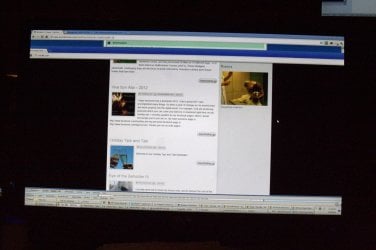
The other time I have found it is very noticeable (even when looking directly at it) is if I have a black screen that runs up to the side of the monitor. I took some photos. It actually looks a bit worse in the photos than it does in real life.

Left edge of screen with a black background active on the screen.

Question about picture quality on ASUS VE278Q 27"-1-img_7616-001.jpg

Bottom Right of task bar, notice how it appears a bit dark / shaded below along the bottom edge.
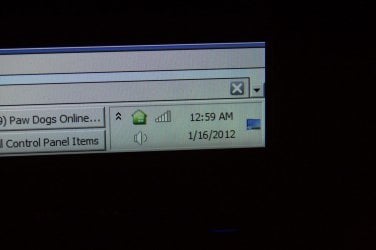
Question about picture quality on ASUS VE278Q 27"-2-img_7617-001.jpg

Right edge with a black background active on the screen. Doesn't look this bad in real life, the camera made it look worse.

Question about picture quality on ASUS VE278Q 27"-3-img_7618-001.jpg

Another, longer (taller) shot of the right edge.

Question about picture quality on ASUS VE278Q 27"-4-img_7619-001.jpg

Shot of full screen.
Question about picture quality on ASUS VE278Q 27"-5-img_7620-001.jpg

I made a very short video trying to show the issue also.


Any thoughs as to if this is a defect or if this is normal for this screen?

Thank You very much;

Jamie


Last edited by jamiedolan; 01-16-2012 at 04:53 AM.. Reason: Attachments didn't work the first time.
My System SpecsSystem Spec
01-16-2012   #2


Windows 7 Ultimate x64 SP1


Hello Jamie,

I'm using the exact same model monitor. I find that using Theater Mode by pressing the 1st far left button on the bottom right corner of the monitor until you see that mode looks best. You might try different view modes to see if one may look better than the default.
My System SpecsSystem Spec
01-16-2012   #3


ultimate 64 sp1


that phenomenon is known as backlight bleed and often happens with less expensive monitors.

there's not a great deal you can do about it, except replace it. there are some tips you can find by googling, but some of them are pretty hairy, and could well damage the monitor completely if you're not careful.

of course, you shouldn't need to resort to such drastic measures with a brand-new monitor - you could try to get your display replaced if it's still under warranty.
My System SpecsSystem Spec
.


01-17-2012   #4


windows 7


Quote   Quote: Originally Posted by Brink View Post
Hello Jamie,
I'm using the exact same model monitor. I find that using Theater Mode by pressing the 1st far left button on the bottom right corner of the monitor until you see that mode looks best. You might try different view modes to see if one may look better than the default.
Thank You for your response. I saw your message yesterday and hadn't had a chance to respond yet. I tried the different modes as you suggested but I found the shadow even worse / more visible in the Theater Mode. So I was still unsure if this was normal for the monitor or not, until I saw mickey megabyte's response:

Quote   Quote: Originally Posted by mickey megabyte View Post
that phenomenon is known as backlight bleed and often happens with less expensive monitors.
there's not a great deal you can do about it, except replace it. there are some tips you can find by googling, but some of them are pretty hairy, and could well damage the monitor completely if you're not careful.
of course, you shouldn't need to resort to such drastic measures with a brand-new monitor - you could try to get your display replaced if it's still under warranty.
Thank You. I looked this up and I'm quite sure that this is exactly what is wrong with this monitor.

I just saw your message a little bit ago and I went and looked at the packing slip, (I got this for Christmas) and it was ordered on the 19th from Tiger. So tomorrow is day 30. I'm hoping they will issue a RMA and allow time for it to ship back.

Thank You again for explaining what this is, it was really bugging me today as I was working. I have a web page with a black border that I maintain and the bleed was really bothering me when I was working on that site.

Thanks;
Jamie
My System SpecsSystem Spec
01-18-2012   #5


Windows 7 Ultimate x64 SP1


Yeah, if the bleed through is still that bad, then there's something wrong with them. The only time I see 1/2 that much bleed through as in your screenshots on mine is right before they go into standby mode when the computer goes to sleep.
My System SpecsSystem Spec
01-18-2012   #6


ultimate 64 sp1


Quote   Quote: Originally Posted by jamiedolan View Post
...

I just saw your message a little bit ago and I went and looked at the packing slip, (I got this for Christmas) and it was ordered on the 19th from Tiger. So tomorrow is day 30. I'm hoping they will issue a RMA and allow time for it to ship back.

...
good luck with that!
My System SpecsSystem Spec
01-18-2012   #7


windows 7


Quote   Quote: Originally Posted by mickey megabyte View Post
good luck with that!
Thanks! They said they shipped out a new one for me today, in advance of returning this one (which I was happy about as I didn't want to have to go without this nice large monitor now that I am used to it), so hopefully I'll have better luck with the new one.

Thanks
Jamie
My System SpecsSystem Spec
Reply

 Question about picture quality on ASUS VE278Q 27" problems?


Thread Tools


Similar Threads for: Question about picture quality on ASUS VE278Q 27"
Thread Forum
Low Quality User Account Picture Customization
New to WMP 12, why is picture quality so bad? Music, Pictures & Video
No "Change Picture" option for User Account Picture General Discussion
Picture Quality on 32" HD TV. Graphic Cards
Help with the quality of video picture Please. Graphic Cards


All times are GMT -5. The time now is 12:14 PM.


Windows 7 Forums is an independent web site and has not been authorized,
sponsored, or otherwise approved by Microsoft Corporation.
"Windows 7" and related materials are trademarks of Microsoft Corp.
© Designer Media Ltd
  

1 2 3 4 5 6 7 8 9 10 11 12 13 14 15 16 17 18 19 20 21 22 23 24 25 26 27 28 29 30