| Windows 7: Hard Drive first not booting Windows, now not recognized in BIOS |
14 Apr 2012
|
#1 | | Windows 7 Home Premium 64 bit |
Hard Drive first not booting Windows, now not recognized in BIOS Hello! Having some serious issues, as it seems we all have. So, here's the situation. As a nerd truck driver I bought a laptop for skyping with the family and playing games. Laptop was working fine one night and the next morning I start it up and windows won't boot. Just gives me a blank screen with the infamous blinking cursor in the top left.
After searching the forums, it appears I need the Windows 7 install discs, which this computer did NOT come with. I may be able to get my hands on a reinstall disc, but I doubt it'll be a samsung laptop disc. I was, however, able to make a recovery disc from my wife's Dell laptop. I thought she had a reinstall disc, but we can't find it.
My current problem, and the most troubling, is that now BIOS doesn't even show the HDD. I checked the connections and they are fine, and I was able to put the SATA drive in my desktop and copied all my important data to my desktop. So I know the drive is good. Nothing is corrupted and all partitions, including the recovery partition is intact. I can't figure out why the laptop isn't showing the drive in BIOS now, though.
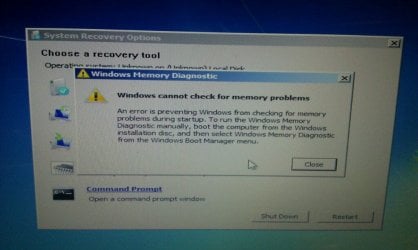
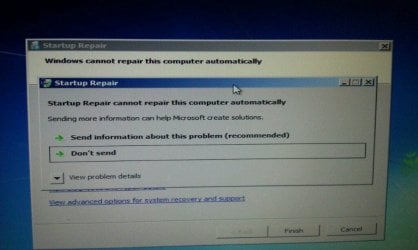
I've tried the recovery disc a second time, but it doesn't seem to want to boot correctly now. It worked fine when the HDD was recognized, but now it's getting to the blinking screen, then the cursor jumps to the bottom right and pixelates across the bottom of the screen like it's trying to load.
I can probably get my hands on a reinstall disc if I can download one or ask around tomorrow, but right now I need to figure out the HDD problem. Any ideas?
PS: I know this has been covered NUMEROUS times, but none of the other threads have been any help with these issues. Any help would be appreciated. | My System Specs |
| System Manufacturer/Model Number Samsung RC512-S01US OS Windows 7 Home Premium 64 bit CPU i7-2630QM 2.0ghz Memory 6gb Graphics Card GeForce GT 525M Case Laptop Hard Drives Hitachi 750gb SATA |
15 Apr 2012
|
#2 | | Windows 7 Home Premium 64 bit |
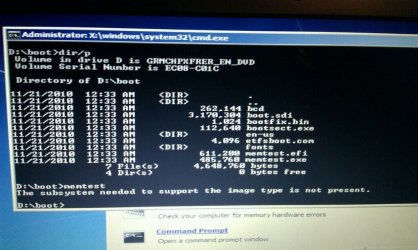
Ok, I got the recovery disc to boot again, but still don't have the HDD in BIOS yet. Only option that works in the recovery disc is the command prompt. searching for the HDD that way, but so far, I have only found D: which has the Dirs: Boot, and Sources, and a file called bootmgr. This is along with X: which is obviously the recovery disc. So far, I can't find anything else. | My System Specs | | System Manufacturer/Model Number Samsung RC512-S01US OS Windows 7 Home Premium 64 bit CPU i7-2630QM 2.0ghz Memory 6gb Graphics Card GeForce GT 525M Case Laptop Hard Drives Hitachi 750gb SATA |
15 Apr 2012
|
#3 | | Windows 7 Home Premium 64 bit |
One more update before bed.
Couldn't find any drives through command prompt. Didn't figure I would since BIOS didn't load it.
So I grabbed the wife's Dell laptop and swapped HDDs. My HDD showed up in her computer (didn't boot it, just into BIOS), but her HDD didn't show up in my BIOS.
Checked the cables one last time, everything looks fine and nothing is disconnected, bent, burnt, etc. Swapped HDDs back to their respective laptops, hers boots fine, mine still won't recognize the HDD.
Could this be a bad motherboard? How can I test it? I don't know if Fry's Electronics sells these kinds of HDD cables, but I can check. Also, this was built Jan 2011 and is a factory Refub. What's the chances it has any kind of warranty left if it ever had one? | My System Specs | | System Manufacturer/Model Number Samsung RC512-S01US OS Windows 7 Home Premium 64 bit CPU i7-2630QM 2.0ghz Memory 6gb Graphics Card GeForce GT 525M Case Laptop Hard Drives Hitachi 750gb SATA |
15 Apr 2012
|
#4 | | Windows 7 Home Premium 64 bit |
I suppose this issue is pretty played out. Maybe I should junk the whole laptop? | My System Specs | | System Manufacturer/Model Number Samsung RC512-S01US OS Windows 7 Home Premium 64 bit CPU i7-2630QM 2.0ghz Memory 6gb Graphics Card GeForce GT 525M Case Laptop Hard Drives Hitachi 750gb SATA |
16 Apr 2012
|
#5 | | Windows 7 Home Premium 64 bit |
I do have a copy of Windows 7 64 bit now if that helps. I'm really hoping it's not the motherboard. I just dropped $750 on this refurbed laptop with no warranty. | My System Specs | | System Manufacturer/Model Number Samsung RC512-S01US OS Windows 7 Home Premium 64 bit CPU i7-2630QM 2.0ghz Memory 6gb Graphics Card GeForce GT 525M Case Laptop Hard Drives Hitachi 750gb SATA |
17 Apr 2012
|
#6 | | Winbdows 7 ultimate x64 | Ubuntu 12.04 x64 LTS |
Hi,
Welcome to seven forums and sorry you didn't get any response yet.
Coming to your problem, did you try resetting the bios to its default settings and updating it? Check the disk cables if they are properly seated when plugged to the hdd. Have you tried new cable?
I've asked some other members too to look into your problem. | My System Specs | | System Manufacturer/Model Number HCL OS Winbdows 7 ultimate x64 | Ubuntu 12.04 x64 LTS CPU Core 2 Duo e7400 @ 2.90GHz Motherboard Gigabyte G31M-ES2L Memory 3GB DDR2 Graphics Card Asus Nvidia GTX 560Ti 1GB Sound Card On-board Monitor(s) Displays HCL eZeeBee 18.5" LCD Screen Resolution 1366x768 @ 60Hz Keyboard Stock Mouse Stock PSU Corsair CX500 V2 500W Cooling Stock Hard Drives Western Digital 320GB Internet Speed 15-25kBps D/L | 10kBps U/L | Hey Don't laugh |
17 Apr 2012
|
#7 | | Win 7 Pro 64-bit South Central Texas |
Could you post a screen shot / snip of your disk managment? It's possible that something corrupted the C: drive and made it unallocated space. If so, it probably won't be recognized by BIOS. In any event, a snip would be most helpful to diagnose this. Disk Management Windows 7 - How To Access Disk Management in Windows 7 | My System Specs | | Computer type Laptop System Manufacturer/Model Number Sony Vaio VPCEB47GM Laptop OS Win 7 Pro 64-bit CPU Intel i5 2.4 Ghz Memory 8GB DDR3 Graphics Card Intel HD 3000 Sound Card IDT High Definition Monitor(s) Displays 15.6 WGXA Anti-Glare LED Screen Resolution 1280x800 Hard Drives 640Gb 7200rpm Antivirus MSE Browser Opera (primary) with IE9 backup |
17 Apr 2012
|
#8 | | Windows 7 Ult x64 - SP1/ Windows 8 Pro x64 Wanderer |
If you still can't get to the HDD, and it's not being recognized in BIOS, D/L Partition Wizard and make the Bootable CD or Bootable Flash Drive.
You can make this on your desktop or wife's laptop.
See if it will detect the drive's partition or just unallocated space.
Right click on it to Check File System which can correct errors to restore the HDD.
If necessary assign a drive letter if the partition doesn't have one, but do not create a new partition, you will lose all your data.
If it shows up as 'unallocated space' in PW then click on the HDD to highlight it and from the Wizards tab select Partition Recovery Wizard, have it scan the HDD to see if it can recover it's partition intact, then tick the box and Restore it.
If you have any questions, post a picture of what PW displays. How to Post a Screenshot (or Picture) in Seven Forums
You can use Macruim Reflect to backup your laptop HDD, put it into your desktop and run the backup from there. Just backup your partition with the data, as the partition table is likely corrupt so won't do any good to backup the entire HDD now.
When your laptop is running again, make a full disk backup.
If you have another issue you can just restore the full backup and everything will be as it was on the day of the backup. | My System Specs | | Computer type PC/Desktop System Manufacturer/Model Number 76~2.0 OS Windows 7 Ult x64 - SP1/ Windows 8 Pro x64 CPU Intel Core i5-3570K 4.6GHz Motherboard Gigabyte GA-Z77X UD3H, f18 Memory 8GB (2X4GB) DDR3 1600 Corsair Vengeance CL8 1.5v Graphics Card Sapphire HD 7770 Vapor-X OC 1GB DDR5 Sound Card Onboard VIA VT2021 Monitor(s) Displays 22" LCD Dell Screen Resolution 1680x1050 Keyboard Logitech Wave Mouse CM Sentinel PSU Corsair HX650W Case Cooler Master Storm Scout Cooling Corsair H80 2x12cm Noctua NF P12 , 2x14cm case fans Hard Drives Samsung 840Pro 128GB SSD,
Seagate Barracuda 500GB SATA2 7200rpm 32MB cache, Seagate Barracuda 1TB SATA2 7200rpm 32MB cache, Internet Speed Dismal Antivirus Avast Browser Opera Next Other Info eSATA ports,
External eSATA Seagate 500GB SATA2 7200rpm,
External USB WD 500GB |
17 Apr 2012
|
#9 | | Windows 7 home premium x64 |
I looked up Samsung's trouble shooter (was a bit awkward) and the only solution they come up with is that either the drive is busted, or not correctly connected.
I see you have tried the latter. Here's a Linky thing for you if you want to read more. | My System Specs | | System Manufacturer/Model Number DIY OS Windows 7 home premium x64 CPU AMD FX-4100 AM3+ 3.6GHz 12MB Black Edition Motherboard Asus M5A97 Pro Memory Crsair vengeance 12Gb DDR3 1600MHz CL9 Graphics Card Asus GTX 560 1GB Sound Card Realtek onboard Monitor(s) Displays Hanns G 1680x1050 native PSU OCZ StealthXstream II 500W Hard Drives OCZ 128Gb Petrol ssd
2x500 Gb Samsung Internet Speed 8Mb or better |
17 Apr 2012
|
#10 | | Windows 7 Home Premium 64 bit |
Thanks for the reply, guys. 
Quote: Originally Posted by EzioAuditore Hi,
Welcome to seven forums and sorry you didn't get any response yet.
Coming to your problem, did you try resetting the bios to its default settings and updating it? Check the disk cables if they are properly seated when plugged to the hdd. Have you tried new cable?
I've asked some other members too to look into your problem. I did reset BIOS, but I can't seem to update it. The update file is an EXE file which looks like a downloader/installer. Using 7zip I could seem some files, but they didn't look like BIOS files to me. (I really miss the "chip" BIOS. So much easier to fix) I don't think I can update the BIOS on it without having windows loaded. When I use bothe the recovery disc and the reinstall disc in recovery mode, trying to run the file off my USB drive says that the computer has an invalid subset/subsystem/infrastructure to execute the file. Says the same thing when I try to run most EXE files.
Basically, updating BIOS is a no go. Which sucks, cause this laptop, Samsung RC512-S01US, has the most basic BIOS I've seen in a modern laptop. 
Quote: Originally Posted by marsmimar Could you post a screen shot / snip of your disk managment? It's possible that something corrupted the C: drive and made it unallocated space. If so, it probably won't be recognized by BIOS. In any event, a snip would be most helpful to diagnose this. Disk Management Windows 7 - How To Access Disk Management in Windows 7 I would, but I can't access disk management. Or anything else that would be in control panel. The disc just simply won't show up. In BIOS, or anything else. 
Quote: Originally Posted by Dave76 If you still can't get to the HDD, and it's not being recognized in BIOS, D/L Partition Wizard and make the Bootable CD or Bootable Flash Drive.
You can make this on your desktop or wife's laptop.
See if it will detect the drive's partition or just unallocated space.
Right click on it to Check File System which can correct errors to restore the HDD.
If necessary assign a drive letter if the partition doesn't have one, but do not create a new partition, you will lose all your data.
If it shows up as 'unallocated space' in PW then click on the HDD to highlight it and from the Wizards tab select Partition Recovery Wizard, have it scan the HDD to see if it can recover it's partition intact, then tick the box and Restore it.
If you have any questions, post a picture of what PW displays. How to Post a Screenshot (or Picture) in Seven Forums
You can use Macruim Reflect to backup your laptop HDD, put it into your desktop and run the backup from there. Just backup your partition with the data, as the partition table is likely corrupt so won't do any good to backup the entire HDD now.
When your laptop is running again, make a full disk backup.
If you have another issue you can just restore the full backup and everything will be as it was on the day of the backup. Unfortunately, being a truck driver, I was only home for the weekend and yesterday. I've got to get back on my truck for a couple more weeks so I will try this when I get home and give an update. However, I don't see this working if BIOS won't recognize the HDD.
I have backed up all my files on the HDD, but as I stated before, I swapped the drive to my desktop and it ran fine, put it in my wife's laptop and it ran fine, and put my wife's laptop's hard drive in MY laptop and BIOS wouldn't recognize HER hard drive either.
This leads me to believe it's a faulty motherboard, but I'm hoping I'm wrong and there are other options. | My System Specs | | System Manufacturer/Model Number Samsung RC512-S01US OS Windows 7 Home Premium 64 bit CPU i7-2630QM 2.0ghz Memory 6gb Graphics Card GeForce GT 525M Case Laptop Hard Drives Hitachi 750gb SATA Hard Drive first not booting Windows, now not recognized in BIOS problems? All times are GMT -5. The time now is 07:13 PM. | |