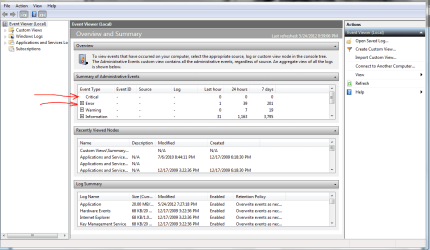
Ok so I've had this laptop since October. Occasionally when I'm on Skype with my cam I get this weird white noise type thing. My whole screen turns into like white noise, like how tv's are on the wrong channel. It's not the regular black and white dots, but there's color to it and it's lines. So basically color noise. It has happened a few times and I have to hold the button down and restart it. Recently though, my laptop has been turning itself off. No BSOD or anything, but just shutting off on it's own. It has happened twice. Once when I was on cam and got the color noise, and now another time while I was just watching a video. I have no idea what's going on. Any advice or help would be appreciated. Thanks.
My Computer
At a glance
MS Windows 7 Professional 64-bit SP1Intel(R) Core(TM) i5-2400 CPU @ 3.10GHzG.SKILL Ares 8GB (2x4GB)EVGA nVidia GeForce GTX 760 Superclocked
- Computer type
- PC/Desktop
- Computer Manufacturer/Model Number
- Custom Built
- OS
- MS Windows 7 Professional 64-bit SP1
- CPU
- Intel(R) Core(TM) i5-2400 CPU @ 3.10GHz
- Motherboard
- Asus P8Z77-V LK
- Memory
- G.SKILL Ares 8GB (2x4GB)
- Graphics Card(s)
- EVGA nVidia GeForce GTX 760 Superclocked
- Sound Card
- Realtek High Definition Audio
- Monitor(s) Displays
- ASUS VN247 24" 1ms
- Screen Resolution
- 1920x1080
- Hard Drives
- Mushkin Chronos 120GB SSD (OS), 1TB Seagate HDD (Data)
- PSU
- XFX Pro Series 850w P1-850B-BEFX
- Case
- Corsair Obsidian 750D
- Cooling
- Corsair H100i (cpu) and case fans
- Keyboard
- Corsair Vengeance K70
- Mouse
- Corsair Vengeance M60
- Internet Speed
- 1.14 MB/s (9.6 mbps)
- Browser
- Google Chrome