Monkichi912
New member
- Local time
- 12:52 PM
- Messages
- 3
Dear sir,
I've just got a new computer and the OS is Win7 professional 64but version.
And I got 2 old hard disk and both of them are SATA, Western Digital, 250GB harddisk.
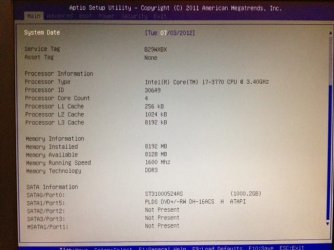
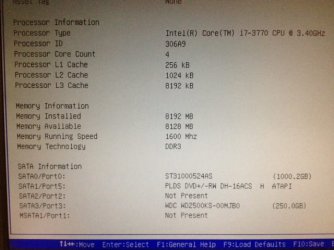
Now, I would like to backup my data to my new computer, however, when I connect them, one of them can be recognised under Win7 and not for another one.
I wonder if it is because one of them is in NTFS format(can be recognised) and the other one is in FAT32 version ( cannot be recognised in BIOS and Window7 Niether)
Do you have any suggestion on how to get back my data for the FAT32 harddisk, this hard disk involved WinXP and some important data and the driver with letter C:\
. Any info I can provided for your convience.
Worry customer
Monkichi
I've just got a new computer and the OS is Win7 professional 64but version.
And I got 2 old hard disk and both of them are SATA, Western Digital, 250GB harddisk.
Now, I would like to backup my data to my new computer, however, when I connect them, one of them can be recognised under Win7 and not for another one.
I wonder if it is because one of them is in NTFS format(can be recognised) and the other one is in FAT32 version ( cannot be recognised in BIOS and Window7 Niether)
Do you have any suggestion on how to get back my data for the FAT32 harddisk, this hard disk involved WinXP and some important data and the driver with letter C:\
. Any info I can provided for your convience.
Worry customer
Monkichi
My Computer
At a glance
Window 7 professional 64bit
- OS
- Window 7 professional 64bit