Mintos45
Banned
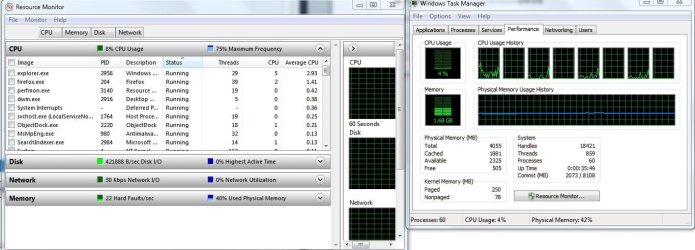
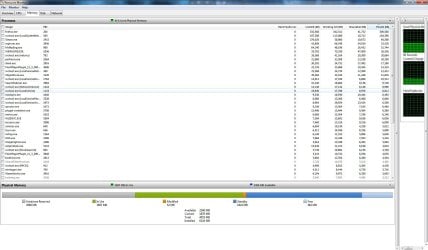
I bought a Vostro 430 around two and a half years ago, and about a week ago, I got this weird message in My Computer Properties - Installed memory (RAM): 6.oo GB (3.96 GB usable). Does that mean that out of my 3 RAM Sticks, only 2 of them are working? And if so/if not, will this affect my computer performance (gaming, watching videos etc.)
Thanks
Thanks
My Computer
At a glance
Windows 7 Professional x64 SP1Intel Core i7 860 @2.80GHz6144MB DDR3-SDRAM (3 x 2048 DDR3)nVidia GeForce 310
- Computer Manufacturer/Model Number
- Dell - Vostro 430
- OS
- Windows 7 Professional x64 SP1
- CPU
- Intel Core i7 860 @2.80GHz
- Motherboard
- Dell 054KM3
- Memory
- 6144MB DDR3-SDRAM (3 x 2048 DDR3)
- Graphics Card(s)
- nVidia GeForce 310
- Sound Card
- Realtek High Definition Audio ALC662
- Monitor(s) Displays
- Dell Computer DELL E2311H
- Screen Resolution
- 1920 x 1080
- Hard Drives
- Seagate Barracuda ST3750528AS (750 GB)
- PSU
- J515T 350W
- Case
- 14.58inH x 6.69inW x 17.43inD
- Cooling
- Fan from the Box heehee
- Keyboard
- Rapoo Wireless Keyboard
- Mouse
- Rapoo Wireless Mouse
- Internet Speed
- 1 byte every 2.6 hours
- Other Info
- Dreaming of building a new PC :D
Cant wait :)