Windows 7 Forums


Windows 7: (6.08 unusable) ram?

21 Jul 2012   #1

windows 7 64 BIT
 
 
(6.08 unusable) ram?

i have 8.00 gig ram in my computer info i get this message 8.00 ram (6.08 unusable) how can i use all my ram i'm running 64 bit

My System SpecsSystem Spec

22 Jul 2012   #2
MoD

Windows Ultimate 32-Bit, Windows Enterprise 32-bit


i guess you need to push it little harder ...
maybe PC uses the ram when it needed
My System SpecsSystem Spec
22 Jul 2012   #3

Windows® 7 Home Premium SP-1


*You may check where the ram is getting used by opening Resource Monitor

*Also post a snip of your resmon. Screenshots and Files - Upload and Post in Seven Forums
My System SpecsSystem Spec
.


22 Jul 2012   #4

Windows 7 Professional x64 SP1
Somewhere in a hole, Sydney, Australia


If you havent opened up your computer yet, make sure you wont void the warranty with the manufacture if you open it up (assuming you bought your computer from DELL/HP/LENOVO etc.)
If you dont negate the warranty, open up your computer and check how many RAM sticks are inside. Take them all out, and clean the RAM slots with compressed air. Then put the sticks back in one at a time (1 stick in, boot up computer to check that the computer recognizes that stick. Then put in another stick, boot up computer and check if computer recognizes it etc etc)

Sidenote: Before you actually do all of this, install CPU-Z and see if it recognizes your sticks of RAM
My System SpecsSystem Spec
22 Jul 2012   #5

Win 7 Ultimate x64
Etobicoke, Ontario


Would help to know the model number of your Dell.
My System SpecsSystem Spec
22 Jul 2012   #6

Win7 Ultimate SP1 x64 / Windows 8 Pro / Android
Mauritius


Quote   Quote: Originally Posted by bluzeboy View Post
i have 8.00 gig ram in my computer info i get this message 8.00 ram (6.08 unusable) how can i use all my ram i'm running 64 bit
Enable Memory Remap if it's listed in your BIOS
My System SpecsSystem Spec
22 Jul 2012   #7

windows 7 64 BIT


i'm actually on my laptop -Sony Vaio i tried to enable Memory Remap in bios but could not find.
My System SpecsSystem Spec
22 Jul 2012   #8

Win 7 Ultimate x64
Etobicoke, Ontario


Model number of the laptop then.
My System SpecsSystem Spec
22 Jul 2012   #9

Windows 7 Ultimate x64
Buenos Aires


Maybe it can happen if you have an onboard graphics card that takes RAM from the main memory. Those 2GB missing may be due to the GPU taking it away. In that case it's perfectly normal and acceptable for the memory to be non-usable.
My System SpecsSystem Spec
22 Jul 2012   #10

windows 7 64 BIT


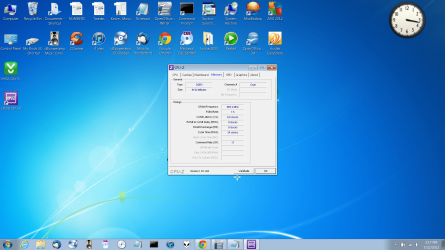
Model Number: US-VPCF2290X-LBOM now it says 8.00 -2.48 usable
Attached Thumbnails
(6.08 unusable) ram?-untitled.png  
My System SpecsSystem Spec
Reply

 (6.08 unusable) ram? problems?


Thread Tools


Similar help and support threads for: (6.08 unusable) ram?
Thread Forum
Unusable HDD? Hardware & Devices
w7 unusable after install Installation & Setup
4GB Memory Unusable Hardware & Devices
Windows 7 unusable BSOD Help and Support
The unusable Touchpad Hardware & Devices


All times are GMT -5. The time now is 09:45 AM.


Seven Forums Android App Seven Forums IOS App Follow us on Facebook

Windows 7 Forums is an independent web site and has not been authorized,
sponsored, or otherwise approved by Microsoft Corporation.
"Windows 7" and related materials are trademarks of Microsoft Corp.
© Designer Media Ltd
  

1 2 3 4 5 6 7 8 9 10 11 12 13 14 15 16 17 18 19 20 21 22 23 24 25 26 27 28 29 30 31 32