Hi All,
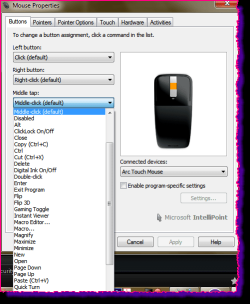
Would anyone be able to tell me how to change the settings of the wheel mouse click function so that it doesn't switch the screen between between open applications?
The Devices and Printers option in Windows 7 opens up a picture of a mouse called 'USB Optical Mouse'. Fine - but when I right click and choose the 'Mouse Settings' option, then go into either the 'Buttons' or 'Wheel' tabs, there are no options to control what the damn thing actually does (I need it to pan in AutoCAD) - just the rate of scroll, click speed etc.
So HOW can you change what clicking the middle mouse button does??
Many thanks from a hugely frustrated user!!
Would anyone be able to tell me how to change the settings of the wheel mouse click function so that it doesn't switch the screen between between open applications?
The Devices and Printers option in Windows 7 opens up a picture of a mouse called 'USB Optical Mouse'. Fine - but when I right click and choose the 'Mouse Settings' option, then go into either the 'Buttons' or 'Wheel' tabs, there are no options to control what the damn thing actually does (I need it to pan in AutoCAD) - just the rate of scroll, click speed etc.
So HOW can you change what clicking the middle mouse button does??
Many thanks from a hugely frustrated user!!
My Computer
At a glance
Windows 7 Professional 64 bit
- OS
- Windows 7 Professional 64 bit