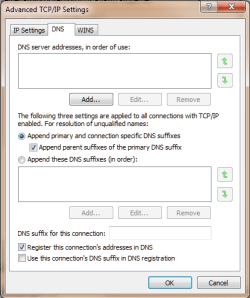
Hi y'all. I recently switched from Bell DSL internet to Teksavvy cable service. No network connection/no internet service would function on my computer. A Roger's Cable tech rep came to my apartment. His Windows XP laptop worked fine using my ethernet cable connection, which would not function on my W7 64 bit computer. The Rogers rep told me to take the one year old (3.3Ghz/ram) computer tower to where I bought it from (Canada Computers). The Canada Computers service rep hooked their DSL ethernet LAN cable to my W7 computer, and it worked fine. Back at home and using cable, the internet finally worked (after I changed my log-in user to administrator). After a few days of surfing, the network connection died again. All I get now is "Error message 651; The modem has reported an error." RCA model DCM425 is the modem. Window's "Diagnose" and "troubleshooting" functions came up with nothing. I thought it might be a virus, so I re-installed W7 a few times. Furthermore, using a different computer at a shop, I downloaded a driver for this RCA modem, but the files were not recognized by W7. I've tried doing hard resets with the RCA modem, turning it off/on, all to no avail. I even tried some advice from forum.techguy.org to command prompt "ipconfig/release" and "ipconfig/renew" in order to get the modem and computer communicating, but still no luck. I phoned Microsoft tech support, and they want $100 to "solve the problem." Teksavvy has no answers; Rogers, the same. So too for Canada Computer.
Windows IP Configuration
Host Name . . . . . . . . . . . . : i-PC
Primary Dns Suffix . . . . . . . :
Node Type . . . . . . . . . . . . : Hybrid
IP Routing Enabled. . . . . . . . : No
WINS Proxy Enabled. . . . . . . . : No
Ethernet adapter Local Area Connection:
Connection-specific DNS Suffix . :
Description . . . . . . . . . . . : Realtek PCIe GBE Family Controller
Physical Address. . . . . . . . . : 1C-6F-65-A1-0B-18
DHCP Enabled. . . . . . . . . . . : Yes
Autoconfiguration Enabled . . . . : Yes
Link-local IPv6 Address . . . . . : fe80::41d3:2bee:d978:7b4%11(Preferred)
IPv4 Address. . . . . . . . . . . : 192.168.100.10(Preferred)
Subnet Mask . . . . . . . . . . . : 255.255.255.0
Lease Obtained. . . . . . . . . . : Wednesday, September 26, 2012 1:39:00 PM
Lease Expires . . . . . . . . . . : Wednesday, September 26, 2012 1:42:26 PM
Default Gateway . . . . . . . . . : 192.168.100.1
DHCP Server . . . . . . . . . . . : 192.168.100.1
DHCPv6 IAID . . . . . . . . . . . : 236744549
DHCPv6 Client DUID. . . . . . . . : 00-01-00-01-17-F3-A9-87-1C-6F-65-A1-0B-18
DNS Servers . . . . . . . . . . . : fec0:0:0:ffff::1%1
fec0:0:0:ffff::2%1
fec0:0:0:ffff::3%1
NetBIOS over Tcpip. . . . . . . . : Enabled
Windows IP Configuration
Host Name . . . . . . . . . . . . : i-PC
Primary Dns Suffix . . . . . . . :
Node Type . . . . . . . . . . . . : Hybrid
IP Routing Enabled. . . . . . . . : No
WINS Proxy Enabled. . . . . . . . : No
Ethernet adapter Local Area Connection:
Connection-specific DNS Suffix . :
Description . . . . . . . . . . . : Realtek PCIe GBE Family Controller
Physical Address. . . . . . . . . : 1C-6F-65-A1-0B-18
DHCP Enabled. . . . . . . . . . . : Yes
Autoconfiguration Enabled . . . . : Yes
Link-local IPv6 Address . . . . . : fe80::41d3:2bee:d978:7b4%11(Preferred)
IPv4 Address. . . . . . . . . . . : 192.168.100.10(Preferred)
Subnet Mask . . . . . . . . . . . : 255.255.255.0
Lease Obtained. . . . . . . . . . : Wednesday, September 26, 2012 1:39:00 PM
Lease Expires . . . . . . . . . . : Wednesday, September 26, 2012 1:42:26 PM
Default Gateway . . . . . . . . . : 192.168.100.1
DHCP Server . . . . . . . . . . . : 192.168.100.1
DHCPv6 IAID . . . . . . . . . . . : 236744549
DHCPv6 Client DUID. . . . . . . . : 00-01-00-01-17-F3-A9-87-1C-6F-65-A1-0B-18
DNS Servers . . . . . . . . . . . : fec0:0:0:ffff::1%1
fec0:0:0:ffff::2%1
fec0:0:0:ffff::3%1
NetBIOS over Tcpip. . . . . . . . : Enabled
My Computer
At a glance
windows 7 home 64 bit
- OS
- windows 7 home 64 bit