
So I recently got a second monitor so I can work with two screens at once. As I kind of expected, I had to calibrate the monitors so their colors, brightness and all everything else match each other. But how much I may try, I can't manage to calibrate them properly. Worse, both monitors seem to be calibrated from tests, yet they still don't match.
It's hard to explain what the differences are, so I included pictures of them in the attachments. Take in mind that they're photo's from my phone, since screenshots obviously wouldn't work.
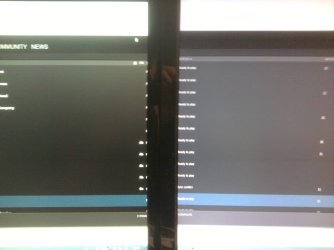
The first one, monitorDifference_blackgrayOnSteam.jpg, is made by placing the steam client over the two screens. The left side is from the new monitor, which seems to be more dark green, and the right side is the old monitor, which seems to be more light grey.
The second one are monitorDifference_foxOld.jpg (old screen) and monitorDifference_foxNew.jpg (new screen), which are from with a wallpaper. The old one seems to be more dull and brighter while the new one seems to be more colorful/warmer (?) and darker.
Just for the sake of having enough information, the old monitor is an Asus VH222H which I have for almost two years, and the new one is a LG Flatron IPS224, which is just a few days old.
These differences aren't everywhere or not as noticeable, but there are plenty things like the above two examples where the differences are big and annoying. So the question is, how can I fix this difference problem and make the monitors match properly?
It's hard to explain what the differences are, so I included pictures of them in the attachments. Take in mind that they're photo's from my phone, since screenshots obviously wouldn't work.
The first one, monitorDifference_blackgrayOnSteam.jpg, is made by placing the steam client over the two screens. The left side is from the new monitor, which seems to be more dark green, and the right side is the old monitor, which seems to be more light grey.
The second one are monitorDifference_foxOld.jpg (old screen) and monitorDifference_foxNew.jpg (new screen), which are from with a wallpaper. The old one seems to be more dull and brighter while the new one seems to be more colorful/warmer (?) and darker.
Just for the sake of having enough information, the old monitor is an Asus VH222H which I have for almost two years, and the new one is a LG Flatron IPS224, which is just a few days old.
These differences aren't everywhere or not as noticeable, but there are plenty things like the above two examples where the differences are big and annoying. So the question is, how can I fix this difference problem and make the monitors match properly?
Attachments


My Computer
At a glance
Windows 7 Home Premium 64bitintel i7 2600k2x Kingston 4GBMSI GTX780 Twin Frozr Gaming
- Computer type
- PC/Desktop
- OS
- Windows 7 Home Premium 64bit
- CPU
- intel i7 2600k
- Motherboard
- Asus P8Z68-V Pro
- Memory
- 2x Kingston 4GB
- Graphics Card(s)
- MSI GTX780 Twin Frozr Gaming
- Monitor(s) Displays
- Asus VH222H, LG Flatron IPS224
- Screen Resolution
- 1920x1080
- Hard Drives
- 1x Samsung SSD 840 EVO 250GB
2x 1TB HDD
- PSU
- Corsair 650 Watt
- Keyboard
- Logitech G110
- Mouse
- Razer Naga left-handed edition
- Antivirus
- Avira Antivir, Malwarebytes
- Browser
- Firefox, Google Chrome


