

Hello all:
For you "DIY", before you begin to build your new dream machine always consider first and foremost how much power will you need.
Your Power Supply Unit is often overlooked. But its critical in your build.
With Windows 7 and the newer dual/quad 64 bit machines the standard 300-350 watt PSU's are no longer able to handle the greater power demands placed on them.
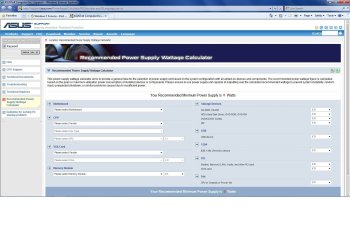
The posted link will start you on your planning for your custom build.
I'm not espousing ASSUS products but the site is a very good tool.
Regards,
Adrian
ASUSTeK Computer Inc.-Support-
For you "DIY", before you begin to build your new dream machine always consider first and foremost how much power will you need.
Your Power Supply Unit is often overlooked. But its critical in your build.
With Windows 7 and the newer dual/quad 64 bit machines the standard 300-350 watt PSU's are no longer able to handle the greater power demands placed on them.
The posted link will start you on your planning for your custom build.
I'm not espousing ASSUS products but the site is a very good tool.
Regards,
Adrian
ASUSTeK Computer Inc.-Support-
Attachments
My Computer
At a glance
Windows 7 7600 1 X64AMD PHENOM II X 550 PROCESSOR 3.1 ghzCorsair 4 gig ddr 3ati radeon 3300
- Computer Manufacturer/Model Number
- Custom Build
- OS
- Windows 7 7600 1 X64
- CPU
- AMD PHENOM II X 550 PROCESSOR 3.1 ghz
- Motherboard
- ASUS M4A78-TE
- Memory
- Corsair 4 gig ddr 3
- Graphics Card(s)
- ati radeon 3300
- Sound Card
- ati hd
- Monitor(s) Displays
- syncmaster 2033sw
- Screen Resolution
- 1600X900 60 hz refresh
- Hard Drives
- twin_seagates SATA's 1 TB & 500 Gig, hitachi_slimline 160 gig
- PSU
- antec_550 watt
- Case
- cooler master GLite
- Cooling
- stock_heat sink
- Internet Speed
- 20mbs up/ 1.5mbs down
- Other Info
- favorite child "stewie"
favorite dog "brian"


