unfaithfulsfan
New member
Hi all,
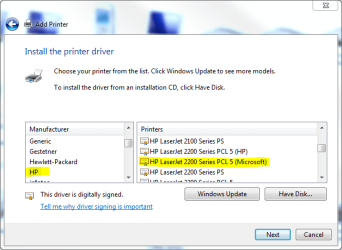
Just recently installed two W7 computers at my wife's office. She and her boss share an HP LaserJet 2200--It's local to my wife's computer and shared to her boss's PC.
The problem they're having is that whenever they try to print a .pdf file, the doc gets stuck in the print queue, the spooler stops and the printer becomes an "Unspecified" device. I have to remove the printer from both PCs, purge the docs in the queue after numerous tries, shut down both devices, disconnect the printer's USB cable, reboot then reinstall the printer on both machines.
I have surmised that there is some glitch with Windows 7 and the HP driver for the OS. (I'm a genius that way ) HP does not seem to have any more recent driver than the one I'm using. Has anyone else experienced this or have any advice on how to correct it? Currently they're just saving the files to the server (W2K Server) and printing on one of the old computers (W2K Pro) in another office.
TIA for any advice!
Jack
Just recently installed two W7 computers at my wife's office. She and her boss share an HP LaserJet 2200--It's local to my wife's computer and shared to her boss's PC.
The problem they're having is that whenever they try to print a .pdf file, the doc gets stuck in the print queue, the spooler stops and the printer becomes an "Unspecified" device. I have to remove the printer from both PCs, purge the docs in the queue after numerous tries, shut down both devices, disconnect the printer's USB cable, reboot then reinstall the printer on both machines.
I have surmised that there is some glitch with Windows 7 and the HP driver for the OS. (I'm a genius that way
) HP does not seem to have any more recent driver than the one I'm using. Has anyone else experienced this or have any advice on how to correct it? Currently they're just saving the files to the server (W2K Server) and printing on one of the old computers (W2K Pro) in another office.TIA for any advice!
Jack
My Computer
- OS
- Windows 7