Hi,
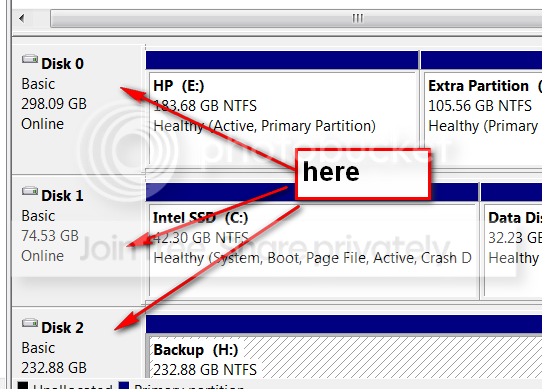
I have just bought a new Dell and installed a 2nd hard drive...i say me it was my mate really Anyway the bios can see it but the os cant (win 7) I assume it needs formatting but dont know how also i dont want to mess up the current hd which is running the os. Any help or adivce would be greatly appreciated.
Many thanks,
Adam
I have just bought a new Dell and installed a 2nd hard drive...i say me it was my mate really
Anyway the bios can see it but the os cant (win 7) I assume it needs formatting but dont know how also i dont want to mess up the current hd which is running the os. Any help or adivce would be greatly appreciated.Many thanks,
Adam
My Computer
At a glance
windows 7
- OS
- windows 7