
In the past month I have added a new external hard drive, replaced my main hard drive, and replaced my power supply.
When I added the new external hard drive, I used a USB2.0 thumb drive to move some files also and I got normal speeds on it. A couple weeks after that (last week), I replaced my hard drive and PSU at the same time.
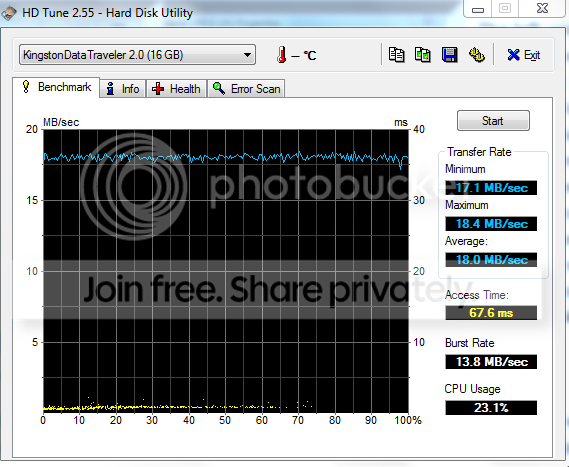
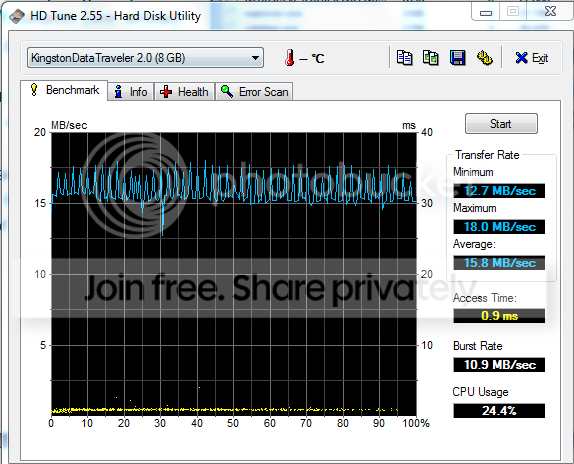
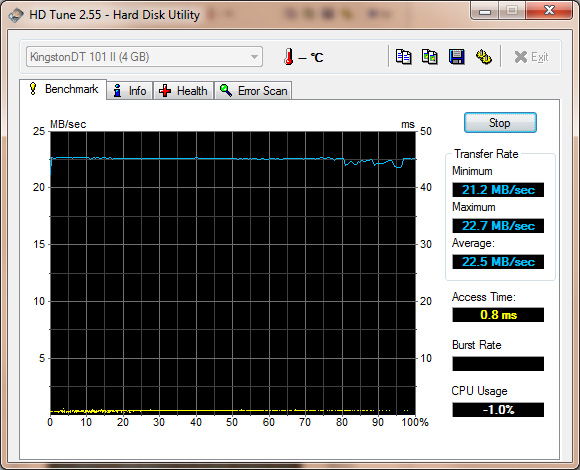
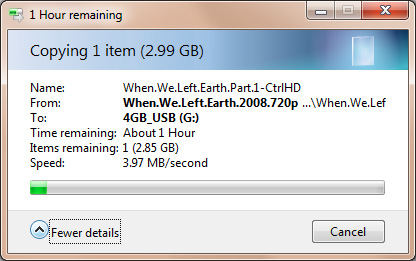
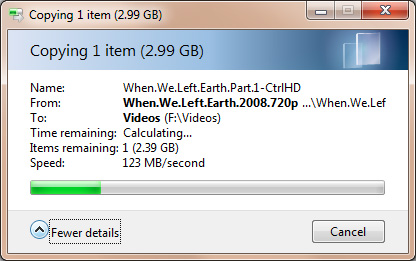
Last night I plugged in my USB2.0 thumb drive and was getting dismal speeds -- somewhere between 60kb/s and 5mb/s. Transferring the same file to my external hard drive got me 70-80mb/s. I moved the devices around to different ports with the same problem; the external hard drive got 70-80mb/s and the thumb drive got <5mb/s.
When I plugged the same thumb drive into my laptop (Win7 32-bit), I moved files at 25-30mb/s.
I updated my chipset drivers and saw no difference. Does anyone have any thoughts? Could I have done something wrong in relation to power to my USB ports?
As an aside, even just pressing "Cancel" on a slow file transfer takes FOREVER to stop. It will take probably 5 minutes for the file transfer to finally quit.
When I added the new external hard drive, I used a USB2.0 thumb drive to move some files also and I got normal speeds on it. A couple weeks after that (last week), I replaced my hard drive and PSU at the same time.
Last night I plugged in my USB2.0 thumb drive and was getting dismal speeds -- somewhere between 60kb/s and 5mb/s. Transferring the same file to my external hard drive got me 70-80mb/s. I moved the devices around to different ports with the same problem; the external hard drive got 70-80mb/s and the thumb drive got <5mb/s.
When I plugged the same thumb drive into my laptop (Win7 32-bit), I moved files at 25-30mb/s.
I updated my chipset drivers and saw no difference. Does anyone have any thoughts? Could I have done something wrong in relation to power to my USB ports?
As an aside, even just pressing "Cancel" on a slow file transfer takes FOREVER to stop. It will take probably 5 minutes for the file transfer to finally quit.
My Computer
At a glance
Win7 x64Intel E74004GB OCZ DDR2EVGA 9600GSO
- OS
- Win7 x64
- CPU
- Intel E7400
- Motherboard
- Asus P5Q SE/R
- Memory
- 4GB OCZ DDR2
- Graphics Card(s)
- EVGA 9600GSO
- Monitor(s) Displays
- Asus 24"
- Hard Drives
- WD Digital Green - 640GB
- PSU
- OCZ MXSP600
- Case
- Xion something-or-other
- Cooling
- fanz, kid!


 Still having this problem


