
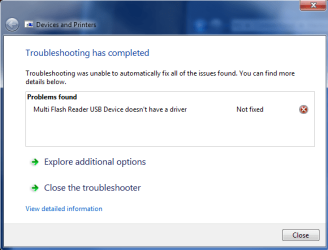
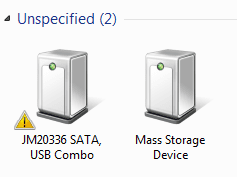
I have finally given up so I am posting this. I have an issue in which no USB mass storage devices work on my system. I have tried my BlackBerry, IPod, multiple USB jump drives and a SATA dock. They system recognizes them but won’t install them and they show a yellow exclamation mark in the device manager. The USB ports work as I can use a webcam, scanner or mouse in the same port with no issues. I used a program called DriverMax to make sure all my drivers were up to date but that did not help. Any help would be greatly appreciated! Thanks in advance!
Attached is a report from DriveMax of what drivers are installed.
Attached is a report from DriveMax of what drivers are installed.
Attachments
My Computer
At a glance
Windows 7 x64Intel i7 930DDR3 6GB TRI CAS 8NVIDIA GeForce GTX 470
- Computer Manufacturer/Model Number
- Self Built
- OS
- Windows 7 x64
- CPU
- Intel i7 930
- Motherboard
- ASUS P6X58D Premium
- Memory
- DDR3 6GB TRI CAS 8
- Graphics Card(s)
- NVIDIA GeForce GTX 470
- Sound Card
- Built in to board
- Monitor(s) Displays
- Dual LG 22" Wide Screen
- Hard Drives
- OS: Corsair CSSD-R60GB2 SATA (6 GB)
DATA: WDC WD20 01FASS-00W2B0 SATA (2.0 TB)
- PSU
- TX850W Corsair
- Case
- Thermaltake Armor A90
- Cooling
- Ultra ChillTec



 But conisder the other on adding a good hub on to see if that will provided the power level correctly to see the drives and devices work for you.


