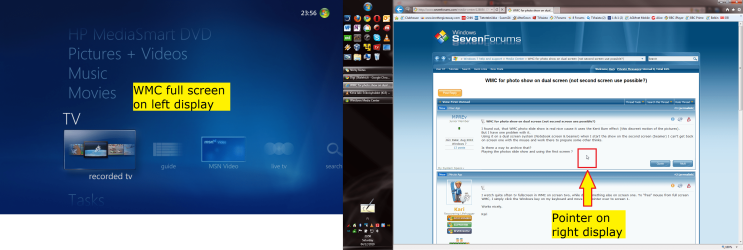
I found out, that WMC photo slide show is real nice cause it uses the Kent Burn effect (this discreet motion of the pictures).
But I have one problem with it.
Using it on a dual screen system (Notebook screen & beamer) when I start the show on the second screen (beamer) I can’t get back on screen one with the mouse and work there to prepare some other thinks.
Is there a way to archive that?
Playing the photos slide show and using the first screen ?
But I have one problem with it.
Using it on a dual screen system (Notebook screen & beamer) when I start the show on the second screen (beamer) I can’t get back on screen one with the mouse and work there to prepare some other thinks.
Is there a way to archive that?
Playing the photos slide show and using the first screen ?
My Computer
At a glance
Windows 7
- OS
- Windows 7