Quote: Originally Posted by
Gums
Yeah, in practice it appeared to have gone off without a hitch, at least when using the Mp3Tag editor. However, when I did a restore on the Library the cover art is still left blank. Huh! Checking the directory on Mp3Tag shows that each track has the corresponding album cover art to go along with it. Just doesn't want to make the leap onto the WMP Library. I dunno...
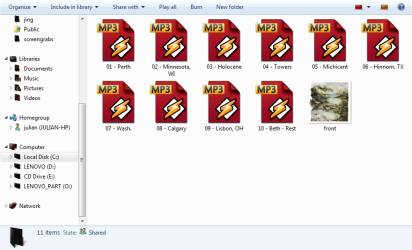
The current version of WMP Tag Plus doesn't support embedded album art yet - this will be added in the next major release. In the meantime, you could place the album art as
Folder.jpg files in the album folders. Those should get picked up by WMP.

Quote: Originally Posted by
Gums
Never mind, I guess I have to "Restore Media Library" TWICE in order for it to work. First to bring in the new or "Unknown" flac files then second to delete them and restore them into the "Known" or legitimate file. Sheesh!
It's not really clear to me why you keep restoring the media library. This should be done only in extreme circumstances like library corruption. WMP should usually refresh songs' metadata automatically. If it doesn't, the supported way to refresh the metadata is by re-adding the songs, as I explained earlier. Nevertheless, I can't tell why the FLAC files keep getting added as Unknown. The only explanation I can currently give is that you're somehow still running the 64-bit version or that the plug-in keeps getting disabled.