Hi,
I've been searching everywhere in this forum and all others but haven't been able to find my particular problem. My video and music libraries work great with no problems.
My picture library shows pretty much every image from every corner of my hard drive bogging down the player pretty badly.
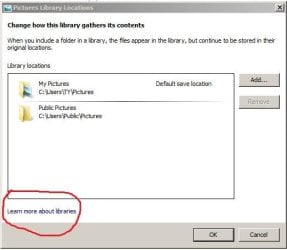
I have never used WMP for viewing pictures so, deciding to remove them, I went to organize > manage libraries > pictures and removed the only two that were there: "My Pictures" and "Public pictures".
They appeared to go away but the pictures remained in the library.
As an experiment, when I added "my pictures" back in as a library folder, it worked fine and I now had duplicates of that folder. I was able to right click individual pictures and delete them (only the second set that I just re-added). When I removed the "my pictures" folder again, I now still have duplicates of those pictures and when I right click and chose delete it does nothing.
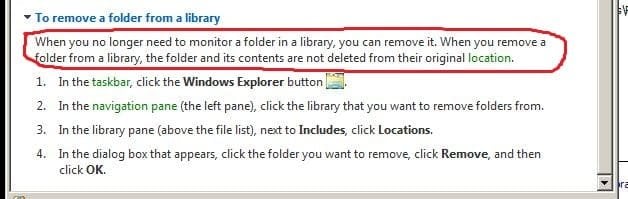
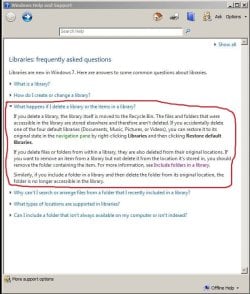
The problem seems to be that when you remove a folder from the library, the files remain literally "stuck" in the library. Is this normal? How can these files be removed?
Thanks
Darren
I've been searching everywhere in this forum and all others but haven't been able to find my particular problem. My video and music libraries work great with no problems.
My picture library shows pretty much every image from every corner of my hard drive bogging down the player pretty badly.
I have never used WMP for viewing pictures so, deciding to remove them, I went to organize > manage libraries > pictures and removed the only two that were there: "My Pictures" and "Public pictures".
They appeared to go away but the pictures remained in the library.
As an experiment, when I added "my pictures" back in as a library folder, it worked fine and I now had duplicates of that folder. I was able to right click individual pictures and delete them (only the second set that I just re-added). When I removed the "my pictures" folder again, I now still have duplicates of those pictures and when I right click and chose delete it does nothing.
The problem seems to be that when you remove a folder from the library, the files remain literally "stuck" in the library. Is this normal? How can these files be removed?
Thanks
Darren
My Computer
At a glance
Windows 7 Ultimate 32bit
- OS
- Windows 7 Ultimate 32bit