skandalouz
New member
- Local time
- 7:52 PM
- Messages
- 25
Hi,
I've just started with win7, so I'm still kinda used to XP/WMP10. Couple of things i hope still work but haven't figured out yet:
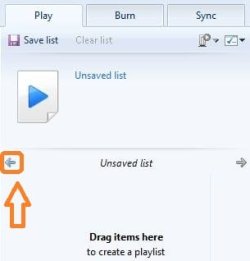
One thing that bothers me most is that I cant delete files directly from the now playing list. It only lets me remove it from the list. I know it can be done from the library, but is this my only option?
Second, when i remove files from the now playing list, the playing stops altogether, any options on this?
Third and last, when I shut down WMP12 and later reopen, my last played list is gone. Is there some way to get this back without having to save all the time?
Thanks in advance,
Skandalouz
I've just started with win7, so I'm still kinda used to XP/WMP10. Couple of things i hope still work but haven't figured out yet:
One thing that bothers me most is that I cant delete files directly from the now playing list. It only lets me remove it from the list. I know it can be done from the library, but is this my only option?
Second, when i remove files from the now playing list, the playing stops altogether, any options on this?
Third and last, when I shut down WMP12 and later reopen, my last played list is gone. Is there some way to get this back without having to save all the time?
Thanks in advance,
Skandalouz
My Computer
At a glance
Windows 7 Ultimate x64Intel i5-2500 @ 3.33GHz (stock)Corsair 2x4GBGigabyte GV-N560OC-1GI
- OS
- Windows 7 Ultimate x64
- CPU
- Intel i5-2500 @ 3.33GHz (stock)
- Motherboard
- MSI P67a-GD65 (B3)
- Memory
- Corsair 2x4GB
- Graphics Card(s)
- Gigabyte GV-N560OC-1GI
- Monitor(s) Displays
- Iiyama ProLite E2410HDS
- Screen Resolution
- 1920*1080
- Hard Drives
- WD15EARS
WD10EARS
WD10EADS
WD5002AALX
- PSU
- Zalman ZM-600HP
- Case
- CM 690II Advanced
- Keyboard
- Logitech Cordless Desktop Optical