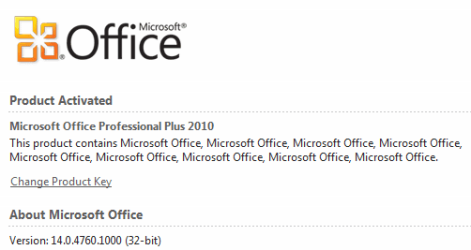
If you open up Control Panel then click Programs and Features then 'Uninstall a Program' you can scroll down to the Microsoft Office you have installed then left-click once and in the status bar it'll show the installed version. This version number is carried through all the apps install in MS Office.
Computer type PC/Desktop System Manufacturer/Model Number Built by me OS Windows 7 Ultimate x64 SP1 CPU Intel Core i7-950 (3.06GHz) OC to 3.8GHz Motherboard Gigabyte GA-X58A-UD5 rev 1, F6 Bios Memory 12 gig Corsair DDR3 Dominator GT Memory (3X 4GB) Graphics Card AMD Radeon HD6950 2gig (Sapphire) Sound Card X-Fi Titanium Fatality Pro Monitor(s) Displays HP ZR22w 22" LCD Monitor Screen Resolution 1920 x 1080
Keyboard Logitech Wireless Wave Mouse Logitech Performance MX PSU Antec Signature - SG-850 Case Cooler Master HAF X Cooling Noctua NH-C12P SE14 Hard Drives Primary - OCZ Vertex 4 SSD (256GB). Storage - OCZ Vertex 2 SSD (120GB) & 2TB WD Caviar Black. Internet Speed High Speed Cable Other Info Memory Timings - 1600MHz @ 8-8-8-20-1T @ 1.640 volts