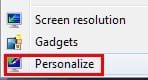
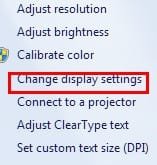
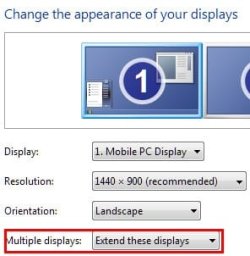
When I try to reply, create a new email, or forward an email in Outlook 2007 on this new laptop I can see that the program has opened a reply etc... but this window is only visible in the task bar and does not open when clicked on. I'm using an extended display from the laptop using its external VGA monitor plug to a Dell monitor. I receive emails fine.
No other programs are having a similar problem (ie. all windows that are visible in the task bar open when clicked on).
I am beyond confused and mostly illiterate when it comes to computers. Any help is appreciated.
5 minutes later....
So after disconnecting the external monitor and opening Outlook on the laptop only, it worked fine. Then I hooked up the external monitor and dragged the Outlook window to from the external monitor to the laptop's monitor to find that the reply email window opens on the external monitor.
No other programs are having a similar problem (ie. all windows that are visible in the task bar open when clicked on).
I am beyond confused and mostly illiterate when it comes to computers. Any help is appreciated.
5 minutes later....
So after disconnecting the external monitor and opening Outlook on the laptop only, it worked fine. Then I hooked up the external monitor and dragged the Outlook window to from the external monitor to the laptop's monitor to find that the reply email window opens on the external monitor.
Last edited:
My Computer
At a glance
Windows 7 Ultimate x64AMD Phenom(tm) II9304gbATI HD5650
- Computer Manufacturer/Model Number
- HP Pavilion dv6-3050us
- OS
- Windows 7 Ultimate x64
- CPU
- AMD Phenom(tm) II930
- Motherboard
- who knows?
- Memory
- 4gb
- Graphics Card(s)
- ATI HD5650
- Monitor(s) Displays
- Extended from laptop screen to a Dell AS501