|
Welcome to Windows 7 Forums. Our forum is dedicated to helping you find solutions with any problems, errors or issues you are experiencing with Windows 7. The Windows 7 forum also covers news and updates and has an extensive Windows 7 tutorial section that covers a wide range of tips and tricks.
Windows 7 - How do you line numbers and letters in word? |
09-16-2011
|
#1 | | |
How do you line numbers and letters in word? I'm in a situation where I'm making a table of contents without a word template. The chapter page numbers are slightly off it's like they are frozen within a few spaces. I haven't been able to figure this out. Any advice?
Thanks
| My System Specs | | OS windows 7 home premium |
09-17-2011
|
#2 | | 32bit: XP, Win7 H.P. / 64bit: 2008R2, Win7 Pro, Ultimate / Several flavors of Linux |
Can you post a screen shot? I don't understand what you are trying to do, what you see.
Regards,
GEWB | My System Specs | | System Manufacturer/Model Number (5 different computers booting up to 12 systems) OS 32bit: XP, Win7 H.P. / 64bit: 2008R2, Win7 Pro, Ultimate / Several flavors of Linux |
09-17-2011
|
#3 | | |
1. Clydebank 9 2. Mammy 16 3. Funeral in Duntocher 32 4. Alterations 45 5. Little Fox Fur 57 6. My Peggy Doll 65 7. My Auntie Tilly 74 8. Evacuation, 1940 77 9. Dolly Mixtures 84 10. The Clydebank Blitz 100 11. Lords and Ladies 117 12. Granny’s Last Garment 128
This got a little jumbled with the cut and paste but this is what happens when I try to straighten up the numbers Chapters 1-5 represents my problem as does Chapters 9 through 12.
The other jumbled stuff is one of the things that happens when I try to tweek the numbers around. There are 23 chapters. If I move the page numbers, the chapter numbers move as well. It jumbled up even farther got much worse when hitting the post button but I got Chapt. 1-5 and 9-12 to be what I am locked into. I don't have anything that gives me a screenshot just cut and paste. Sorry when I hit the save button everything messes up again. I'll leave it like that just to show you I tried. | My System Specs | | OS windows 7 home premium |
09-17-2011
|
#4 | | MS Windows 7 Ultimate 64-bit SP1 |
Did you use the Table of Contents tab in Index and Tables to create the TOC from word Headings?
If so you can delete the table of contents already created, and go to Table of Contents tab and change the format in the drop down box to suit your taste ( You can see the preview).
To update the TOC, place the cursor on the TOC, right click and select update field and then select update entire table to refresh the entire table. | My System Specs | | System Manufacturer/Model Number Toshiba Satellite P775-S7232 OS MS Windows 7 Ultimate 64-bit SP1 CPU i5-2410M 2.3GHz (2.9GHz Turbo-Boost) Sandy Bridge 32nm Motherboard Toshiba PHRAA ver. PSBY1U-00F003 Memory 4GB+4GB Samsung DDR3 PC3-10700 (1333 MHz) Graphics Card Video Intel(R) HD Graphics Family, 1696MB available memory Sound Card Realtek High Definition Audio version=6.0.1.6323 Monitor(s) Displays 17.3 " Trubrite TFT LCD, LED Backlit Screen Resolution 1600x900 32 bit, Native support for 720P content Keyboard Premium Raised Tile keyboard Mouse Logitech M215 wireless mouse PSU Toshiba AC/DC Adapter Case Notebook Cooling Built-in Fan Hard Drives TOSHIBA MK6476GSXN
580.614 [GB] partitioned C: 80GB and D: 500GB with hidden recovery partitons.
Spare bay for 2nd HDD but no SATA connector :-( Internet Speed Not fast enough Other Info Built-in Harman Kardon speakers with Dolby Advanced Audio, Waves MaxxAudio® 3. HDMI, 1xUSB3+3xUSB2 ports, WebCam, Battery life 4hrs 11mins, 4GB Readyboost SDHC card, WD My Book Essential Ext HDDs 2 TB, 2x1TB, My Passport SE 1TB and WDTV 1st Gen for Multimedia playing on a Sony Wega 32" LCD. |
09-17-2011
|
#5 | | |
1. xxxxxxxx 9
2. xxxxxxxxxxxx 14
3. xxxxxxxxxxxx 23
In my word program the numbers 9, 14, 23 don't line up they are off by a smidgin, less than what we see but off enough to be off and noticeable. It's like the numbers are locked into a two space column.
When I go to move the column blocks in the top rule bar that doen't do much either.
rraod - I just started typing away a table of contents but when I left and saved the document and came back everything was carved in stone not to be moved much. | My System Specs | | OS windows 7 home premium |
09-17-2011
|
#6 | | Windows 7 Pro 64bit build v. 7600 SP1 |
For future reference you can take a screen shot using print screen on the keyboard and the pasting to ms paint or more easily using the snipping tool in the start menu->all programs->accessories.
That would tremedously help troubleshoot your issue. | My System Specs | | System Manufacturer/Model Number Custom Build OS Windows 7 Pro 64bit build v. 7600 SP1 CPU Intel Core 2 Duo E6850 3.00GHz w/ Zalman 9700 NT Heatsink Motherboard Asus P5N-e SLI Memory Corsair XMS2 DDR2-800 4G Graphics Card EVGA Geforce GTX 470 Sound Card Creative X-Fi xtreme music Monitor(s) Displays Dual 24" ASUS VW246H Screen Resolution 1920x1080 Keyboard Alienware Mouse Logitech G5 PSU Coolermaster 650W Case Coolermaster Cosmos 1000 Cooling Coolermaster and Silverstone 120mm Hard Drives Western Digital 300G Velociraptor hosting Win 7 Pro 64bit
Western Digital 150G Raptor Extra storage
Western Digital 80G Win XP Pro
Western Digital Scorpio Black 1TB for backup & Image Other Info Klipsch 2.1 speakers
APC UPS
Dell E1505 w/Linux Mint 12 & Win8Beta on spare drive
Thermaltake BlacX HDD Dock |
09-17-2011
|
#7 | | Vista 64 bit and 32 bit (SP2) |
I can think of several work-arounds - the best one being the 4th one:
1. The most obvious one (which you've probably already tried) is to use the Tab key after setting it in the Ruler to indent to where you need it to go.
2. You can put your items into a Table and within each box have the text start at the left edge of the box (Align Text Left) or in the center of the box (Center).
3. You can put your items into Columns
4. You can use the Kerning and Spacing options within MS Office. (Open the doc with the problem, put your cursor on the Styles link, go to ‘Normal’ and slide your cursor all the way to the right to display the drop-down menu. Select ‘Modify.’ At the bottom-left of the screen select Format, then Font, and at the top of the screen select: Character Spacing. Follow on-screen directions. (And be sure the doc isn’t in Justify format!) | My System Specs | | System Manufacturer/Model Number HP Pavillion dv5t (generation 1) OS Vista 64 bit and 32 bit (SP2) CPU Intel(R) Core(TM)2 Duo Processor T9400 (2.53 GHz Memory 4GB DDR2 System Memory (2 Dimm) Graphics Card 512 MB NVIDIA GeForce 9600M GT Monitor(s) Displays 15.4" diagonal WSXGA+ High-Definition HP BrightView Widescre Screen Resolution 1680 x 1050 Keyboard Built-in HP Mouse Built in - Synaptics TouchPad V6.5 on PS/2 Port Hard Drives 320GB 5400RPM SATA Hard Drive with HP ProtectSmart Hard Drive Protection Internet Speed Max Other Info ~ Intel Next-Gen Wireless-N Mini-card w/Bluetooth ~ Blu-Ray ROM DVD+/-R/RW ~ Integ. HDTV Hybrid Tuner ~ 12 Cell Battery ~ MS Office (Home Premium) 2007 ~ |

09-17-2011
|
#8 | | |
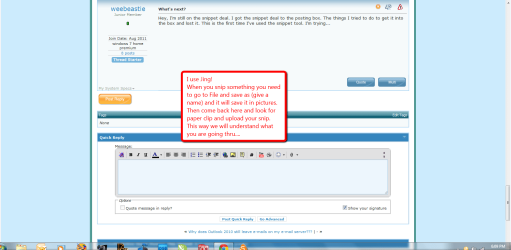
What's next? Hey, I'm still on the snippet deal. I got the snippet deal to the posting box. The things I tried to do to get it into the box and lost it. This is the first time I've used the snippet tool. I'm trying... | My System Specs | | OS windows 7 home premium |
09-17-2011
|
#9 | | |
Oh imperfect one, you've got some good suggestions. I'll print them out "zing" there goes one over my head right now!
Thanks to everyone for chiming in! | My System Specs | | OS windows 7 home premium |
09-17-2011
|
#10 | | Windows 7 Home Premium 64bit |
| My System Specs | | System Manufacturer/Model Number HP M9077c OS Windows 7 Home Premium 64bit CPU Intel(R)Core(TM)2 quad Q6600@2.4GHz 2.39GHz Motherboard ASUSeK Memory 6GB DDR2 6400 Graphics Card GeForce 8500/512MB Sound Card Realtek High Def Audio Monitor(s) Displays HP w2408 LCD 24" widescreen Screen Resolution 1920x1200 Keyboard MS wireless Inteli Mouse MS wireless Inteli Cooling 6 pack of Bud How do you line numbers and letters in word? problems? All times are GMT -5. The time now is 05:43 PM. |  |