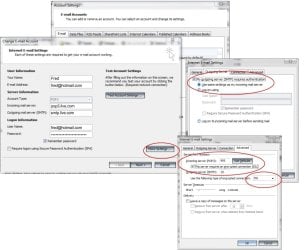
Hi...I've never really bothered about Outlook even though I've had it for ages in my MS Office 2007 suite.
Instead I opt for web-based email - Hotmail, Yahoo etc
However, I've found that whenever I want to send a 'Contact Us' email on a webpage, clicking on the link automatically brings up Outlook...and the offer of 'setting it up'.
Using the guide on: Outlook 2007: Setting up Email - Search the Go Daddy Help Center, I did this...using POP3
I set Outlook up using my Hotmail address as the 'new' email address.
Everything seemed fine during the process. However, when I tried sending an email to myself, it failed.
When I closed then re-opened Outlook, a window appeared with my Hotmail address as above and password, asking me to type in the address/password again.
I did this only to have the window appear again and again...and again
I tried sending an email to another email address of mine. All I saw was the progress bar which never completed.
I've now deleted the above Hotmail email address from Outlook, so I'm back to square one again.
Clearly, I'm doing something wrong. I've read the sticky above but am no further forward.
Can someone show me where I'm slipping up as I'm now determined to have this Outlook up and running?
Many thanks
Instead I opt for web-based email - Hotmail, Yahoo etc
However, I've found that whenever I want to send a 'Contact Us' email on a webpage, clicking on the link automatically brings up Outlook...and the offer of 'setting it up'.
Using the guide on: Outlook 2007: Setting up Email - Search the Go Daddy Help Center, I did this...using POP3
I set Outlook up using my Hotmail address as the 'new' email address.
Everything seemed fine during the process. However, when I tried sending an email to myself, it failed.
When I closed then re-opened Outlook, a window appeared with my Hotmail address as above and password, asking me to type in the address/password again.
I did this only to have the window appear again and again...and again
I tried sending an email to another email address of mine. All I saw was the progress bar which never completed.
I've now deleted the above Hotmail email address from Outlook, so I'm back to square one again.
Clearly, I'm doing something wrong. I've read the sticky above but am no further forward.
Can someone show me where I'm slipping up as I'm now determined to have this Outlook up and running?
Many thanks
My Computer
At a glance
Microsoft Windows 7 Home Premium 64-bit 7601 ...Intel(R) Core(TM) i7-2600 CPU @ 3.40GHz8.00 GBIntel(R) HD Graphics Family
- Computer type
- PC/Desktop
- OS
- Microsoft Windows 7 Home Premium 64-bit 7601 Multiprocessor Free Service Pack 1
- CPU
- Intel(R) Core(TM) i7-2600 CPU @ 3.40GHz
- Motherboard
- ASRock H61M/U3S3
- Memory
- 8.00 GB
- Graphics Card(s)
- Intel(R) HD Graphics Family
- Sound Card
- (1) Realtek High Definition Audio (2) High Definition Audi
- Screen Resolution
- 1920 x 1080 x 32 bits (4294967296 colors) @ 59 Hz
- Hard Drives
- (1) ST3500413AS ATA Device (2) ST3500413AS ATA Device (3) Generic- Card Reader USB Device