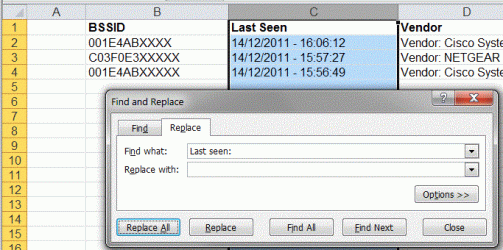
Hello Everyone, Its my first post here 
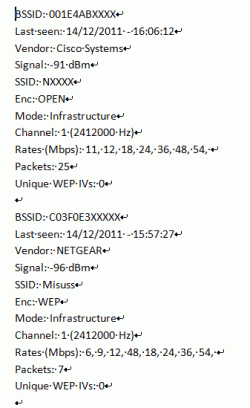
I have a text file with values printed like these;
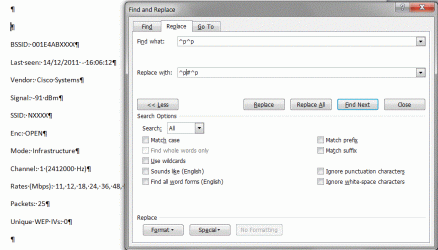
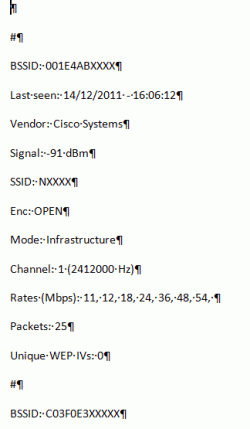
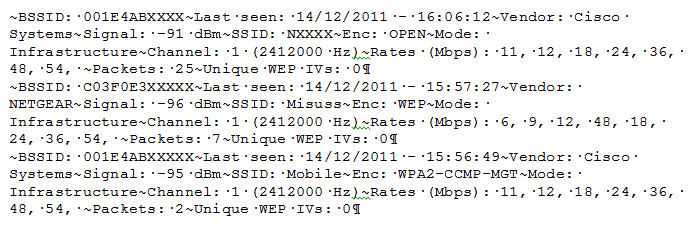
BSSID: 001E4ABXXXX
Last seen: 14/12/2011 - 16:06:12
Vendor: Cisco Systems
Signal: -91 dBm
SSID: NXXXX
Enc: OPEN
Mode: Infrastructure
Channel: 1 (2412000 Hz)
Rates (Mbps): 11, 12, 18, 24, 36, 48, 54,
Packets: 25
Unique WEP IVs: 0
BSSID: C03F0E3XXXXX
Last seen: 14/12/2011 - 15:57:27
Vendor: NETGEAR
Signal: -96 dBm
SSID: Misuss
Enc: WEP
Mode: Infrastructure
Channel: 1 (2412000 Hz)
Rates (Mbps): 6, 9, 12, 48, 18, 24, 36, 54,
Packets: 7
Unique WEP IVs: 0
BSSID: 001E4ABXXXXX
Last seen: 14/12/2011 - 15:56:49
Vendor: Cisco Systems
Signal: -95 dBm
SSID: Mobile
Enc: WPA2-CCMP-MGT
Mode: Infrastructure
Channel: 1 (2412000 Hz)
Rates (Mbps): 11, 12, 18, 24, 36, 48, 54,
Packets: 2
Unique WEP IVs: 0
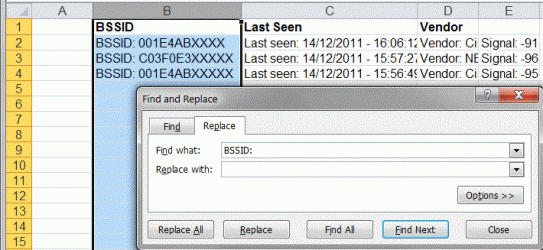
I want to export this all to an excel spreadsheet with columns representing BSSID, Last Seen, vendor, Signal, SSID, Enc, Mode etc., and all the values belonging for an BSSID in a single row. Does it look doable? If yes, please let me know how to achieve this, and I will be highly obliged.
Much thanks!
Sid
I have a text file with values printed like these;
BSSID: 001E4ABXXXX
Last seen: 14/12/2011 - 16:06:12
Vendor: Cisco Systems
Signal: -91 dBm
SSID: NXXXX
Enc: OPEN
Mode: Infrastructure
Channel: 1 (2412000 Hz)
Rates (Mbps): 11, 12, 18, 24, 36, 48, 54,
Packets: 25
Unique WEP IVs: 0
BSSID: C03F0E3XXXXX
Last seen: 14/12/2011 - 15:57:27
Vendor: NETGEAR
Signal: -96 dBm
SSID: Misuss
Enc: WEP
Mode: Infrastructure
Channel: 1 (2412000 Hz)
Rates (Mbps): 6, 9, 12, 48, 18, 24, 36, 54,
Packets: 7
Unique WEP IVs: 0
BSSID: 001E4ABXXXXX
Last seen: 14/12/2011 - 15:56:49
Vendor: Cisco Systems
Signal: -95 dBm
SSID: Mobile
Enc: WPA2-CCMP-MGT
Mode: Infrastructure
Channel: 1 (2412000 Hz)
Rates (Mbps): 11, 12, 18, 24, 36, 48, 54,
Packets: 2
Unique WEP IVs: 0
I want to export this all to an excel spreadsheet with columns representing BSSID, Last Seen, vendor, Signal, SSID, Enc, Mode etc., and all the values belonging for an BSSID in a single row. Does it look doable? If yes, please let me know how to achieve this, and I will be highly obliged.
Much thanks!
Sid
My Computer
At a glance
Windows 7 ultimate x64
- OS
- Windows 7 ultimate x64